


Modern editing software is incredibly powerful. With just a few sliders, you can recover highlights, brighten shadows, sharpen details, reduce noise, and completely transform an image. AI tools can even rescue photos that once seemed unusable.
But there’s one thing your editing software doesn’t tell you:
Every adjustment comes with a tradeoff.
The more aggressively you push an edit, the more likely it is to affect another part of the image. Understanding these hidden compromises is what separates natural-looking edits from overprocessed ones.
Related reminder: only a little while left for the Photo Editing Cheat Sheets  Summer Sale
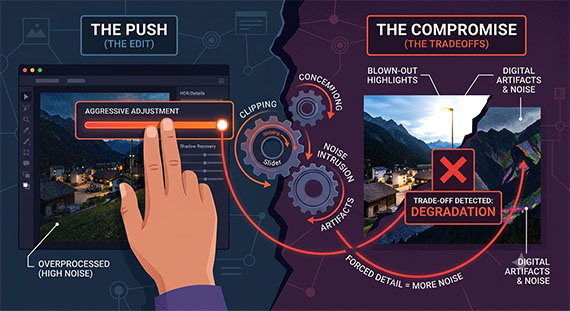
Every Slider Has a Cost
Editing controls don’t work in isolation. Increasing contrast can make an image more dramatic, but it may also hide shadow detail. Boosting saturation creates richer colors, but can quickly make skin tones and foliage look unnatural. Sharpening adds crispness, yet too much creates halos and harsh textures.
Instead of relying on one extreme adjustment, aim for several subtle ones that work together.
Recovery Isn’t Unlimited
RAW files contain impressive editing flexibility, but they’re not magic. If highlights were completely blown out when the photo was taken, no software can restore detail that doesn’t exist.
Editing is most effective when it enhances a well-exposed image—not when it tries to rescue a poorly exposed one.
Noise Reduction Removes More Than Noise
Modern AI noise reduction is remarkably effective, but it still has to decide what’s real detail and what’s unwanted noise. Push it too far, and fine textures like hair, feathers, or distant foliage can begin to look soft or artificial.
Always zoom back out before exporting. An edit that looks perfect at 200% may appear overly processed at normal viewing sizes.
AI Doesn’t Know Your Vision
AI editing tools can produce amazing results, but they don’t understand your creative intent. Sometimes they remove subtle textures, invent detail, or make changes that look convincing at first glance but feel unnatural on closer inspection.
Compare your edited image to the original before exporting. Sometimes less really is more.
Your Monitor Matters
Even a perfectly edited photo can look different on another screen. Display brightness, color accuracy, and calibration all affect how an image appears. If your monitor is too bright, your prints will often come out too dark.
For photographers who print regularly, a calibrated monitor is one of the best investments you can make.
Final Thoughts
Editing software gives photographers incredible creative freedom, but it won’t warn you about the compromises behind each adjustment. Every slider has the potential to improve an image—or quietly reduce its quality when pushed too far.
The goal isn’t to use every editing tool available. It’s to make thoughtful, restrained adjustments that enhance your photograph while preserving its natural detail and character.
For Further Training:
If editing often feels scattered or uncertain, these cheat sheets provide a clear, repeatable process for tackling exposure, color, masking, retouching, and finishing touches in the right order.
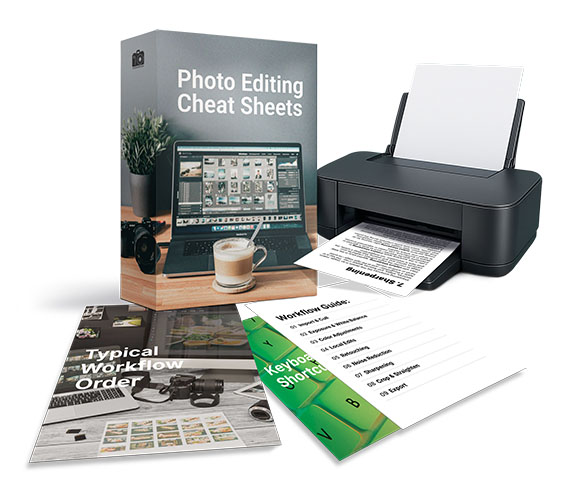
Paired with time-saving keyboard shortcuts, they help you edit faster, stay consistent, and know when an image is truly finished.
Deal ending soon: The Photo Editing Cheat Sheets Summer Sale
from PictureCorrect https://ift.tt/hNIkpF5
via IFTTT


0 kommenttia:
Lähetä kommentti