keskiviikko 20. toukokuuta 2026

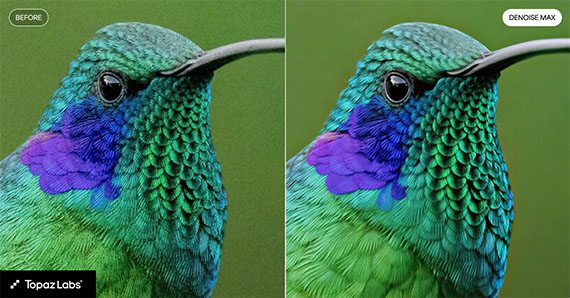
PictureCorrect.com: Denoise Max Is Built for Extremely Noisy Photos

Low-light photography has always involved compromises.

Raise ISO too far and images become noisy. Lower shutter speed too much and motion blur takes over. Recover shadows aggressively and detail can quickly fall apart.

That’s why photographers are paying attention to the new Denoise Max update from Topaz Labs.

Instead of simply smoothing away grain like traditional noise reduction tools, Denoise Max uses AI reconstruction to help recover detail from heavily noisy images.

And importantly, it now works in both:

The current sale on both products is ending tonight.

denoise max

What Makes Denoise Max Different?

Traditional denoise tools often soften detail while reducing noise.

Denoise Max takes a more advanced approach by attempting to:

  • preserve edge detail
  • rebuild texture
  • recover fine patterns
  • maintain perceived sharpness

This makes it especially useful for:

  • Milky Way photography
  • wildlife photography
  • indoor events
  • smartphone night photography
  • heavily cropped images

For photographers shooting in difficult lighting, the difference can be dramatic.

Topaz Image Web Expands the Workflow

One interesting part of this update is that these newer AI models also work through Topaz Image Web.

That means photographers can access advanced AI processing through the cloud instead of relying entirely on local computer hardware.

For users with older systems or laptops, this could become a major advantage going forward.

Only Until Midnight

If you want to try the new Denoise Max update, the current sale on:

ends tonight.


from PictureCorrect https://ift.tt/gkf5N12
via IFTTT

tiistai 19. toukokuuta 2026

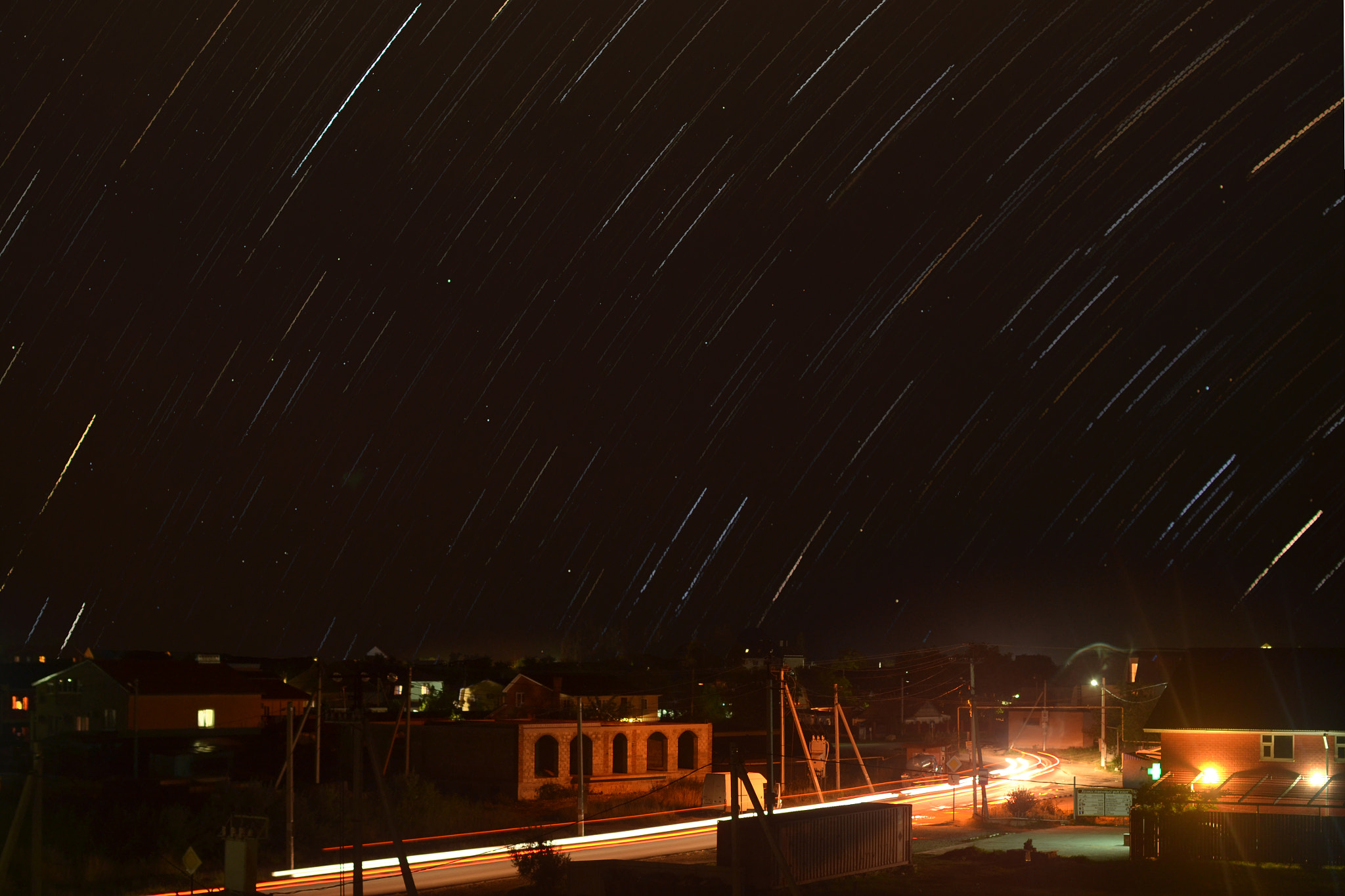
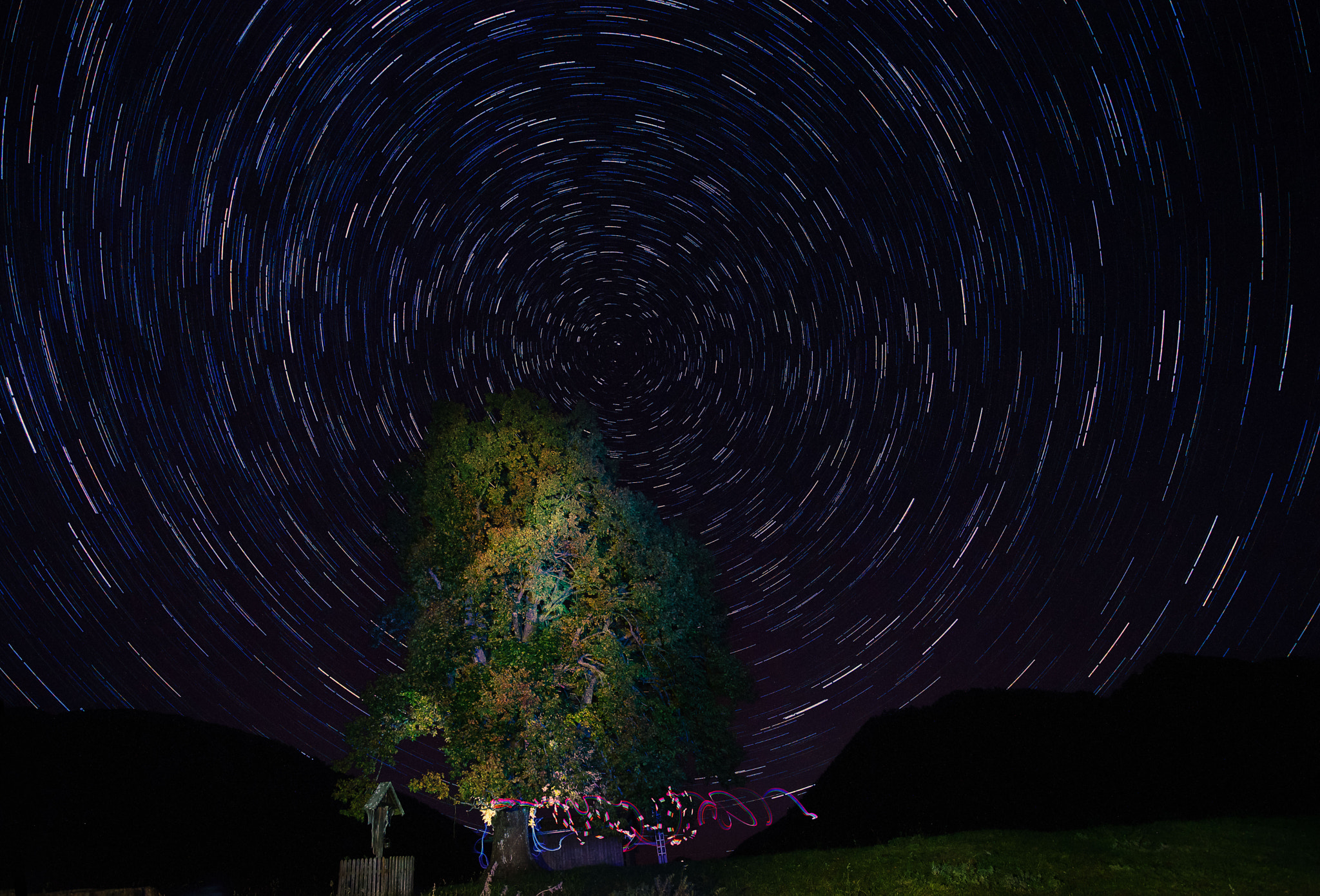
Starnight in Golubickaya by antonenkori (500px.com/antonenkori)


Starnight in Golubickaya via 500px https://ift.tt/ebCWPRF

maanantai 18. toukokuuta 2026

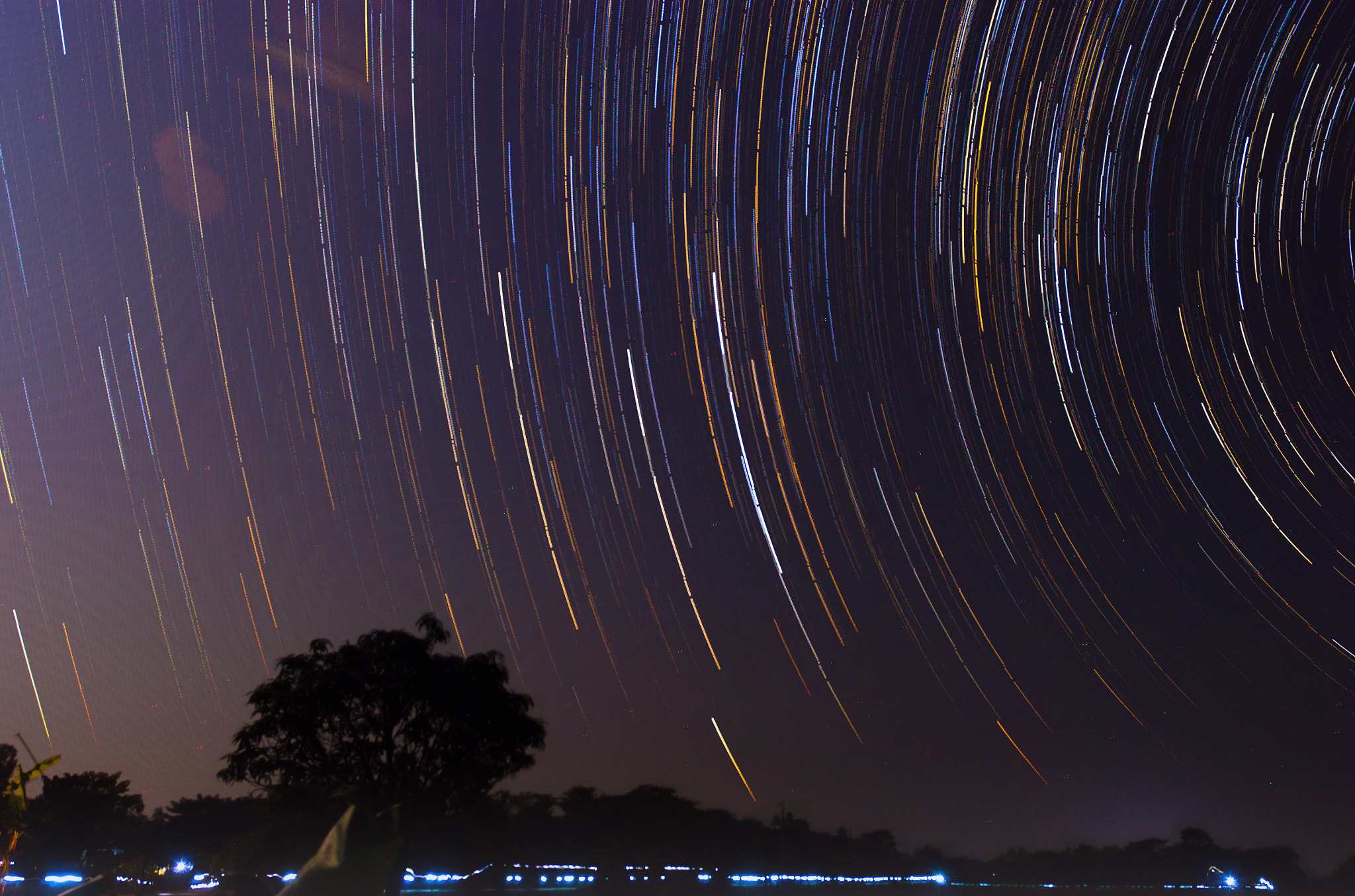
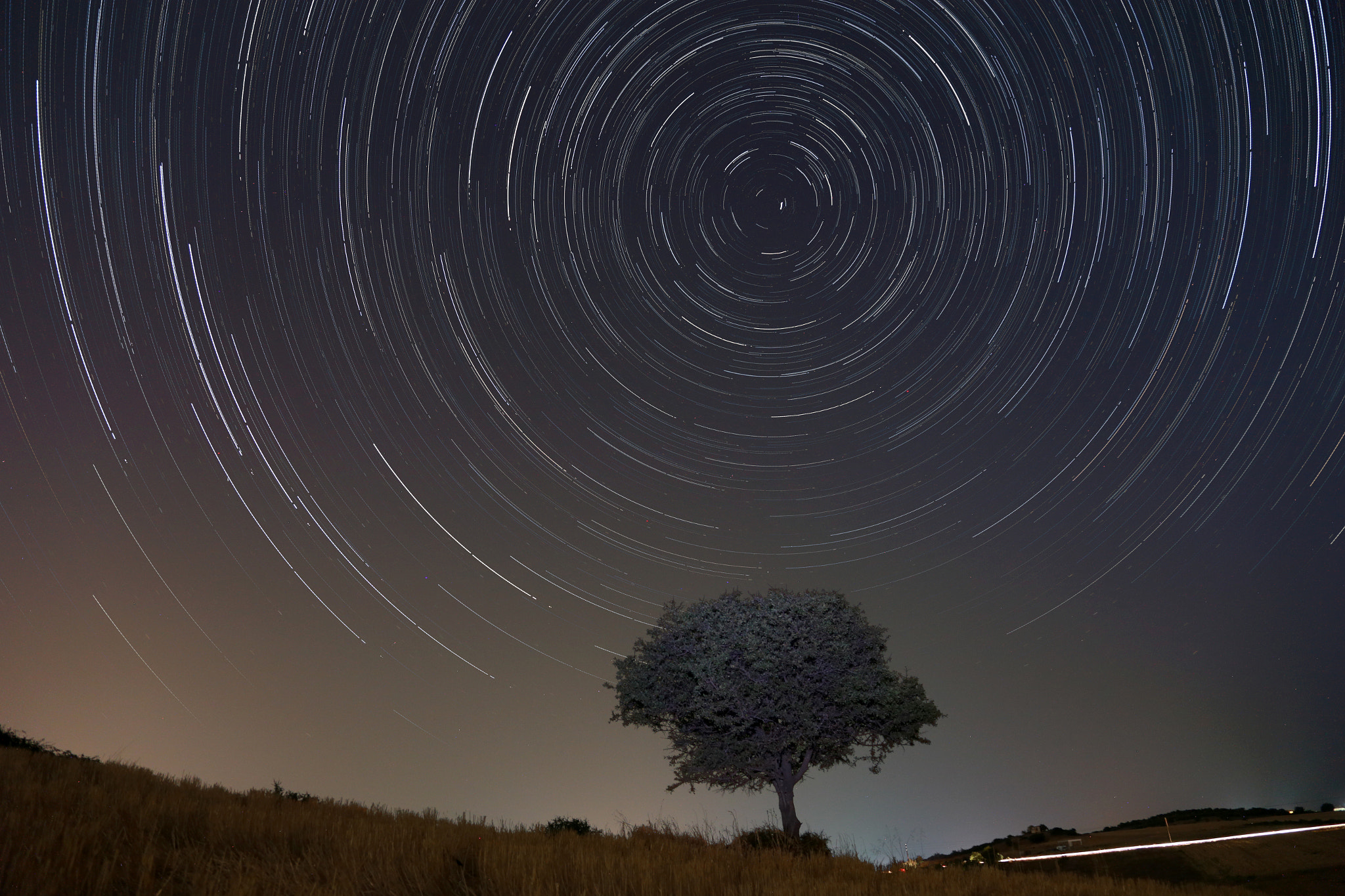
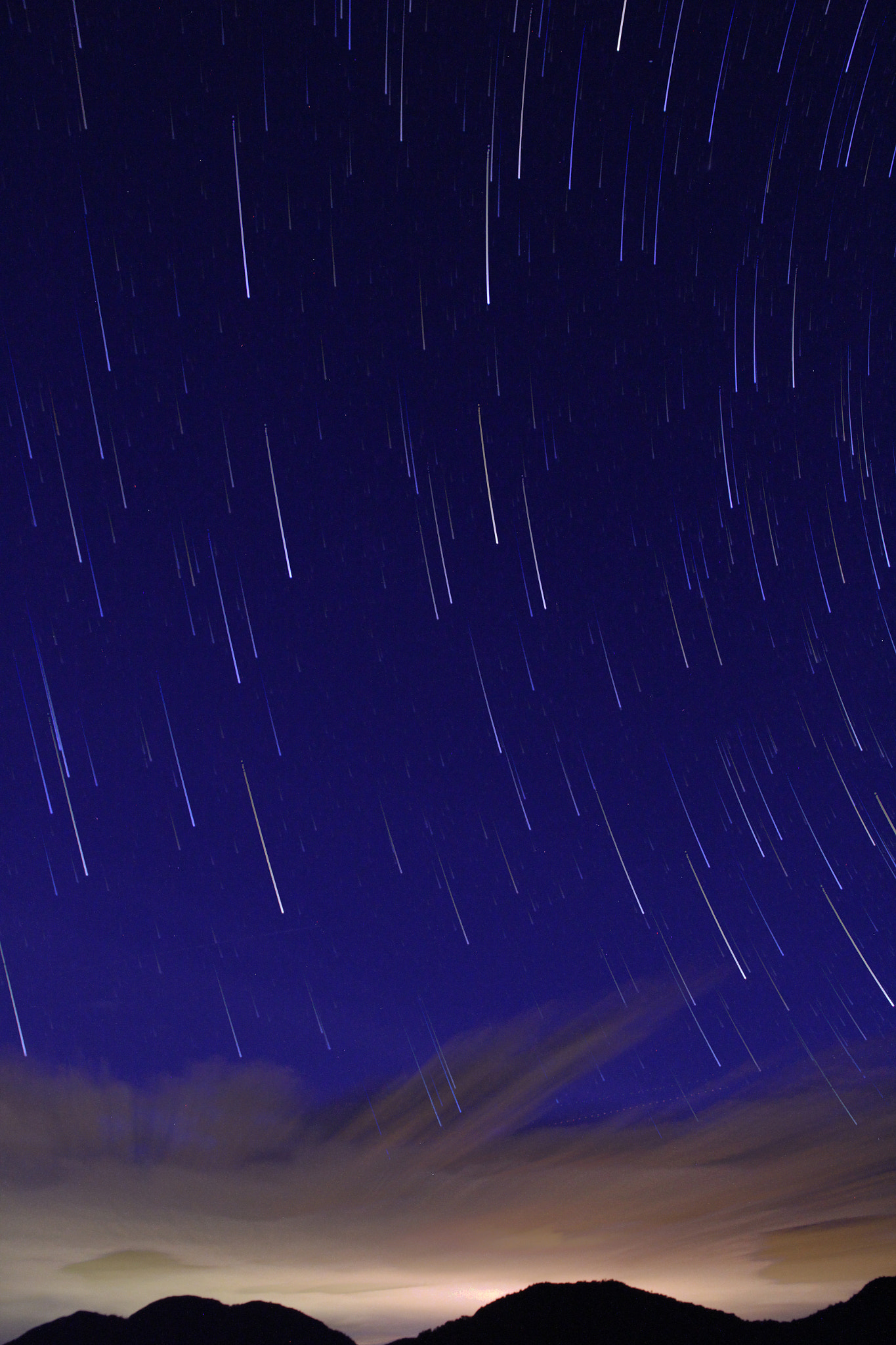
Star Trail by FazalSH (500px.com/FazalSH)


via 500px https://ift.tt/BTtHSCW

sunnuntai 17. toukokuuta 2026

PictureCorrect.com: What Is Noise Aware Photo Sharpening?

One of the biggest problems with sharpening has always been this:

The more you sharpen an image, the more visible the noise often becomes.

Traditional sharpening tools increase edge contrast everywhere in the frame — including grain, color speckles, and high ISO noise. That’s why many sharpened photos end up looking harsh or artificial.

Topaz Labs’ newer Noise Aware Sharpening (sale ending soon!)approach tries to solve this problem using AI.

denoise aware

Instead of sharpening every pixel equally, Topaz Photo AI attempts to distinguish between:

  • real detail
  • subject texture
  • blur
  • random noise

The software then selectively sharpens meaningful detail while trying to avoid amplifying noisy areas.

Why This Matters

This can be especially useful for:

  • wildlife photography
  • sports photography
  • smartphone night shots
  • astrophotography
  • heavily cropped images
  • high ISO photography

These types of photos often contain noise that older sharpening tools make worse.

AI-aware sharpening can sometimes recover detail while keeping the image cleaner overall.

More Than Just Sharpening

One reason many photographers like the Photo AI Editor is that it combines:

  • sharpening
  • denoising
  • deblurring
  • upscaling

…into one workflow instead of requiring multiple programs.

The software also includes automatic image analysis features that try to determine what the photo needs before processing begins.

Try it on Your Photos:

If readers want to try it, Topaz Labs is currently running a sale here with up to 50% off monthly plans!

Offer ending soon: Image AI Photo Editor with Noise Aware Sharpening


from PictureCorrect https://ift.tt/vLmWbDH
via IFTTT

lauantai 16. toukokuuta 2026

PictureCorrect.com: If Manual Camera Mode Never Clicked for You, Read This

For many photographers, Manual Mode feels far more confusing than it should.

You learn aperture, shutter speed, and ISO… but once you start changing settings in real situations, everything suddenly feels unpredictable. One adjustment fixes brightness but creates motion blur. Another introduces noise. Sometimes it feels like the camera is fighting you.

The problem is that most people are taught Manual Mode backwards.

They’re taught to memorize settings instead of understanding tradeoffs.

Related: Want to master manual mode faster? PictureCorrect Premium is designed to be an accelerator with lessons, exercises, and more — and it’s only $1 to try this weekend

manual mode concept

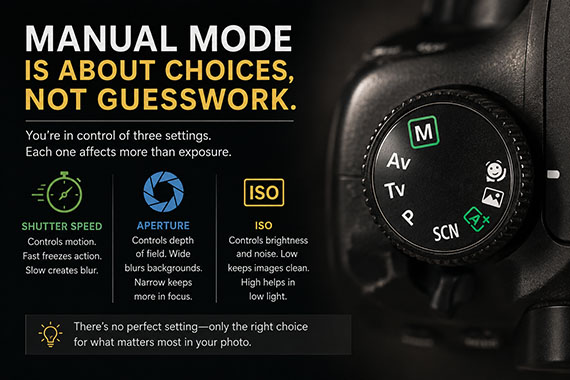
Manual Mode Is About Solving Problems

Every setting changes more than brightness:

  • Shutter speed controls motion blur
  • Aperture controls depth of field
  • ISO controls image noise

Once you understand that, Manual Mode starts making more sense.

Instead of asking:

“What settings should I use?”

You begin asking:

“What matters most in this scene?”

Do you need to freeze motion? Blur a background? Keep noise low? Photography becomes much easier once you realize there is rarely one perfect answer.

Why Experienced Photographers Make It Look Easy

Experienced photographers are not calculating everything from scratch every time they shoot.

They simply recognize patterns through practice.

They know roughly:

  • What shutter speed freezes motion
  • What aperture works for portraits
  • How much ISO their camera can handle
  • How different lighting situations behave

Eventually, camera settings stop feeling random and start feeling intuitive.

The Fastest Way to Improve

The photographers who improve fastest usually practice intentionally instead of randomly taking photos.

They focus on exercises like:

  • Freezing motion
  • Shooting in low light
  • Working with shallow depth of field
  • Photographing difficult lighting
  • Spending an entire day in Manual Mode

That repetition is usually when Manual Mode finally starts to “click.”

Premium Subscribers Are Already Ahead:

Every week, more photographers are joining PictureCorrect Premium (only $1 to try this weekend) to level up their craft — and you could be next. Subscribers receive expert-led tutorials, creative challenges, and printable exercises that make each lesson stick.

picturecorrect premium

Whether you’re working to master manual control, or advanced techniques, Premium gives you the structure to make steady progress. The special $1 intro offer is wrapping up this evening, and once it’s gone, so is your chance to lock in early access.

Deal ending soon: Weekend Special Enrollment PictureCorrect Premium


from PictureCorrect https://ift.tt/hkJTIlm
via IFTTT

torstai 14. toukokuuta 2026

PictureCorrect.com: You Don’t Need Expensive Gear for the Milky Way (But You Do Need This)

There’s a common belief in photography that Milky Way images require thousands of dollars in camera gear. Full-frame cameras. Ultra-fast lenses. Star trackers. Exotic tripods. Endless accessories.

But the truth is a little different.

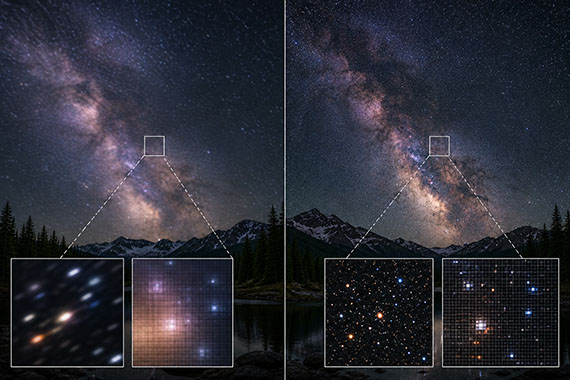
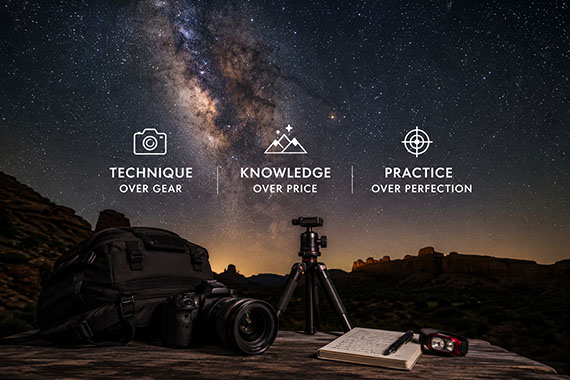
Expensive gear can absolutely make Milky Way photography easier. It can improve image quality, reduce noise, and give you more flexibility. But many photographers dramatically overestimate how much gear matters — especially compared to technique.

A photographer with excellent technique and mid-range gear will usually outperform someone with expensive equipment who lacks the fundamentals.

The biggest difference-maker in Milky Way photography is not the camera.

It’s knowing how to work with darkness.

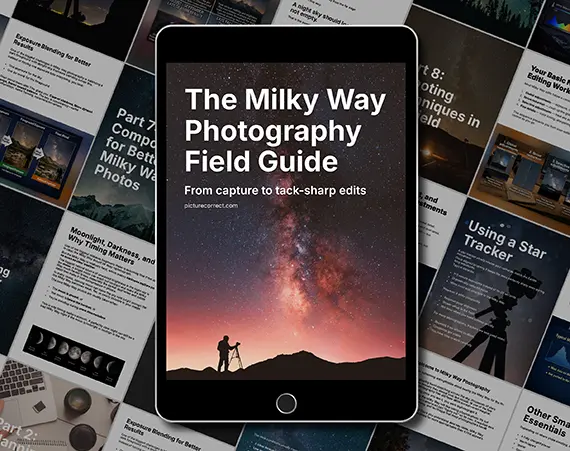
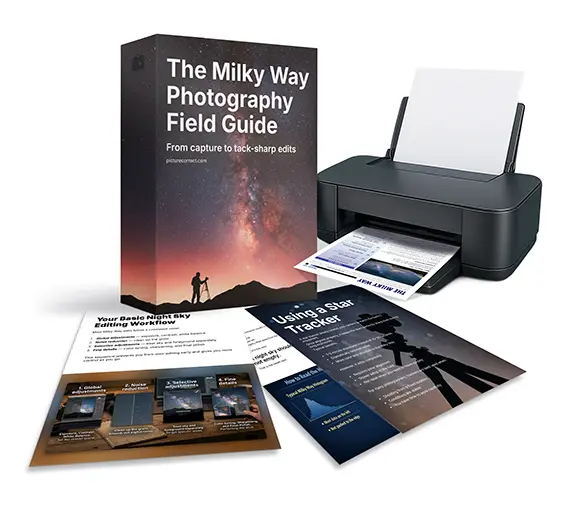
Planning to shoot this season? The Milky Way Photography Field Guide is currently 70% off ⌛—built to help you get sharp, detailed results without guesswork.
milky way techniques

The Real Secret: Light Management

Night photography is fundamentally about controlling extremely limited light. The Milky Way is bright compared to deep space, but it is still surprisingly dim to a camera sensor.

Success comes from understanding how to gather and manage that light efficiently.

This means learning:

  • How to expose without overexposing stars
  • How to focus accurately in near-total darkness
  • How to stabilize the camera properly
  • How to balance ISO, shutter speed, and aperture
  • How to avoid motion blur from Earth’s rotation
  • How to work around noise limitations
  • How to choose locations with minimal light pollution
  • How to compose scenes that still look interesting at night

These skills matter far more than simply buying a more expensive camera body.

Technique Beats Sensor Size

One of the biggest myths in Milky Way photography is that you “need” full-frame gear.

Full-frame cameras are excellent for night photography. They generally perform better at high ISO values and can capture cleaner files in low light.

But crop-sensor cameras can still produce incredible Milky Way images.

In fact, many photographers create stunning night sky photos using APS-C cameras, Micro Four Thirds systems, and even smartphones.

What usually separates successful images from disappointing ones is not the sensor size — it’s whether the photographer understands exposure technique.

A poorly focused Milky Way shot from a $4,000 camera still looks bad.

A carefully exposed and well-composed image from an older camera can look fantastic.

Focus Is More Important Than Sharpness Specs

Photographers often obsess over lens sharpness charts and expensive optics for astrophotography.

But the reality is this:

Slightly soft stars caused by inaccurate focus ruin more Milky Way images than lens quality ever will.

Manual focus technique is critical at night because autofocus often struggles in darkness.

Many beginners rely on the infinity symbol on the lens barrel, but this is unreliable on modern lenses. Temperature changes and manufacturing tolerances can shift true infinity focus slightly.

Instead, experienced Milky Way photographers often:

  • Use live view
  • Zoom into a bright star digitally
  • Slowly adjust focus manually
  • Fine-tune until the star appears as small and sharp as possible

This single technique can improve your results more than upgrading your camera body.

Stability Matters More Than Fancy Features

You do not need a luxury tripod.

But you do need a stable tripod.

Long exposures magnify vibration. Even tiny movements can soften stars and reduce detail.

A basic sturdy tripod is often enough. What matters most is minimizing movement:

  • Use a remote shutter or timer delay
  • Avoid extending the center column unnecessarily
  • Shield the setup from wind
  • Let vibrations settle before exposing
  • Turn off image stabilization when on a tripod

A technically perfect exposure from an older camera almost always beats a blurry exposure from a premium setup.

Understanding Exposure Changes Everything

Milky Way photography becomes dramatically easier once you understand exposure tradeoffs.

Many beginners simply raise ISO endlessly and hope for the best. But good night photography is usually about balancing three competing limitations:

  • Motion blur from Earth’s rotation
  • Noise from high ISO settings
  • Light gathering from aperture size

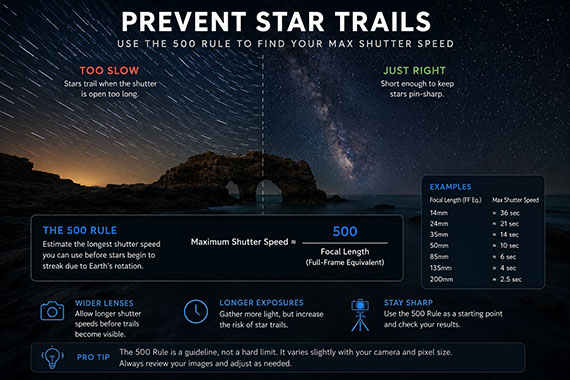
This is why techniques like the 500 Rule became popular.

Maximum shutter speed ≈ 500 ÷ focal length (full-frame equivalent)

The rule helps estimate the longest shutter speed you can use before stars begin visibly streaking across the frame.

preventing star trails

Even with modern alternatives like the NPF Rule, the important point remains the same:

Understanding exposure technique matters more than owning expensive equipment.

Editing Is Part of the Process

Many iconic Milky Way images are heavily refined during post-processing.

That does not mean they are fake.

Night sky photography naturally requires more editing because cameras struggle to capture scenes the same way human vision perceives them.

Good editing technique often includes:

  • Noise reduction
  • White balance adjustments
  • Contrast refinement
  • Local exposure adjustments
  • Foreground blending
  • Color correction
  • Star enhancement
  • Dehaze adjustments

A photographer who understands editing can dramatically improve results from older or less expensive gear.

Core Season Sale: Milky Way Photography Field Guide

If you want a simple, field-ready way to get all of this right, the Milky Way Photography Field Guide breaks it down step-by-step.

Inside, you’ll learn when the Milky Way is visible, where to look, how the galactic core moves across the sky, which camera settings to use, and photo editing tricks.

milky way guide

Right now, it’s part of our Core Season Sale—timed perfectly for the months when most photographers start planning their Milky Way shoots.

Deal ending soon: Milky Way Photography Field Guide Core Season Sale


from PictureCorrect https://ift.tt/IA8tclV
via IFTTT

tiistai 12. toukokuuta 2026

PictureCorrect.com: How Your Phone Camera Fakes Background Blur (And How to Improve It)

One of the biggest reasons smartphone photos have improved so dramatically over the last few years is something called computational photography. Instead of relying purely on optics like a traditional camera, your phone uses software, AI, and depth mapping to simulate effects that would normally require larger sensors and expensive lenses.

One of the most popular examples is fake background blur, often called Portrait Mode. While modern phones can produce surprisingly impressive results, they still make mistakes. Hair gets cut off, glasses blur strangely, and edges sometimes look unnatural. Understanding how your phone creates this effect can help you get dramatically better results.

Related: only a little while left for the Smartphone Photography Guide 🌱 Spring Sale

smartphone blur

Why Phones Need “Fake” Background Blur

Traditional cameras create natural background blur, also known as shallow depth of field, because they use physically larger sensors and wide-aperture lenses. Smartphones, on the other hand, have tiny sensors and tiny lenses. That means nearly everything tends to stay in focus naturally.

To imitate the look of a DSLR or mirrorless camera, phones rely on software to artificially blur parts of the image.

Instead of true optical blur, your phone analyzes the scene and tries to determine:

  • What is the subject
  • What is the background
  • How far objects are from the camera
  • Which areas should stay sharp

Once it estimates depth, it selectively applies blur to parts of the image. The result can look surprisingly realistic, at least at first glance.

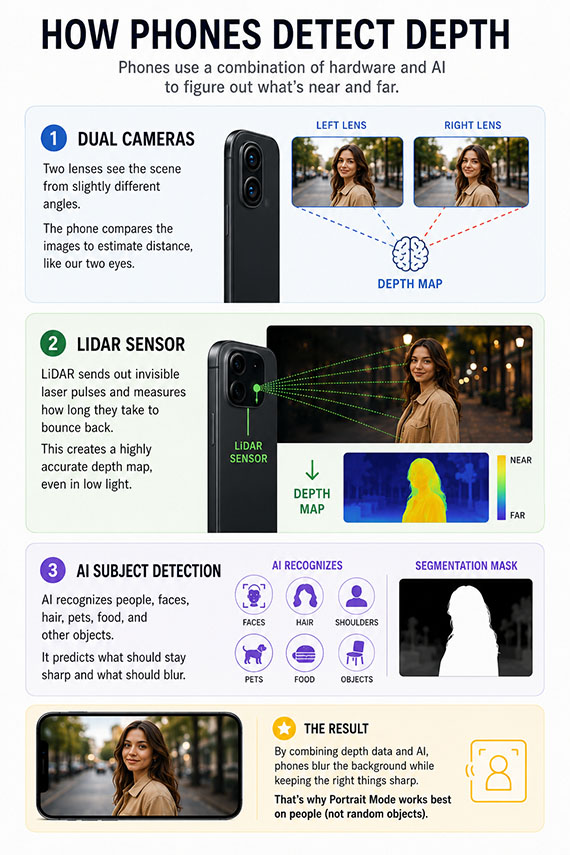
How Phones Detect Depth

Different phones use different techniques to estimate depth and separate subjects from backgrounds.

Dual cameras allow many phones to compare information from two lenses positioned slightly apart from each other. Because each lens sees the scene from a slightly different angle, the phone can estimate distance similarly to human eyesight.

LiDAR sensors are used in some premium smartphones to actively measure distance by bouncing light off objects. This creates a more accurate depth map and helps Portrait Mode perform better in difficult lighting.

AI subject detection also plays a major role. Modern phones are trained to recognize faces, hair, shoulders, pets, food, and common objects. The phone then predicts what should remain sharp.

This is why phones are usually much better at blurring backgrounds behind people than random objects.

Why Fake Blur Sometimes Looks Weird

Despite huge improvements, fake blur still has limitations. The biggest problem is edge detection.

Your phone has to decide exactly where the subject ends and the background begins. Complex edges confuse the software, including hair, fur, glasses, transparent objects, fences, leaves, branches, and motion blur.

This often creates the “cutout” look where subjects appear artificially separated from the scene.

Another issue is blur consistency. Real lenses create blur gradually and naturally depending on distance. Phones sometimes apply blur too evenly, making images feel synthetic.

detecting depth

How to Make Smartphone Blur Look Better

The good news is that technique still matters. A few small adjustments can make Portrait Mode look far more convincing.

Increase subject separation. One of the easiest ways to improve fake blur is to create more physical distance between your subject and the background. If your subject stands directly against a wall, the phone struggles to create convincing separation. But if the background is farther away, the software has a much easier time.

Keep edges simple. Busy edges are the enemy of Portrait Mode. Loose hair blowing in the wind, tree branches crossing behind a subject, or complex overlapping shapes often confuse the software. Cleaner outlines generally produce cleaner blur.

Use better lighting. Portrait Mode performs far better in good light. In dim conditions, the phone has less detail to analyze, which increases edge errors and unnatural blur artifacts. Bright, soft light helps the phone separate subjects more accurately.

Don’t overdo the blur. Many phones allow you to adjust blur intensity after taking the photo. One of the biggest mistakes is cranking the blur effect too high. Extreme blur often looks fake instantly. A subtle amount of blur usually looks far more natural and professional.

Get closer to your subject. Phones simulate shallow depth of field more convincingly when the subject fills a larger portion of the frame. Stepping closer improves subject detection and strengthens the illusion of optical depth.

Use real lens compression when possible. Many phones automatically switch to a telephoto lens in Portrait Mode. This helps create more flattering perspective and natural-looking separation. If your phone offers 2x or 3x portrait options, they often produce better-looking blur than the standard wide lens.

The Future of Smartphone Blur

Phones are getting dramatically better at simulating optical effects. AI-generated depth maps, advanced segmentation, and computational relighting continue improving every year.

Some newer phones can even create adjustable focus effects after the image is captured.

But despite all the technology, real optics still have advantages. Large-sensor cameras produce natural blur with realistic transitions and fine detail that software still struggles to fully replicate.

That said, smartphones have become incredibly capable creative tools, especially when you understand how their tricks actually work.

Final Thoughts

Portrait Mode is essentially an illusion powered by AI, depth estimation, and software blur. Once you understand that, you can work with the technology instead of fighting it.

Good lighting, clean subject separation, realistic blur levels, and thoughtful composition can dramatically improve your smartphone portraits.

And in many cases, the difference between fake-looking blur and professional-looking blur comes down less to the phone and more to how you use it.

For Further Training:

The Spring Sale 🌱 on the Smartphone Photography Guide is wrapping up soon, and it’s a great chance to finally unlock what your phone camera can really do.

smartphone guide

The guide walks through real, usable techniques—manual controls, motion blur, low-light shooting, and creative effects—so you’re not just relying on auto mode and luck. If this post helped, the guide goes much deeper.

Deal ending soon: Smartphone Photography Guide 🌱 Spring Sale


from PictureCorrect https://ift.tt/Xt7LzCE
via IFTTT

sunnuntai 10. toukokuuta 2026

Star Trail by FazalSH (500px.com/FazalSH)


via 500px https://ift.tt/hmBxSdE

Stars by ArtemVerkhoglyad (500px.com/ArtemVerkhoglyad)


via 500px https://ift.tt/PQfNWI2

PictureCorrect.com: AI Photo Editing Just Took a Big Leap Forward

If you’ve been waiting for a faster, simpler way to enhance your photos with AI, the new release from Topaz Labs could be worth a look—especially since the Topaz Image Web Editor is currently being offered at 50% off for a limited time.

denoise max

The new web-based platform brings many of the company’s latest next-generation AI image enhancement models directly into your browser. Instead of relying entirely on desktop software, photographers can now drag and drop images into a streamlined web interface and apply powerful AI enhancements in the cloud.

According to Topaz, these new models were specifically trained on real-world photography and are designed to preserve image fidelity while improving sharpness, reducing noise, and enhancing overall image quality.

One of the more interesting additions is support for larger AI models like Wonder 3 and Denoise Max, which previously required significant local computing power. Because the rendering happens in the cloud, even older computers can take advantage of the latest AI tools without needing a high-end GPU.

Topaz is also emphasizing workflow speed and batch processing. The platform is optimized to analyze photos automatically and apply recommended enhancement settings, making it especially useful for photographers working through large image sets.

The company says the goal is to help photographers get “wow” results faster through a simpler interface and more modern AI architectures. And with the monthly web plan currently discounted by 50%, now may be a good time for photographers to test out the latest generation of AI-powered image enhancement tools without a large upfront cost.

Deal ending soon: Topaz Image Editor at 50% Off


from PictureCorrect https://ift.tt/Jfa8yrB
via IFTTT

perjantai 8. toukokuuta 2026

PictureCorrect.com: The Biggest Mistake Photographers Make About Milky Way Season

One of the biggest misconceptions in Milky Way photography is thinking the season simply means “warm summer nights.”

A lot of photographers assume they can head out anytime during summer and capture the Milky Way. But the reality is that Milky Way photography is all about timing windows.

Planning to shoot this season? The Milky Way Photography Field Guide is currently 70% off this weekend ⌛—built to help you get sharp, detailed results without guesswork.

milky way checklist

The galactic core—the bright center most photographers want to shoot—is only visible during certain months and at certain times of night. In spring, it may not appear until the early morning hours. In summer, it becomes visible much earlier. By fall, it can disappear shortly after sunset.

That means the exact same location can have completely different shooting windows depending on the month.

Moonlight is another major factor photographers often overlook. A bright moon can wash out the Milky Way almost entirely, even under perfectly clear skies. That’s why experienced astrophotographers plan around moon phases just as much as weather forecasts.

And ironically, peak summer isn’t always ideal. In some northern locations, summer nights become so short that true darkness barely lasts long enough for Milky Way photography.

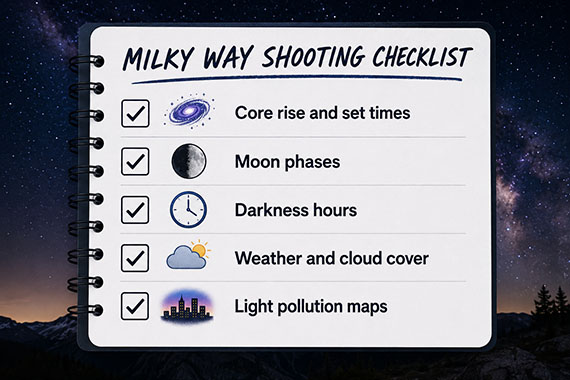
The photographers who consistently get great results usually spend more time planning than shooting. They check:

  • Core rise and set times
  • Moon phases
  • Darkness hours
  • Weather and cloud cover
  • Light pollution maps

That preparation is what separates random attempts from consistently strong Milky Way images.

For Further Training, Deal Ending Soon:

If you want to go beyond just getting focus right and start consistently capturing sharp, detailed Milky Way images, this is exactly what the Milky Way Photography Field Guide was built for.

milky way field guide

It walks through:

  • Exact camera settings that work in real conditions
  • How to avoid star trails, including the 500 Rule and beyond
  • Planning when and where the Milky Way will appear
  • Step-by-step shooting workflows in the field
  • Editing techniques to bring out detail without overprocessing

This weekend, the Core Season Sale is ending soon ⏰ with 70% off, if you’re planning to shoot in the coming weeks and months.


from PictureCorrect https://ift.tt/8MeIvO5
via IFTTT

tiistai 5. toukokuuta 2026

First Star Trail by RDTL (500px.com/RDTL)


via 500px https://ift.tt/GiXOpk3

PictureCorrect.com: Why Your Milky Way Shots Are Blurry (And It’s Not Your Focus)

You carefully dial in manual focus. You zoom in on a bright star. You hit that perfect “sharp point.” And yet… your Milky Way shots still come out soft, smeared, or just slightly off.

Here’s the frustrating truth: it’s probably not your focus at all.

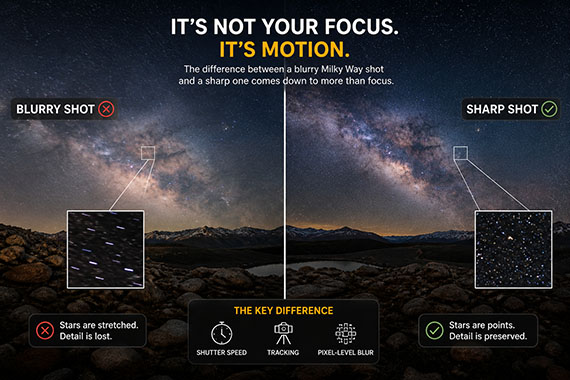
Most blurry Milky Way photos come down to something much less obvious—motion at the pixel level, caused by your shutter speed, the Earth’s rotation, and how your camera resolves detail.

Let’s break it down.

Quick reminder: only a little while left for the Milky Way Guide 🌌 Core Season Sale

milky way focus

The Real Problem: The Sky Is Moving

Even though the stars look still, they’re not.

The Earth is constantly rotating, which means the stars are slowly drifting across your frame. It’s subtle—but your camera absolutely sees it.

When your shutter stays open too long, those tiny points of light stop being points and start turning into short streaks.

At first glance, it might still look “sharp.” But zoom in—and you’ll see the truth.

Why Shutter Speed Matters More Than You Think

A common mistake is pushing shutter speed too far in an attempt to capture more light.

You might think:

  • “Longer exposure = brighter Milky Way = better photo”

But there’s a tradeoff:

  • Longer exposure = more motion blur in the stars

This blur doesn’t always look dramatic. Often it shows up as:

  • Slight softness
  • Loss of fine detail
  • Stars that look bloated instead of crisp

This is what people often misinterpret as a focus issue.

The “500 Rule” Isn’t Always Enough

Many photographers rely on the 500 Rule as a guideline for shutter speed. It’s helpful—but it’s not perfect.

Modern cameras have:

  • Higher resolution sensors
  • Better lenses
  • More ability to reveal tiny flaws

Which means even when you follow the rule, you can still get subtle blur.

At the pixel level, stars may already be stretching—even if it looks fine on your camera screen.

👉 Get a cheat sheet on both the 500 Rule and the NPF Rule here.

Pixel-Level Blur: The Hidden Image Killer

Here’s where things get interesting.

Even slight star movement affects:

  • Micro-contrast
  • Fine detail in the Milky Way structure
  • Perceived sharpness of the entire image

So even if your focus is perfect:

  • The image still feels “soft”
  • The Milky Way lacks that crisp, textured look

This is why two photos with identical focus can look completely different in sharpness.

pixel blur

When Tracking Changes Everything

If you’ve ever seen ultra-sharp Milky Way images with incredible detail, there’s a good chance a star tracker was involved.

A tracker:

  • Moves your camera in sync with the Earth’s rotation
  • Keeps stars perfectly still during long exposures

This allows you to:

  • Use longer shutter speeds
  • Lower ISO, which means less noise
  • Capture significantly more detail

Without tracking, you’re always balancing:

Light vs. motion blur

With tracking, you remove that limitation.

The Sweet Spot Without a Tracker

If you’re shooting on a tripod without tracking, your goal is simple:

Use the longest shutter speed that keeps stars looking like points—not streaks.

In practice, that often means:

  • Staying more conservative than the 500 Rule
  • Zooming in to check sharpness; don’t trust the full image preview
  • Prioritizing star shape over brightness

A slightly darker but sharper image will almost always look better after editing than a brighter, blurry one.

Quick Signs It’s Not Your Focus

If your images look soft, check for these:

  • Stars look slightly stretched when zoomed in
  • The Milky Way lacks fine detail and contrast
  • Bright stars appear “fat” instead of pinpoint
  • Sharp foreground, soft sky

If you’re seeing this—your focus is probably fine.

Your shutter speed isn’t.

Bottom Line

Blurry Milky Way photos are rarely caused by bad focus.

They’re caused by motion you can’t see—but your camera can.

Once you understand that:

  • You stop chasing focus
  • You start controlling exposure more precisely
  • And your images get dramatically sharper

Want Sharper Milky Way Shots Without Guessing?

If you want to consistently get sharp, detailed Milky Way images—without trial and error—the Milky Way Photography Field Guide was built for exactly that.

Right now, the 🌌 Core Season Sale is ending soon, with 70% off.

milky way guide

It covers:

  • Exact shutter speeds that actually work, not just rules of thumb
  • How to balance exposure vs. sharpness in real conditions
  • When to use tracking, and when you don’t need it
  • Step-by-step setups for different lenses and scenarios

If you’re planning to shoot during peak Milky Way season, this will save you a lot of missed shots.

Deal ending soon: Milky Way Photography Guide 🌌 Core Season Sale


from PictureCorrect https://ift.tt/01HK8jm
via IFTTT

sunnuntai 3. toukokuuta 2026

PictureCorrect.com: How to Focus on Stars (Without Autofocus)

If you’ve ever tried photographing the night sky, you already know autofocus struggles. It hunts, it misses, and more often than not, it leaves you with soft, unusable stars. The good news? Manual focus isn’t just a workaround—it’s the correct way to get sharp, pinpoint stars consistently.

Planning to shoot this season? The Milky Way Photography Field Guide is currently 70% off—built to help you get sharp, detailed results without guesswork.

star focus

Why Autofocus Fails at Night

Autofocus systems rely on contrast. In daylight, that’s easy—edges, textures, and light differences are everywhere.

But in the night sky?

  • Stars are tiny points of light
  • The scene is mostly dark
  • There’s very little contrast for the camera to lock onto

So your lens keeps searching… and never quite lands.

The Goal: True Infinity Focus

For astrophotography, your goal is simple: set your lens to true infinity focus.

But here’s the catch—most lenses don’t focus perfectly at the infinity mark. In fact, that little “∞” symbol is often slightly off, especially on modern autofocus lenses.

So you need a more precise method.

Step-by-Step: How to Focus on Stars

1. Switch to Manual Focus

Set your lens or camera to MF — manual focus. This prevents the camera from trying, and failing, to refocus every time you press the shutter.

2. Find the Brightest Star or Distant Light

Look for:

  • A bright star or planet, like Venus or Jupiter
  • A faraway light on the horizon, if needed

These give you a clear reference point.

3. Use Live View and Zoom In

Turn on Live View and digitally zoom in, usually 5x or 10x, on that bright point.

This is key. Don’t rely on the normal view. Zooming in lets you actually see focus changes.

4. Slowly Adjust the Focus Ring

Gently rotate the focus ring until:

  • The star becomes as small and sharp as possible
  • It stops looking like a blurry blob

You’ll notice a sweet spot where the star snaps into a crisp point.

5. Lock It In

Once sharp:

  • Don’t touch the focus ring
  • Consider using a small piece of tape to hold it in place

Accidental bumps are one of the most common causes of soft night shots.

milky way star focus

A Simple Trick: Focus Before It Gets Dark

If you’re setting up at sunset, you can autofocus on a distant object such as a mountain, ridgeline, or far horizon, then switch to manual focus to lock it in.

Leave it untouched as it gets dark, but always double-check once stars are visible.

How to Know If Your Focus Is Off

Even slightly missed focus will show up fast. Look for:

  • Stars that look bloated or fuzzy
  • Lack of fine detail in the Milky Way
  • A general soft look across the frame

Sharp focus means tiny, pinpoint stars. Anything else means it’s worth readjusting.

Pro Tip: Take a Test Shot and Zoom In

After focusing, take a short test exposure and zoom in on your image.

  • Check stars near the center and edges
  • Make small adjustments if needed

This extra step can make the difference between a good shot and a great one.

Why This Matters More Than You Think

You can fix exposure. You can tweak color. You can reduce noise.

But you cannot fix missed focus.

That’s why experienced night photographers spend extra time getting this right before anything else.

Take It Further: Core Season Sale — 70% Off

If you want to go beyond just getting focus right and start consistently capturing sharp, detailed Milky Way images, this is exactly what the Milky Way Photography Field Guide was built for.

milky way field guide

It walks through:

  • Exact camera settings that work in real conditions
  • How to avoid star trails, including the 500 Rule and beyond
  • Planning when and where the Milky Way will appear
  • Step-by-step shooting workflows in the field
  • Editing techniques to bring out detail without overprocessing

Right now, the Core Season Sale is ending soon with 70% off, which makes it a great time to pick it up if you’re planning to shoot in the coming weeks and months.


from PictureCorrect https://ift.tt/9brFuCG
via IFTTT

lauantai 2. toukokuuta 2026

PictureCorrect.com: Why Auto Mode Fails in These Common Photo Scenes

Auto mode is convenient. It’s fast, effortless, and for many everyday situations, it works well enough.

But the moment you step into more challenging lighting or dynamic scenes, Auto mode starts making decisions that don’t match what you actually want your photo to look like. That’s when frustration sets in—photos come out too dark, too bright, blurry, or just… off.

Quick note: The Special May Enrollment Intro Offer for PictureCorrect Premium is ending soon, and this is exactly the kind of thing it helps you fix—understanding why your camera makes these decisions and how to take control so you get the shot you actually envisioned. More on that below.

auto mode fails

Let’s break down some of the most common scenes where Auto mode fails—and why.

1. Sunsets and Sunrises

You’re looking at a rich, vibrant sky filled with oranges, reds, and purples.

Your camera? It sees all that brightness and tries to “correct” it to a neutral exposure.

Result: A washed-out, dull sunset that looks nothing like what you saw.
Auto mode is designed to average everything toward a middle brightness. It doesn’t understand that you want the scene to be dramatic and slightly darker.

2. Snowy or Bright Beach Scenes

Snow and sand reflect a huge amount of light. Your camera sees all that brightness and assumes the scene is overexposed.

So what does it do?

It darkens everything.

Result: Gray-looking snow and lifeless beach photos.
In reality, these scenes should look bright and clean—but Auto mode pulls them down toward gray.

3. Night and Low-Light Photography

Low-light scenes are where Auto mode really struggles.

To compensate, your camera often raises ISO too high, uses shutter speeds that are too slow, or opens the aperture without considering depth of field.

Result: Grainy, blurry, inconsistent images.
Auto mode is guessing—and in low light, guessing doesn’t cut it.

4. Backlit Subjects

Think of someone standing in front of a sunset, bright window, or glowing background.

Your camera sees all that bright background light and exposes for it.

Result: Your subject turns into a silhouette.
Auto mode doesn’t know your subject is the priority. It simply sees a bright scene and tries to protect the highlights.

5. Fast Action

Sports, kids, pets, wildlife, and moving subjects all require one thing above everything else: enough shutter speed.

But Auto mode doesn’t always prioritize that. It often tries to balance exposure instead.

blur

Result: Motion blur right when you needed sharpness.
The camera doesn’t know the moment matters. It just tries to create a generally acceptable exposure.

6. High Contrast Scenes

Scenes with both very bright and very dark areas are difficult for any camera. Think forests with sunlight streaming through, city streets with deep shadows, or landscapes with a bright sky and dark foreground.

Auto mode usually picks a compromise.

Result: Blown-out highlights, crushed shadows, or a flat image that doesn’t capture the mood of the scene.
Instead of making a creative decision, Auto mode chooses the middle ground—and the middle ground is not always where the best photo lives.

The Real Problem with Auto Mode

Auto mode isn’t “bad.” It’s just generic.

It’s designed to produce an average result across almost any situation. But great photography isn’t about average. It’s about intention.

When you rely on Auto mode, you hand over important creative decisions, including brightness, motion blur, depth of field, and image clarity.

And your camera simply doesn’t know what you’re trying to achieve.

What Actually Fixes This

The solution isn’t memorizing complicated settings.

It’s understanding which setting matters most in each situation.

Sometimes you need to darken a sunset intentionally. Sometimes you need to brighten snow so it stays white. Sometimes you need a faster shutter speed for action. Sometimes you need to keep ISO from climbing too high.

Once you know what to adjust—and when—everything changes.

Photos become more consistent, more predictable, and more intentional.

Final Thought

Auto mode works… until it doesn’t.

And unfortunately, it tends to fail in the exact moments that matter most—the scenes you actually care about capturing.

That’s why learning even a small amount of manual control can make such a huge difference.

Premium Subscribers Are Already Ahead:

Every week, more photographers are subscribing to PictureCorrect Premium (special May Enrollment discount going on now!) to level up their craft — and you could be next. Subscribers receive expert-led tutorials, creative challenges, and printable exercises that make each lesson stick.

picturecorrect premium

Whether you’re working to master manual control, advanced lighting, or composition, Premium gives you the structure to make steady progress. The special $1 intro offer is ending soon, and once it’s gone, so is your chance to lock in early access.

Deal ending soon: May Enrollment Special Intro Offer


from PictureCorrect https://ift.tt/Dzr1i6O
via IFTTT

perjantai 1. toukokuuta 2026

PictureCorrect.com: Why Summer Is Peak Milky Way Season (And Why Spring Might Be Better)

Most photographers assume summer is the time for Milky Way photography—and technically, they’re right.

But if you only shoot in summer, you might actually be missing some of the best conditions of the entire year.

Quick note: With our Core Season Sale now live 🎉, this is exactly what the Milky Way Photography Field Guide was built for—helping you know when to shoot, where to look, and how to get it right without guessing. More on that below.

milky way calendar

Why Summer Is Peak Milky Way Season

Summer earns its reputation for one simple reason: the galactic core is at its highest and most visible during the night.

From roughly June through August in the Northern Hemisphere, the core rises earlier in the evening, stays visible for longer stretches, and climbs higher above the horizon. That gives photographers more flexibility with timing and makes it easier to build strong compositions around foreground subjects.

If you want those classic Milky Way photos where the bright core seems to tower above the landscape, summer is usually when they’re easiest to capture.

The Hidden Downsides of Summer

Here’s what most guides don’t emphasize: summer also introduces new problems that can quietly ruin your images.

The nights are shorter, especially near the summer solstice, which means there are fewer hours of true darkness. Warm temperatures can also increase sensor noise during long exposures, and in many regions, summer haze and humidity can soften contrast and make the Milky Way look less crisp.

Popular dark-sky locations can also become more crowded in summer, which makes it harder to shoot peacefully, avoid stray lights, and find clean foreground compositions.

Why Spring Might Be Better

Spring doesn’t get nearly as much attention, but in many ways, it can be the smarter season for Milky Way photography.

From about March through May, the galactic core begins to reappear in the Northern Hemisphere. It may sit lower in the sky and rise later at night, but spring often offers longer nights, cooler temperatures, and clearer air in many regions.

Those conditions can lead to sharper stars, better contrast, and cleaner files with less heat-related noise. And for certain compositions—especially landscapes with a low, sweeping Milky Way band—spring can actually create a more natural and balanced image than the dramatic summer core.

spring milky way

Photo captured by Kota Hamori

A Smarter Way to Think About “Best Time”

Instead of asking, “What’s the best season?”, it’s better to ask, “What kind of Milky Way photo am I trying to capture?”

If you want a tall, dramatic galactic core dominating the sky, summer is usually your best bet. If you want cleaner air, cooler temperatures, fewer crowds, and a more subtle Milky Way composition, spring may be the better choice.

Late summer and early fall can also be excellent because the Milky Way appears earlier in the evening, which means you may not have to stay out until the middle of the night to photograph it.

Don’t Just Follow the Season—Plan the Shot

The biggest mistake photographers make is assuming that being in the right season is enough.

In reality, timing the Milky Way correctly means understanding when the core rises and sets, how its position changes throughout the year, how the moon phase affects visibility, and how your foreground lines up with the sky.

That’s why two photographers can visit the same location during “Milky Way season” and come home with completely different results. One simply went outside on a clear summer night. The other planned for the right moon phase, the right core position, and the right hour of darkness.

Core Season Sale: Milky Way Photography Field Guide

If you want a simple, field-ready way to get all of this right, the Milky Way Photography Field Guide breaks it down step-by-step.

Inside, you’ll learn when the Milky Way is visible, where to look, how the galactic core moves across the sky, which camera settings to use, and photo editing tricks.

milky way guide

Right now, it’s part of our Core Season Sale—timed perfectly for the months when most photographers start planning their Milky Way shoots.

Deal ending soon: Milky Way Photography Field Guide Core Season Sale

If you’re hoping to capture better Milky Way images this year, this guide is designed to help you plan smarter, shoot with more confidence, and come home with photos you’re actually proud of.


from PictureCorrect https://ift.tt/Yu2MgwJ
via IFTTT