


If you’ve ever wished you could sharpen a soft image, reduce noise, and increase its resolution all at once, Topaz Photo AI’s new Wonder 3 model makes it incredibly simple.
The latest version is designed to restore fine details while maintaining a natural, photorealistic look. It excels at recovering textures like hair, skin, feathers, and fur, while also improving older, noisy, or lower-resolution images that need an extra boost.
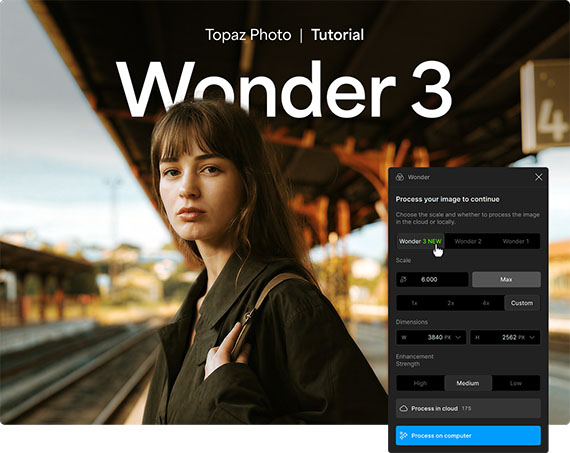
Step 1: Launch Topaz Photo AI
Open Topaz Photo AI on your computer. Make sure you’re using the latest version so you have access to the newest Wonder 3 model and its latest improvements.
Step 2: Import Your Image
Drag and drop your photo directly into the application, or click Browse to select an image from your computer. Topaz Photo AI supports a wide range of image formats, including RAW files from many cameras.
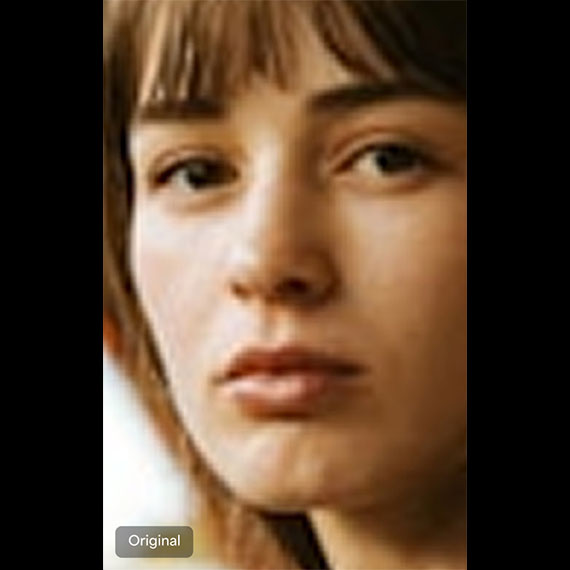
Step 3: Select Wonder 3
From the enhancement models, choose Wonder, then select Wonder 3. This model combines upscaling, sharpening, and noise reduction into a single workflow, making it one of the quickest ways to improve image quality without having to apply multiple adjustments manually.
Step 4: Adjust the Settings
Use the Scale slider to determine how much you want to enlarge the image, and the Strength control to fine-tune the enhancement. Start with the default settings, then make small adjustments while comparing the before-and-after preview to achieve a natural-looking result.
Step 5: Process the Image
When you’re happy with the preview, click Process. You can choose to enhance the image locally on your computer using your own hardware or in the Topaz Cloud, which can provide faster processing depending on your system and available cloud credits.
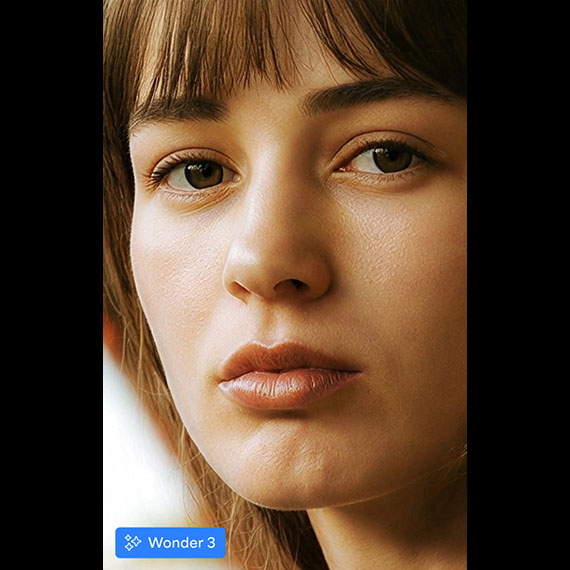
Wonder 3 makes photo enhancement remarkably straightforward. Instead of juggling separate tools for sharpening, denoising, and upscaling, you can accomplish all three in a single step while preserving realistic detail. Whether you’re working on portraits, wildlife, landscapes, or older photos, it’s an excellent way to give your images a cleaner, sharper, and higher-resolution finish.
Try it on Your Photo: New Wonder 3 Tool in Photo AI
from PictureCorrect https://ift.tt/l6MGXAe
via IFTTT


0 kommenttia:
Lähetä kommentti