


In the fast-paced world of digital photography, efficiency is key. Adobe Photoshop, a cornerstone in photo editing, becomes even more powerful when you master its keyboard shortcuts. Whether you’re tweaking a final masterpiece or sorting through a batch of shots, these shortcuts are essential tools in any photographer’s arsenal.
Here’s a curated list of the most useful Photoshop keyboard shortcuts that can transform your editing sessions into a seamless and swift experience.
Relevant note: only a little while left for the Photo Editing Guide  New Year Sale
-
- Ctrl/Cmd + Z: Undo/Redo – Quickly undo or redo the last action.
- Ctrl/Cmd + Shift + Z: Step Forward – Redo previous actions if you’ve undone too many steps.
- Ctrl/Cmd + Alt + Z: Step Backward – Undo multiple steps in your editing process.
- Ctrl/Cmd + J: Duplicate Layer – Quickly create a copy of your current layer.
- Ctrl/Cmd + T: Free Transform – Resize, rotate, or warp the selected layer or object.
- Ctrl/Cmd + L: Levels – Adjust the levels of the selected image or layer for better contrast and brightness.
- Ctrl/Cmd + M: Curves – Open the Curves dialog box to adjust the tonality of the image.
- Ctrl/Cmd + Shift + N: New Layer – Quickly create a new layer.
- Ctrl/Cmd + E: Merge Layers – Merge selected layers into one layer.
- Ctrl/Cmd + Shift + S: Save As – Save your work in a different file format or location.
- Ctrl/Cmd + Alt + Shift + E: Stamp Visible – Combine all visible layers into a new layer without flattening the image.
- Ctrl/Cmd + R: Show/Hide Rulers – Toggle rulers on and off for precise measurements.
- Ctrl/Cmd + ‘: Show/Hide Grid – Toggle the grid view for aligning objects.
- Ctrl/Cmd + + / –: Zoom In/Out – Quickly zoom in or out of your image.
- Spacebar: Hand Tool – Hold down to temporarily switch to the Hand Tool for navigating around the image.
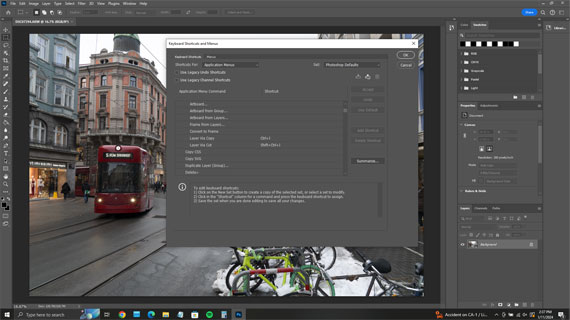
- Ctrl/Cmd + Alt + Shift + K: Show Keyboard Shortcuts – Display a list of all Photoshop shortcuts.
These shortcuts are quite helpful in speeding up the editing process, allowing photographers to spend more time on the creative aspects of their work. Remember that the “Ctrl” key is used on Windows and the “Cmd” key is used on macOS.
For Further Training:
The New Year Sale on the Photo Editing Cheat Sheets is wrapping up soon, making this a great time to bring clarity to your editing workflow. If editing often feels scattered or uncertain, these cheat sheets provide a clear, repeatable process for tackling exposure, color, masking, retouching, and finishing touches in the right order.

Paired with time-saving keyboard shortcuts, they help you edit faster, stay consistent, and know when an image is truly finished.
Deal ending soon: The Photo Editing Cheat Sheets New Year Sale
from PictureCorrect https://ift.tt/Yfjs6R2
via IFTTT


Great list of Photoshop shortcuts — these tips really help speed up editing workflows! I’d also add that using custom actions together with these shortcuts can save even more time in complex edits. Thanks for sharing!
VastaaPoistaCheck out more editing resources at https://phephotos.com/