


Now that Luminar Neo’s Black Friday Sale is live, it’s the perfect time for photographers to explore its most powerful tools at a steep discount. One standout is the Relight AI feature — a game-changer for reviving poorly lit or unevenly exposed photos. With just a few sliders, you can bring depth, balance, and mood back into your images — and now you can do it for less during the sale.
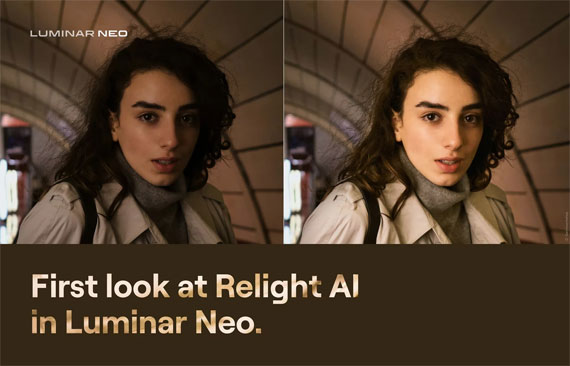
Relight AI Photo Editing Tool
A typical problem that photographers of all skill levels face is accidentally backlit photos, or photos with a darker subject in the foreground. This may be caused by a lack of light sources behind the camera, the wrong exposure settings, shooting in auto modes, or bad metering. Have you ever encountered such a problem?
This is the situation for which the tool was created. Now you’ll be able to light up the foreground and background separately for a more natural effect. Advanced settings include further work with light based on image depth for realistic results and removing halos from the illuminated object in the foreground.
At its basic level, the Relight AI tool works like a smart, virtual fill light that helps control the exposure of the foreground and background independently. Such separation provides realistic results, because if only the foreground is lit up, the subject of the photo will look unrealistic. When the light in the background is also controlled, you can easily give depth to the photo, rescuing the image and turning it into what you originally intended.
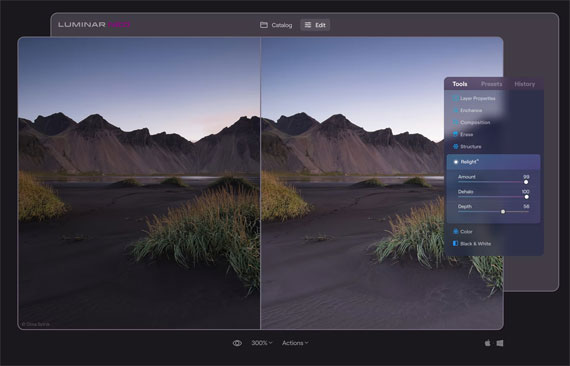
Using Relight on the foreground of a landscape
A great feature of Relight AI is that it detects not only people in portraits but also objects, helping transform photos with buildings and vehicles and helping landscape and street photographers achieve the photos they want. Of course, portrait photographers who need to rescue backlit photos and photos with poorly lit faces will benefit the most. Still, Relight AI is useful for any photo that needs an extra source of realistic light in the foreground.
How is it different?
You might be wondering what the difference is between the instant lighting improvement provided by Relight AI and the effect of Accent AI. The technology in Accent AI is drastically different, as at its core the Accent AI tool functions by analyzing the image to identify issues with brightness, contrast, and color, then balances all of them for the optimal result. Meanwhile, Relight AI works with exposure through image depth.
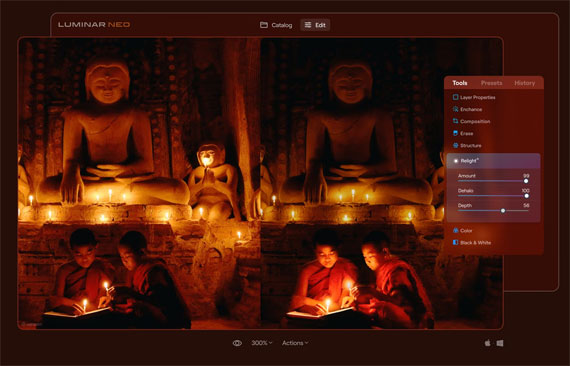
Brightening the foreground a bit
In fact, Luminar Neo has several tools for dealing with tough lighting in your photos. Here is a handy guide so you know what each of these tools helps you with:
- Relight AI controls the exposure of an image based on distance from the lens. It’s useful for independently adjusting the background and foreground exposure.
- Accent AI relights an image and improves color, tone, and contrast based on an AI analysis of image contents.
- Sky Enhancer AI lets you improve the sky in terms of both color and exposure thanks to AI recognition.
- Face AI lets you automatically and easily add light on human faces for better facial details.
- Super Contrast gives precise control over highlights and shadows.
See how it works: Relight AI Tool in Luminar Neo
The post Fixing Backlighting in the Photo Editing Stage first appeared on PictureCorrect.
from PictureCorrect https://ift.tt/Y6bi51o
via IFTTT


Great insights on handling backlighting during the editing stage! Backlit photos can be tricky, and your breakdown of exposure adjustments and shadow recovery is very helpful. In real estate photography, we often deal with strong window light, so proper backlight correction makes a big difference in creating clean, balanced images.
VastaaPoistaIf anyone is looking for professional real estate photo editing support, our team at BeatColor can help: beatcolor.com