


Photography has always been equal parts art and logistics. After the thrill of a great shoot comes the reality: hours of sorting, editing, and fine-tuning. For many professionals, that post-production workload can take up far more time than actually shooting.
That’s where tools like Imagen AI are quietly reshaping the process — helping photographers spend less time behind the screen and more time behind the camera.
Smarter Culling for Large Shoots
Culling, or narrowing down the best images from a shoot, is one of the most time-consuming parts of the workflow. Imagen’s AI culling analyzes each frame for focus, composition, lighting, and expressions, surfacing the best options in minutes.
You can even tailor how it ranks images — for example, prioritizing shots where subjects have open eyes or natural smiles. The AI doesn’t make creative choices for you; it simply gets you to the good ones faster.
Example:
A wedding photographer handling 10,000+ RAW images from a single event can use AI culling to reduce that to a few thousand strong selects, saving hours of manual sorting. It’s especially helpful for events with repetitive scenes, like family formals or dance floor candids, where near-duplicates can pile up quickly.
Black Friday Offer: Better Together
If you’ve been thinking about trying Imagen, now might be the perfect time.
From now until December 2, Imagen is running its Black Friday “Better Together” campaign — offering 50% off across nearly everything:
- 50% off your first month for new users
- 50% off all culling subscriptions
- 50% off all editing profiles in their Profile Shop
- 50% off the first installment when upgrading to an annual plan
It’s a rare opportunity to build a more efficient post-processing workflow while saving significantly on the tools that make the biggest difference.
Editing That Learns Your Style
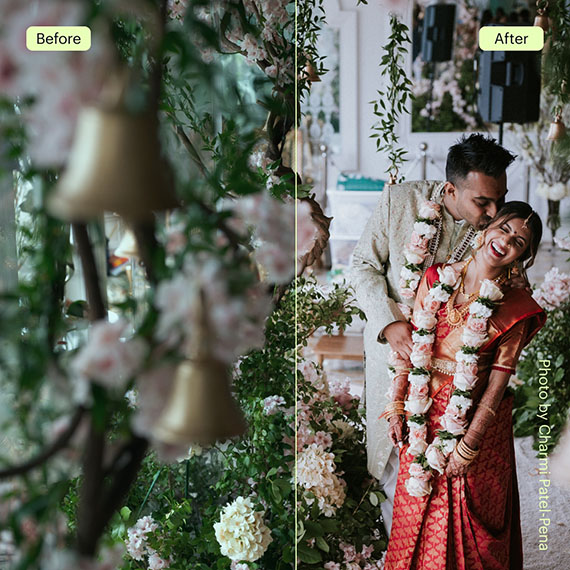
Every photographer has a look — a subtle blend of tones, colors, and contrast that defines their brand. Imagen’s AI editing profiles learn that visual fingerprint directly from your past Lightroom catalogs. Once trained, it applies those same adjustments automatically to new shoots.
The system adapts as your style evolves, meaning your “signature look” stays consistent without you having to start from scratch each time.
Example:
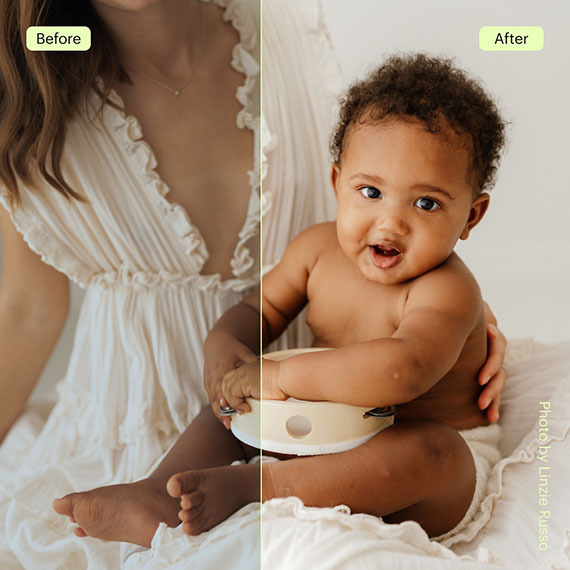
A portrait or family photographer who handles several sessions per week can upload images, apply their custom profile, and have the edits ready for review within minutes. Many professionals say this process cuts their weekly editing time nearly in half — freeing them up to focus on client experience and creative direction.
Consistency Across Every Gallery
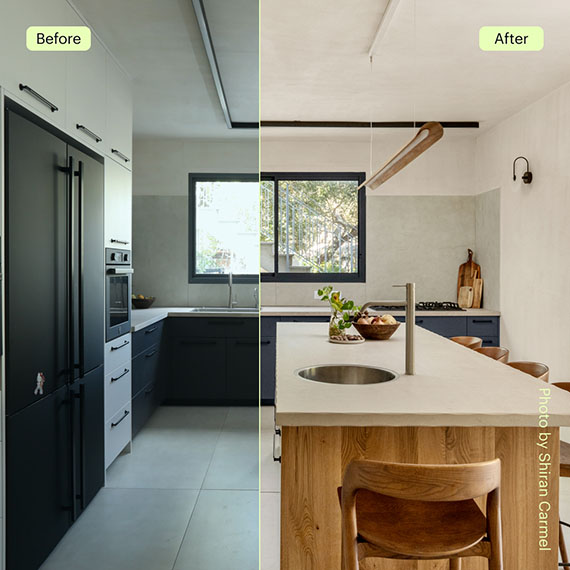
Consistency is one of the most overlooked aspects of professional work. Whether you’re delivering 100 images from a brand shoot or 800 from a wedding, each photo should look like it belongs to the same story. Imagen helps ensure that kind of visual cohesion.
Commercial photographers, for instance, use AI editing to keep color tones identical across multiple lighting setups or product shoots — something that used to require tedious manual adjustments.
More Time for What Matters
AI isn’t replacing the creative side of photography — it’s reducing the busywork. Automating repetitive steps means faster turnaround, less burnout, and more time for what originally drew most photographers to the field: making meaningful images.
Instead of spending late nights scrolling through hundreds of near-duplicates, you can move from shoot to delivery in a fraction of the time.
A Tool, Not a Shortcut
It’s important to remember that Imagen isn’t a one-click solution. The best results come from pairing its efficiency with your own creative judgment. You still have full control over the final look — the software just handles the repetitive parts with surprising precision.
Final Thoughts
Post-production doesn’t have to drain your energy or creativity. Tools like Imagen AI show how automation can support artistry, not replace it. Whether you’re managing weddings, portraits, or branding work, learning how to integrate AI-based culling and editing into your workflow can give you back one of photography’s most precious resources: time.
Try it on your Photos with 1500 Free AI Edits
The post How Imagen AI Helps Photographers Streamline Their Workflow first appeared on PictureCorrect.
from PictureCorrect https://ift.tt/iKz6cyj
via IFTTT


AI is reshaping photography workflows faster than ever — and Imagen AI is a great example of how smart automation can cut hours of culling and editing, while still keeping the photographer’s creative control intact.
VastaaPoistaFrom AI-powered culling to style-learning editing profiles, these tools help photographers work faster, stay consistent, and focus on what truly matters: creating meaningful images.
If you’re interested in how AI supports professional-grade results, especially in real estate photography, here’s another helpful read:
https://phephotos.com/blog/photo-video-editting/hdr-real-estate-photo-editing-for-professional-results/