


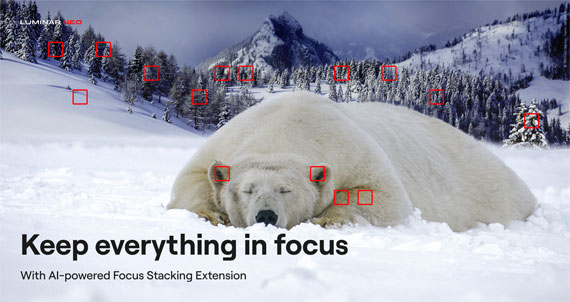
Focus stacking is one of the most effective ways to achieve sharp detail from front to back in your images, especially for macro photography, product work, or landscapes with strong foreground elements. Luminar Neo makes this technique incredibly accessible with its dedicated Focus Stacking tool. And with their Cyber Week Sale currently running, it’s an excellent moment for photographers considering Neo to explore the full capabilities of the software.
Opening the Focus Stacking Tool
Luminar Neo includes a built-in Focus Stacking Extension designed to handle the entire merging workflow automatically. After launching Neo, open the Extensions panel and select Focus Stacking. If you don’t see it listed, make sure the extension is installed and activated. Many users add it during the Cyber Week Sale while the upgrade bundles are discounted.
Loading Your Images
Start by clicking Load Images and selecting all the frames you’ve shot for your focus stack. Luminar Neo displays the thumbnails so you can confirm the full sequence is present and in the correct order. Once imported, the software begins aligning and preparing the frames for processing behind the scenes.
Performing the Stack
When you’re ready, simply click Stack. Neo analyzes each image, identifies its sharpest areas, aligns all frames, and blends the focused regions into a single composite with extended depth of field. The entire process is fully automated—there’s no need to fine-tune complex settings or manually mask areas for sharpness.

Reviewing the Merged Image
When the stack is finished, Luminar Neo creates a new merged file in your Catalog. Open it in the Edit panel to refine it like any other photo. You can adjust exposure, color, detail, contrast, or creative effects. The stacked version supports all editing tools, giving you full flexibility to shape the final look.
Cleaning Up Any Artifacts
If you notice halos, ghosting, or slight softness around edges, Neo provides several ways to clean them up. Tools like Erase, Clone, and Masking allow for precise corrections. And if the individual frames were shot at a high ISO, applying NoiselessAI can help refine the final image while preserving clarity.
Exporting the Final Result
When you’re happy with your edits, use the Export panel to save the final image in your preferred format, size, and color space. The result is a crisp, beautifully blended photograph ready for sharing or printing.
A Quick Note on Cyber Week
If you’ve been thinking about adding Luminar Neo or expanding your toolset with additional extensions, their Cyber Week Sale is one of the rare times the entire ecosystem is discounted. It’s a good chance to explore tools like Focus Stacking, HDR Merge, NoiselessAI, and their newer AI-powered features at a lower price.
Offer ending soon: Luminar Neo Cyber Week Sale
The post Focus Stacking in Luminar Neo first appeared on PictureCorrect.
from PictureCorrect https://ift.tt/OPLEb8v
via IFTTT


Great article — the explanation of Luminar Neo’s Focus Stacking workflow is clear, practical, and very helpful for both beginners and experienced photographers. I especially appreciate how you broke down each step from loading images to refining the final merged result. For real estate photographers, pairing techniques like this with Virtual Dusk edits can elevate property images even further; you can check it out here: https://beatcolor.com/services/virtual-dusk/
VastaaPoista. Thanks for sharing such valuable insights!