


For those interested in improving their aerial images, selecting the right editing software is crucial. Luminar Neo is currently marked down for a Summer Sale (which ends tonight!) and offers advanced features tailored for drone photography.
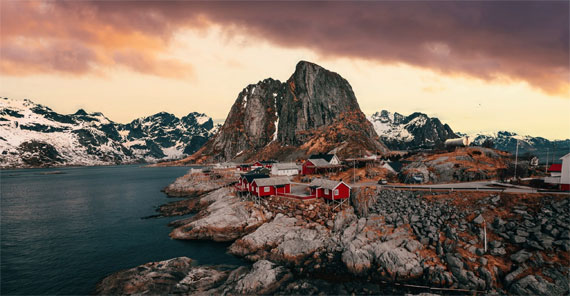
Transform Your Aerial Photos
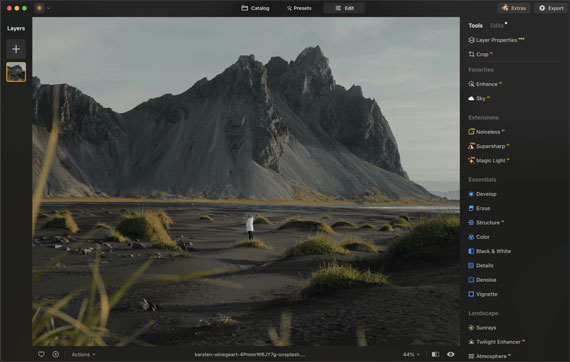
Luminar Neo provides a variety of tools to enhance aerial images:
- Panoramic Photo Creation: Transform video footage into vibrant, dynamic HDR panoramas.
- Photo Stitching: Seamlessly stitch multiple photos together to create expansive scenes.
- Action Photos: Combine moving objects across multiple frames into a single, dynamic action photo.
Enhance AI: One-Slider Magic
Enhance AI simplifies the editing process with a single slider that adjusts up to a dozen fundamental controls, including shadows, highlights, contrast, tone, saturation, exposure, and details. This feature produces realistic and visually appealing photos.
Versatility in Different Conditions
Luminar Neo is designed to handle varying lighting conditions, whether capturing a bright blue sky, a sunset, or a starry night. It provides tools to enhance drone photos taken in diverse environments.
Extensive Toolset for Perfecting Drone Shots
Luminar Neo includes numerous features for drone photography:
- Standalone or Plugin: Available as a standalone app for macOS and Windows, and as a plugin for Adobe Photoshop, Adobe Lightroom Classic, and Photos for macOS.
- High-Quality Tips: Improve panoramas by applying basic photography principles, finding balance and focal points, and waiting for optimal lighting conditions.
Tips for High-Quality Drone Photos
- Apply Basic Photo Concepts: Treat panoramas as large photos and apply fundamental photography principles.
- Balance and Composition: Look for balance in images with wide aspect ratios. Identify focal points such as a person, building, or the setting sun.
- Perspective and Height: Use panoramas to achieve a wider perspective when flying high is not an option.
- Crops for Composition: Consider cropping within captured photos for better composition rather than creating huge panoramas.
- Lighting: Wait for good lighting conditions. Speckled cloud cover can add depth to images when sunrise and sunset are not options.
Summary
Luminar Neo offers a comprehensive suite of editing tools and AI-driven enhancements, making it a valuable tool for drone photographers. With a 30-day money-back guarantee, users can explore its features risk-free.
Luminar Neo is a versatile and effective solution for enhancing aerial photos.
Summer sale ending tonight: Drone Photo Editing Tools in Luminar Neo
from PictureCorrect https://ift.tt/a4zmgJj
via IFTTT


Great insights on drone photo editing with Luminar Neo – powerful tools make a real difference in aerial shots. For those looking to take drone imagery to the next level, our team at BeatColor https://beatcolor.com/ offers professional drone photo editing services tailored for real estate and beyond.
VastaaPoista