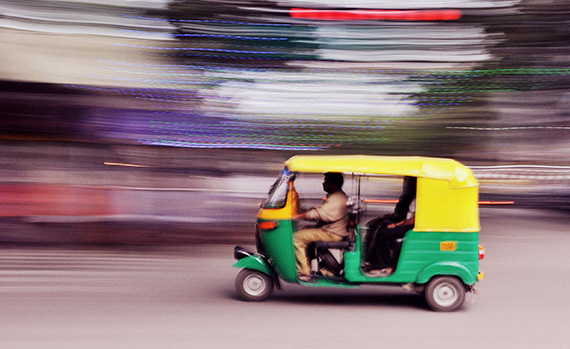
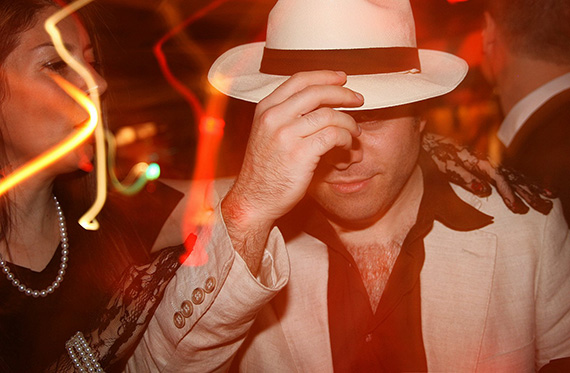
perjantai 29. elokuuta 2025

PictureCorrect.com: What Is a Long Exposure in Photography?

Related reminder: only 1 day left for the Long Exposure Photo Guide at 71% Off

Usually, when photographers talk about long exposures they mean that the shutter is open for longer than can easily be hand held, though it’s surely not as simple a definition as that.

The first rule of thumb for a hand-holdable shot—the focal length reciprocal rule:

If your focal length is 30mm, then you should be able to hand hold a camera with a 1/30 of a second shutter speed. By hand hold, this just means that you should realistically be able to depress the shutter and keep the camera from shaking so much that it shows up as a blurry photo from camera movement.

holding camera

Photo captured by Laya Clode

The reciprocal rule assumes that the subject is relatively still. Posed. This rule works especially well with objects that tend not to move, and inanimate human beings that tend not to move or talk. If you were shooting with a lens of focal length 300mm, then you’ll see that you need at least 1/300 of a second. And you will notice, I hope, that the longer the lens, the more the image dances around in the viewfinder.

Which brings us to the usefulness of placing the camera on a steady surface, especially when shooting with longer lenses. And if you can’t put it on a steady surface, and you can’t use a tripod, then the best you can do is press the camera against your eye and forehead and have the camera strap at a good length so that it can also act as a sort of triangular brace from shoulder to camera.

So right away, the idea of “long exposure” is related to your intentions. If you are using a long lens, and you can’t achieve a shutter speed that is the reciprocal of the focal length, and you don’t have anything to rest the camera on. It’s a long exposure; unless, of course, you want to have camera shake in the final image.

Image Stabilization (IS) is a great thing. I have it on the Canon 70-300mm lens, and it can easily save me one or two stops. By that I mean that if the focal length is 300mm, I can shoot at 1/125 of a second, or even 1/60 without getting camera shake. And as soon as that shutter button is halfway depressed, and IS is turned on, I can see through the viewfinder that camera shake is almost gone.

As mentioned, stabilization has no effect on objects that are moving. And frankly, this is something that takes some experience and testing to learn about. For example, I’ve noticed that a figure that cuts quickly across the plane—say from left to right—is almost certainly going to blurred with a shutter speed of less than 1/250 of a second, no matter how steady the camera is. But even here, this depends on the lens. At least it seems that way to me.

The figure moving from left to right at a constant speed will be blurred differently depending on the focal length. This is something I can’t swear to, but it does seem that way, though it may only be due to the relative size of the figure in the frame.

Nevertheless, I think this covers the major points of what constitutes a long exposure, but it doesn’t get to what the reader would expect to read about under this exposure: “the really long exposure.” What, for example, is the difference between an exposure of one minute, and an exposure of five minutes?

With film, for example, there is the concept of reciprocity. Film reciprocity? What the heck is that, and why should you care?

If by any chance you are shooting film, most films will say that after a certain amount of time, reciprocity sets in. That’s not a disease. It just means that the amount of exposure decreases according to a certain curve that is particular to that film after a certain amount of time. Shooting Tri-X for example (once a well-known film) the amount of exposure that you get after ten minutes is not ten times as much as what you got with one minute.

Ah, it’s a long subject with many a twist and turn. Let me chat about the long, long exposure as it applies to digital shots in the next post.

About the Author:
Dave Beckerman is a black and white photographer in New York. He has been working as a professional fine art photographer for the last 10 years. Before that, it was an avocation.

For Further Training:

Photographer Dieter Appelt said, “A snapshot steals life that it cannot return. A long exposure creates a form that never existed.” If you’ve ever been mystified by other photographers’ tack sharp extended exposures and mind-blowing daytime long shutter speeds, then you may want to take a look at this popular in-depth eBook while it is marked down 71% off until the end of the month, August 31.

The Long Exposure Photography Guide (peek inside)

This guide was designed to walk you through every step of long exposure photography with a complete description and a visual reference. Each lesson is broken down into easy-to-follow steps, recommended resources, and self-check quizzes to make sure you understand each and every technique.

Only 1 day left: The Long Exposure Photography Guide at 71% Off


from PictureCorrect https://ift.tt/vNpMqR6
via IFTTT

torstai 28. elokuuta 2025

PictureCorrect.com: Abstract Photography Exercises

If part of your photographic self-awareness includes a little voice that wants to play without rules or retribution, well then, abstract is the photo genre for you!

In the world of abstract photography the sky is limit. Your creativity isn’t bound by conventions in any way.

This article contains some concepts from the The Complete Guide to Long Exposure Photography which is currently 71% off if you want to dig deeper for further training.

introduction to abstract photography

Photo by Jr Korpa

That being said, there are three types of abstract photography, and it’s worth your time to understand the differences.

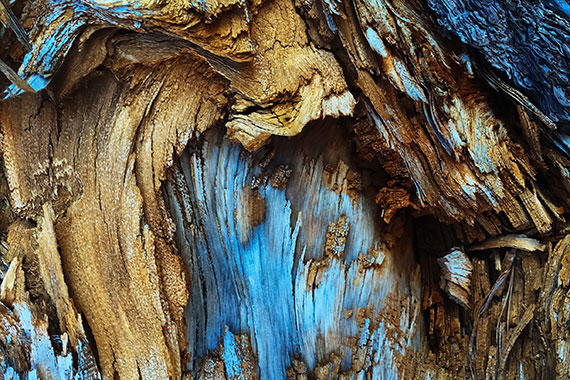
The above photograph is what’s known as ‘Abstract Expressionism.’ Here’s a definition.

Key Thought: Photographic, abstract expressionism is a form of abstract art that doesn’t necessarily abandon all realistic and representational elements. In other words, it’s mostly unrecognizable, but not entirely unrecognizable. There are realistic elements within the photo that the photographer uses to manipulate a viewer’s mood or feelings.

Here’s the definition of abstract art (photography).

Key Thought: Photographic, abstract art makes no attempt to represent external reality. It sends a message to a viewer through the use of shape, form, line, color, and texture.

example of abstract photographic art

Photo by Rene Böhmer

The above photograph is an example of abstract photographic art.

Here’s the definition of semi-abstract art (photography).

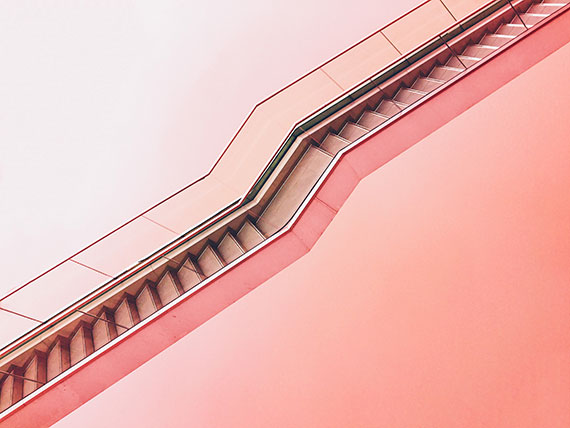
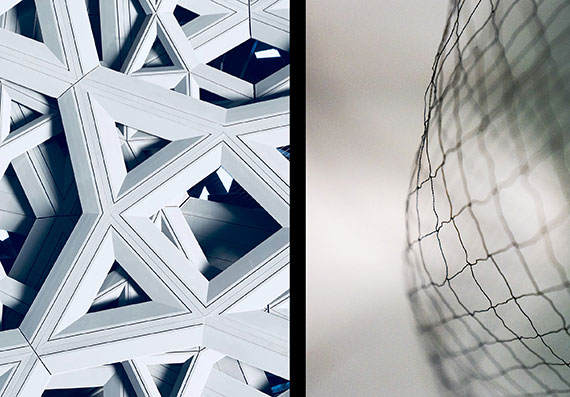
Key Thought: Semi-abstract photographic art remains recognizable to a viewer. But the form, color, shape, and lines are represented in a highly stylized manner that derives its composition from the idea of abstract photographic art. In other words, you depict reality in an unusual way.

The above image of the stairwell is an excellent example of semi-abstract photographic art.

Getting Started

This is the exciting part! To get started in abstract photography, all you need is a camera, some light, and your imagination. Post-processing software can add additional tools to your creativity, but it isn’t absolutely necessary.

For this article, let’s focus on some abstract ideas to get your creativity bubbling!

Focus Blur

Focus blur is an easy and fun way to explore abstract photography.

When you rack your lens out of focus- shapes, colors, and lines blend together like dripping paint. The more out of focus the lens is, the more abstract your resulting picture becomes.

example of focus blur

Top left photo by Mark Kamalov, Top right photo by Dmitry Bayer, Bottom photo by Kelly Sikkema

IDEA: Begin your focus blur abstract adventure with some lights. String lights, such as holiday lighting or patio lighting, work really well. Once you have your lights, follow this camera setup.

• Put your camera on a tripod or place it on a solid surface such as a tabletop.
• Use a cable release or the camera shutter release timer.
• Use any lens you wish. Set it to manual focus.
• Set the camera to manual mode.
• Set the ISO to 400.
• Set the aperture to the widest opening.
• Use the matrix/evaluative metering mode.
• Find the correct exposure (shutter speed) as indicated by your camera and reduce the exposure by one stop. (For example, if the meter says the right shutter speed is 1 second with your lens set at its widest opening, reduce the exposure one stop by changing the shutter speed to ½ second.)

Key Thought: The above settings are suggestions to get you started. Remember, with abstract photography, there are no rules. Change everything as your heart desires!

Pick an area where you want to photograph your lights. A darker area works better to showcase the brightness of the lights. A lighter area will reduce the visual weight of the lights while bringing in background elements.

Finally, place your lights and begin having fun. You could set your lights over a person, an object, or simply hang them in the middle of an empty air space.

Change the focus of your lens to many different settings as the effect will vary with each position.

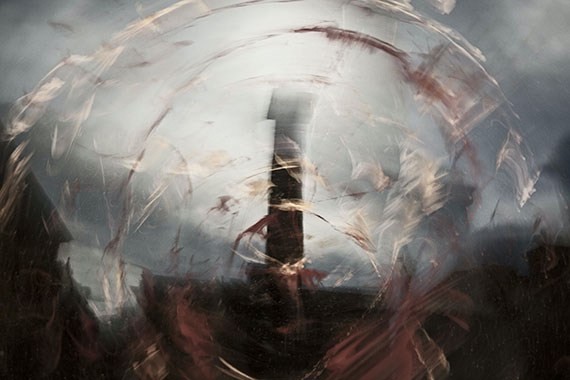
Camera Blur – often referred to as ICM (intentional camera movement)

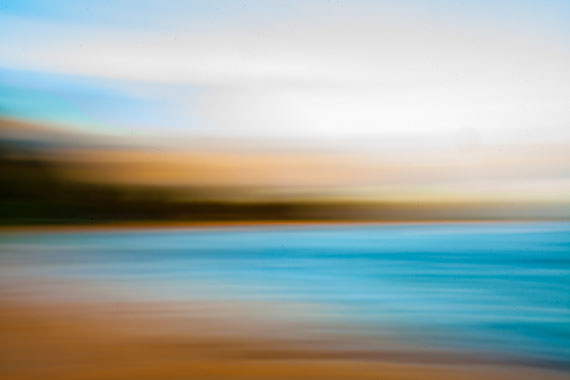
Camera blur (ICM) is a lot of fun because it’s completely random. With a focus blur, the process tends to be slower and more calculated. With ICM, you’re throwing caution to the wind, having fun, and doing everything the experts have told you not to do.

example of abstract photo camera blur

Photo by Taylor Leopold

IDEA: Many examples of ICM photography are taken outdoors. We’ve all seen the ‘stand of trees’ ICM photo. Here’s how to make ICM work for you indoors. Look for areas of light, shadow, and color contrast. Don’t fixate on trying to capture something recognizable such as the example photo above. Concentrate on a complete abstract photograph. Remember to communicate something that you feel through shape, form, line, color, and texture.

Key Thought: The outcome of an ICM photograph is primarily governed by the shutter speed and how you move the camera while completing the exposure. However, you can also alter the effect by your choice of lens, aperture, focus placement, color balance, and exposure.

Start with these camera settings:

• Camera in shutter priority mode.
• Shutter speed at ¼ of a second. Use this range of shutter speeds to begin with: 1/30th, 1/15th, 1/8th, ¼, ½, 1 second, and 2 seconds. The longer the shutter is left open, and the more you move the camera, the more abstract your picture will become.
• Auto ISO set to a maximum of ISO 1000 (If your camera doesn’t allow this function, then set it to ISO 800 and adjust as necessary.)

Take the Shot: Once you have your camera settings and a chosen subject, release the shutter while moving the camera. Experiment with different types of camera movement – up and a down, side to side, zig-zag, and etc.

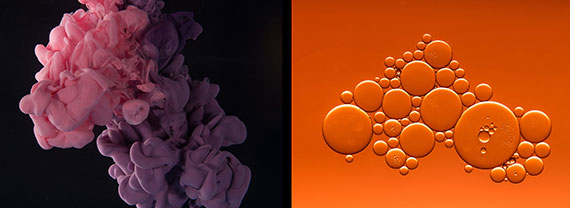
Combining a Viscous Fluid with Water

This abstract photo activity is exquisitely different because it requires some setup, but also provides unpredictable results.

examples of combining viscous fluid in water

Left photo by Bilal O., Right photo by Sharon Pittaway

In the left example photo above, a water-based paint was poured into water. In the right example photo above, cooking oil was dripped into water.

Here’s What You Need:

• A light source. Any light source can work. However, this is one style of abstract photography where the quick burst of an electronic flash can be helpful.
• You will need a clear glass container. Keep in mind that the container itself can add to the abstract effect if it’s textured.
• Some type of colored paper or gels is helpful to add color to a background, but it isn’t required.

Use the following set up:

• Use a tripod. This isn’t required, but it will make things more predictable.
• Use the appropriate lens. This will be dictated by how close you need to focus. Set the lens to manual focusing.
• Use aperture priority.
• Set the aperture to f/2.8 – f/8 depending on the power of your light source.
• Place your clear glass container, that is filled with water, on a stool or table with some working room and no background distractions (as done in the left example photo).
• Set up your light source to provide side lighting or backlighting if your point of view is from the side (such as the left example photo above).
Alternately, place your glass container or a piece of glass on supports that allow you to look down upon your set (example photo on the right). Use backlighting or position the light source to hit the background (in the example photo, the light is illuminating the background and not the subject), which was orange art paper.
• Set your ISO to 800. (Adjust as needed depending on your light source. Check your shutter speed. A faster shutter speed freezes the action, and a slower one blurs it.)
• Use a center-weighted metering pattern.
• Set the Drive mode to single shot
• Place an object into the center of the glass container and manually focus on it. (I use the handle of a kitchen spoon.)

NOTE: Get your exposure set before you begin dropping in your viscous fluid. Paint and oil are the easiest fluids to find and work with when starting out.

You’re all set!

Start dropping some viscous fluids into your water and let the magic happen.

Close Up and the Unusual Camera POV

This type of abstract photography turns you into a creativity detective. You will crawl around your house looking for everyday items that you can capture from a unique camera point of view (POV) that makes the object unrecognizable or nearly so.

examples of close up and point of view abstract photography

Left photo by Alvaro Pinot

IDEA: Having the ability to close focus, either using filters or a macro (close focusing) lens, is a valuable option. But it’s not absolutely necessary. This exercise can even be accomplished with your smartphone camera.

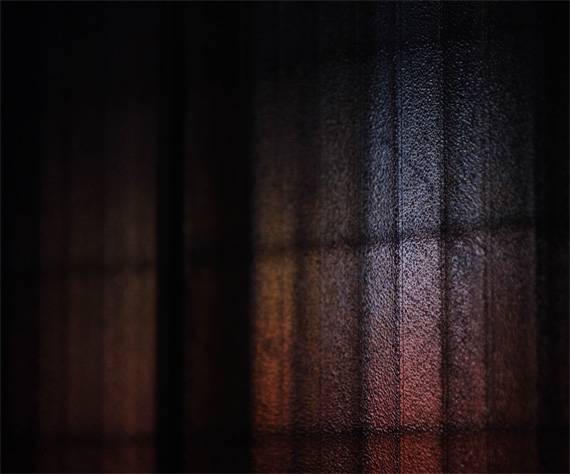
Shooting Though Translucent Materials

This idea is super easy. Go around the house and gather translucent materials, such as glass, plastic, or cloth. If the translucent material has a texture to it, that’s even better. You can also create variations in the surface of the material on your own. Smear it with Vaseline, or a thin coat of paint, or some leftover cosmetics.

shoot through translucent material

Photo by Rene Bohmer

IDEA: You’ll photograph your subject through your translucent material. Put the translucent material between you and something else of interest, such as the window above. Your lighting will play a significant role in how your image turns out. Start with backlighting and side lighting.

Post-Processing Abstract Fun

Post-processing can be used to create abstraction on its own, or you can combine it with some of the other ideas presented in this article.

try out different lighting shooting through translucent material

Photo by Jr Korpa

A layering program provides you with infinite possibilities.

This is the time to try presets and actions. Go for the gusto and make your images completely unrealistic.

Let’s close with a gallery of inspiration.
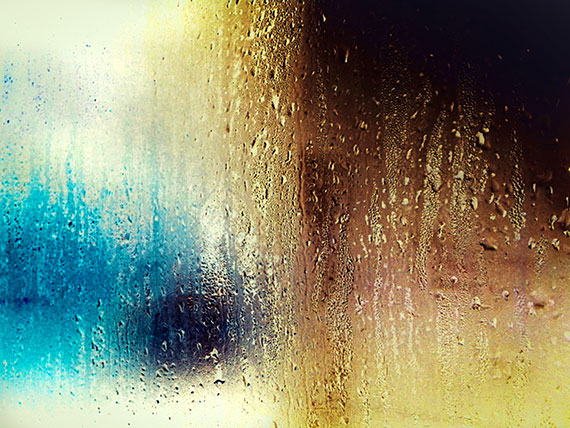
inspiration for abstract photography

Photo by Mike Ko

abstract photography inspiration

example of abstract photography art

About the Author:
Kent DuFault is an author and photographer with over 35 years of experience. He’s currently the director of content at the online photography school, Photzy.com.

For Further Training on Long Exposure Photography:

Photographer Dieter Appelt said, “A snapshot steals life that it cannot return. A long exposure creates a form that never existed.” If you’ve ever been mystified by other photographers’ tack sharp extended exposures and mind-blowing daytime long shutter speeds, then you should take a look at the full in-depth eBook. It is currently 71% off for a limited time if you want to check it out.
New: The Long Exposure Photography Guide

This guide was designed to walk you through every step of long exposure photography with a complete description and a visual reference. Each lesson is broken down into easy-to-follow steps, recommended resources, and self-check quizzes to make sure you understand each and every technique.

Deal ending soon: The Long Exposure Photography Guide at 71% Off


from PictureCorrect https://ift.tt/QeWBLE2
via IFTTT

keskiviikko 27. elokuuta 2025

PictureCorrect.com: Birders vs. Photographers: Rivals or Allies in Avian Appreciation

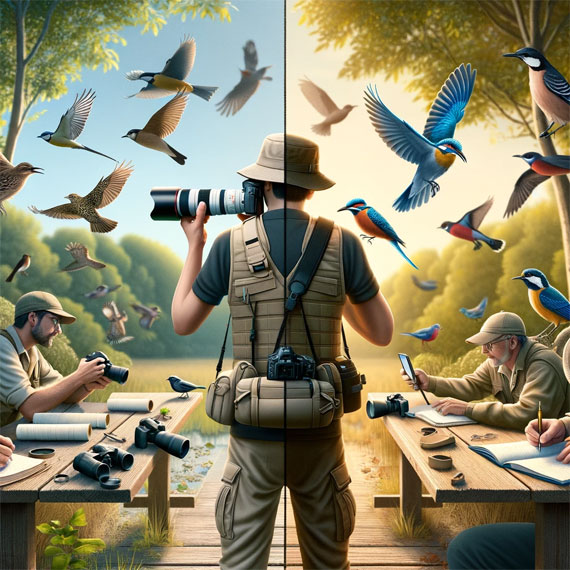
Bird photographers and birders share a common passion for avian species, yet their approaches and motivations can vary significantly. Both groups contribute uniquely to the appreciation, understanding, and conservation of birds, but they do so in ways that reflect their distinct interests and goals. Let’s delve into the differences and similarities between bird photographers and birders.

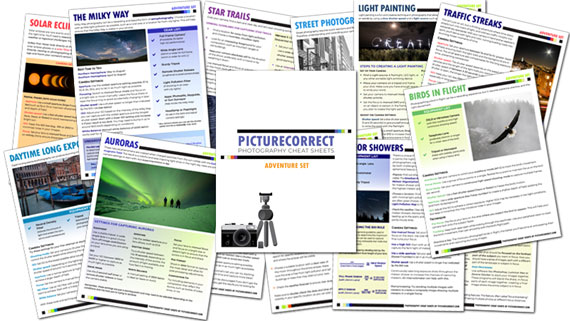
This article is based on concepts from The Photo Adventure Cheat Sheets which are currently 80% off for a 🌞 Summer Sale if you want to dig deeper.
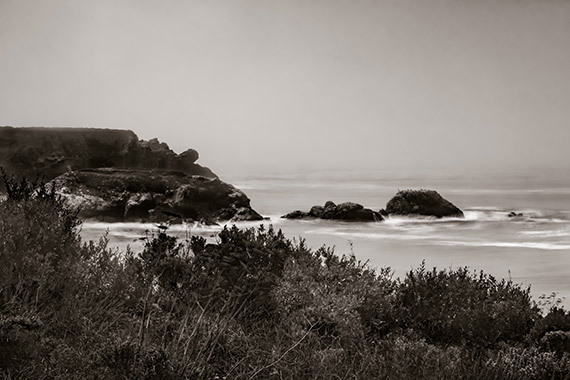
birders vs photographers

Similarities

  1. Shared Passion for Birds: At the core, both bird photographers and birders have a profound appreciation for birds and their natural habitats. Their activities are often driven by a love for wildlife and a desire to be close to nature.
  2. Conservation Awareness: Both groups often engage in and promote conservation efforts. Their interest in birds leads to a greater awareness of the importance of habitat preservation and the threats faced by various species.
  3. Field Skills: Birders and bird photographers develop keen observation skills, learning to identify birds by sight and sound. Both must also understand avian behaviors and habitats to successfully locate and observe their subjects.
  4. Community Engagement: Both groups tend to be part of larger communities, sharing their experiences, sightings, and photographs. They participate in forums, clubs, and social media platforms, contributing to a collective knowledge base and fostering a shared enthusiasm for avian life.

Differences

  1. Primary Motivation: Bird photographers are primarily focused on capturing images of birds. Their success is often measured by the quality, rarity, or artistic value of their photographs. Birders, on the other hand, may be more interested in observing and documenting bird species, with their achievements often related to the number of species identified or the observation of rare birds.
  2. Equipment and Investment: Bird photography typically requires significant investment in specialized equipment, such as high-quality cameras, telephoto lenses, and sometimes even hides or camouflage gear. Birders might require less equipment, often relying on binoculars and field guides, though some may also use high-end optics.
  3. Approach and Time Spent: Photographers may spend considerable time waiting for the perfect shot, often focusing on a single location or individual. Birders tend to be more mobile, moving to different locations to observe as many species as possible.
  4. Interaction with Subjects: Photographers need to get close enough for a good shot without disturbing the bird, requiring a balance between proximity and respect for the bird’s comfort zone. Birders, especially those who are listers, might prioritize identification over close interaction, often using binoculars or scopes to minimize disturbance.

Potential Rivalry

Despite their shared passions, there can be moments of friction between bird photographers and birders, stemming from their different objectives and methods. Bird photographers, in their quest for the perfect shot, might inadvertently disrupt a birder’s observation or stay longer at a sighting, potentially affecting the birders’ ability to spot and identify different species. Conversely, large groups of birders moving through an area can disturb wildlife, making it challenging for photographers to capture images of birds in their natural and undisturbed state.

Some birders might view photographers as more intrusive, especially when they use playback sounds to attract birds or get closer to nests than recommended guidelines suggest. On the other hand, photographers might feel that birders do not always appreciate the effort and patience required to obtain impactful wildlife photographs.

However, these tensions are not universal and often arise from misunderstandings or the actions of a few rather than the groups as a whole. Many birders and photographers work together harmoniously, recognizing that they share more similarities than differences and that respectful dialogue and mutual understanding can help mitigate any rivalry. By focusing on their common goals and the greater purpose of bird conservation, both communities can foster a more collaborative and supportive relationship.

Convergence for Conservation

Despite their differences, both bird photographers and birders play essential roles in conservation. Photographers often capture images that inspire public interest and empathy for avian conservation. Birders contribute to citizen science projects like eBird, providing valuable data that helps in the study and protection of bird populations.

In conclusion, while bird photographers and birders might embark on their outdoor adventures with different intentions and tools, they share a fundamental connection through their appreciation and advocacy for birds. By understanding both the common ground and the unique perspectives of each group, we can better appreciate the diverse ways people engage with and work to protect the avian world.

For Further Training:

For help remembering the camera settings for difficult situations like this, a set of Photography Adventure Cheat Sheets are designed to help. They are currently 80% off for a Summer Sale which ends soon if you want to check them out.

adventure cheat sheets

New! Cheat Sheets for Your Photography Adventures (see how they work)

The perfect companion for any photographer. Print one out whenever you need it. Whether you’re going on vacation or seeking out a specific photography adventure, these cheat sheets can provide you with the knowledge and inspiration you need to create your best work yet.

Offer ending soon: The Photography Adventure Cheat Sheets Summer Sale


from PictureCorrect https://ift.tt/KP9vMWx
via IFTTT

tiistai 26. elokuuta 2025

PictureCorrect.com: The Simple Long Exposure Tip Nobody Talks About

When I first started in Long Exposure photography, I became very frustrated.

I purchased all of the right gear, and I followed the simple steps as listed with various online blogs.

Yet, at least half of the time, my photos were boring, and the long exposure effect was minimal.

I discovered something pretty important on my own that no online tutorial had covered for me.

I want to share my discovery with you today in this quick tip so that you can avoid the headaches that I endured.

This article is based on concepts from the The Complete Guide to Long Exposure Photography which is currently 71% off if you want to dig deeper for further training.

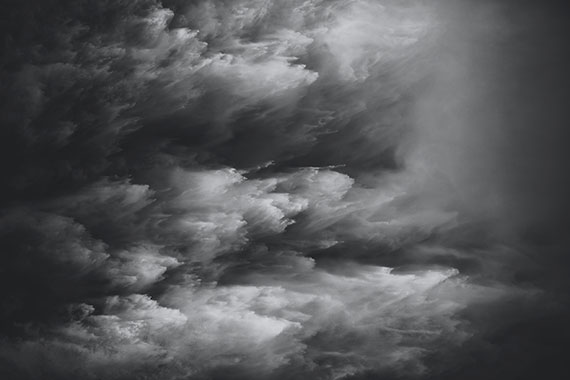
unimpressive long exposure example

Photograph #1 By Kent DuFault

Here’s one of my early attempts at Long Exposure Photography that left me scratching my head. You can barely see the long exposure effect!

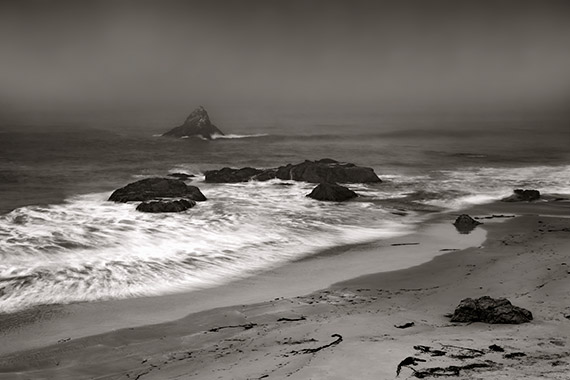
more maximized long exposure effect

Photograph #2 By Kent DuFault

Here is another attempt after I discovered my quick tip that I am going to share with you today.

The quick tip is almost embarrassingly simple, yet so important to your success.

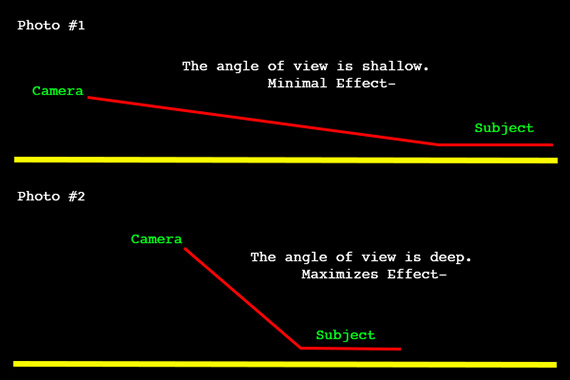
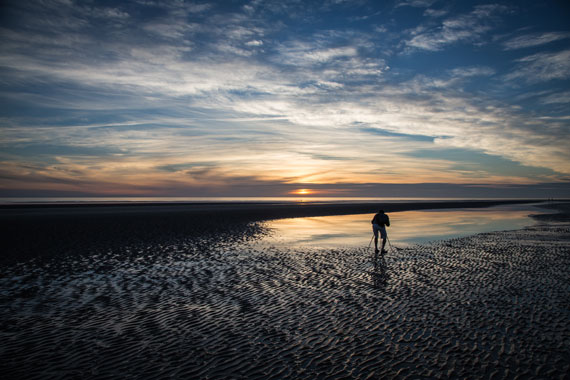
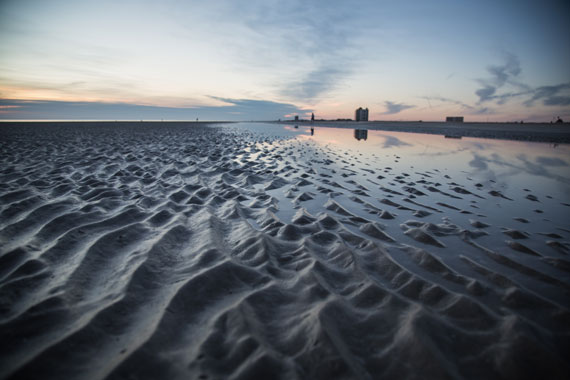
shallow vs deep angle for long exposure

Photograph #3 By Kent DuFault

Here’s your Long Exposure quick tip:

The angle of view from the camera to the subject will play a critical role when capturing the Long Exposure effect. When this angle is shallow, the effect is minimized. When this angle is deeper, the effect is maximized.

It’s also essential to take into account the angle of the subject movement as relative to the camera position and point-of-view. But that’s a discussion for another day.

long exposure with deep angle

Photograph #4 By Kent DuFault

Remember, a deep angle equals a fantastic long exposure effect! Next time you’re out for some long exposure shots, give this tip a try and see how it works for you.

About the Author:
Kent DuFault is an author and photographer with over 35 years of experience. He’s currently the director of content at the online photography school, Photzy.

For Further Training on Long Exposure Photography:

Photographer Dieter Appelt said, “A snapshot steals life that it cannot return. A long exposure creates a form that never existed.” If you’ve ever been mystified by other photographers’ tack sharp extended exposures and mind-blowing daytime long shutter speeds, then you should take a look at the full in-depth eBook. It is currently 71% off for a limited time if you want to check it out.

New: The Long Exposure Photography Guide

This guide was designed to walk you through every step of long exposure photography with a complete description and a visual reference. Each lesson is broken down into easy-to-follow steps, recommended resources, and self-check quizzes to make sure you understand each and every technique.

Deal ending soon: The Long Exposure Photography Guide at 71% Off


from PictureCorrect https://ift.tt/WtuNSP4
via IFTTT

maanantai 25. elokuuta 2025

PictureCorrect.com: Understanding Gestalt Theory in Photography

Gestalt theory, originating from early 20th-century psychology, emphasizes the human ability to perceive patterns and wholes in chaotic environments. This theory, which asserts that “the whole is greater than the sum of its parts,” has profound implications for various disciplines, including photography. In this blog post, we’ll delve into the principles of Gestalt theory and explore how photographers can harness these concepts to create more compelling and visually engaging images.

Also remember that a ☀ Summer Sale for the Cheat Sheets on all the Compositional Elements is ending soon!

gestalt theory

What is Gestalt Theory?

Gestalt theory was developed by German psychologists Max Wertheimer, Wolfgang Köhler, and Kurt Koffka. The theory focuses on how people naturally organize visual elements into groups or unified wholes when certain principles are applied. The main principles of Gestalt theory are:

  1. Similarity
  2. Proximity
  3. Closure
  4. Continuity
  5. Figure-Ground
  6. Symmetry and Order

These principles explain how our brains interpret complex scenes, enabling us to recognize patterns and make sense of visual stimuli. In photography, understanding and applying these principles can lead to more impactful and aesthetically pleasing images.

Principle 1: Similarity

Similarity refers to our tendency to group similar elements together. In photography, this principle can be used to create harmony and cohesion within an image.

Application in Photography:

  • Color Coordination: Photographers often use color to create a sense of unity. For example, a photograph of a flower field with red and yellow tulips grouped together leverages the principle of similarity in color to create a striking visual effect.
  • Shape and Form: Similar shapes and forms within a composition can guide the viewer’s eye and create a sense of order. A series of arches in an architectural photograph can exemplify this principle, leading the viewer’s gaze through the image.

Principle 2: Proximity

Proximity involves grouping elements that are close to each other. This principle helps in establishing relationships between different parts of an image.

Application in Photography:

  • Groupings: Positioning subjects close to one another can create a connection or narrative. A photograph of a group of friends standing closely together conveys a sense of unity and togetherness.
  • Foreground and Background Interaction: Placing elements at varying distances within the frame can add depth and perspective, helping the viewer understand the spatial relationship between objects.

Principle 3: Closure

Closure is the concept that our minds tend to fill in the missing parts of an incomplete shape or object to perceive a complete form.

Application in Photography:

  • Implied Lines: Using elements within the frame to suggest a shape or form can lead the viewer to “complete” the image mentally. A photograph of a broken fence might suggest a continuous line, even if parts of the fence are missing.
  • Silhouettes and Shadows: Silhouettes can create powerful images where the mind completes the shape of the subject, enhancing the viewer’s engagement with the photograph.

Principle 4: Continuity

Continuity describes our tendency to follow lines and curves, making it easier to navigate and understand an image.

Application in Photography:

  • Leading Lines: Photographers use leading lines to guide the viewer’s eye through the photograph. A road stretching into the horizon or a river winding through a landscape can create a natural path for the viewer’s gaze.
  • Flow and Movement: Capturing elements that suggest movement, like flowing water or a winding staircase, helps create a dynamic and engaging image that leads the eye naturally.

Principle 5: Figure-Ground

Figure-Ground is the ability to distinguish an object (the figure) from its background (the ground).

Application in Photography:

  • Contrast: Using high contrast between the subject and the background helps the subject stand out. This technique is particularly effective in portrait photography where the subject’s face needs to be the focal point.
  • Depth of Field: Blurring the background (bokeh effect) while keeping the subject in focus can help isolate the subject and make it the clear point of interest.

Principle 6: Symmetry and Order

Symmetry and Order refer to our preference for balanced and orderly compositions. Symmetrical compositions are often perceived as harmonious and aesthetically pleasing.

Application in Photography:

  • Balanced Composition: Placing elements symmetrically can create a sense of stability and calmness. Architectural photography often employs symmetry to emphasize the precision and order of structures.
  • Patterns and Repetition: Repeating elements can create a rhythm in the photograph, leading to a cohesive and pleasing visual experience.

Integrating Gestalt Principles in Your Photography

To effectively integrate Gestalt principles into your photography, consider the following tips:

  1. Plan Your Composition: Think about how you can arrange elements in the frame to utilize principles like proximity and similarity to enhance your composition.
  2. Experiment with Different Perspectives: Changing your viewpoint can help you find natural lines and shapes that utilize principles like continuity and figure-ground.
  3. Focus on Details: Pay attention to small elements that can collectively create a stronger impact, embodying the principle of closure.
  4. Use Contrast and Light: Play with light and shadows to create depth and highlight the figure-ground relationship in your photos.
  5. Practice and Analyze: Regularly review your work to see how well you are applying these principles. Experiment and learn from each shot to continually improve your ability to create compelling compositions.

Summary:

Understanding and applying Gestalt principles can significantly enhance your photographic compositions by making them more visually engaging and harmonious. By recognizing how our minds naturally perceive and organize visual information, photographers can create images that resonate more deeply with viewers. So, next time you pick up your camera, consider how you can use these timeless principles to elevate your photography and see the whole picture.

For Further Training on Composition:

Do you ever have trouble remembering all the elements of composition? These popular Composition Cheat Sheets have you covered. With clear, concise information on all the essential elements of composition, you’ll never be unprepared again. They are currently 81% off today for a ☀ Summer Sale if you want to check them out.

composition cheat sheets

Composition Cheat Sheets (see all the elements covered)

The perfect companion for any photographer. Print one out whenever you need it. These cheat sheets consolidate crucial composition-related information, allowing you to concentrate on what truly matters – composing striking photographs.

Summer sale ending soon: The Composition Cheat Sheets at 81% Off


from PictureCorrect https://ift.tt/UQt0Kdi
via IFTTT

sunnuntai 24. elokuuta 2025

PictureCorrect.com: 5 Tips to Add Flavor to Landscape Photography

Landscapes can have a magical impact on people. Depending on the location, a landscape may instill a feeling of serenity or natural turmoil; it might imply lush development or continuous erosion; green with life or dim, gray, and lifeless. A talented photographer can leverage these features to create pictures that are simultaneously captivating, poignant, and beautiful.

Relevant note: only a little while left for the Long Exposure Photo Guide at 71% Off

landscape flavor

Photo captured by Gianluca Bei

However, this seldom occurs by chance.

In this post, we’ll provide five tips that can bring essence to your landscape photography. Several of the following suggestions may appear instinctive while some might be unexpected. In the long run, you’ll have the ability to utilize these tips to create landscape pictures that seize the curiosity of your audience.

1. Use A Tripod to Eliminate Camera Tremble

In order to catch a broad, deep portion of the landscape, you’ll want to employ a smaller aperture to improve your depth of field. A smaller aperture generally requires a longer shutter speed to make up for a reduction in light. But a lengthier shutter speed can make camera shake more probable, which leads to blurring. Use a tripod to eliminate the issue.

2. Use the Foreground as an Intro to the Photo

Suppose your shot comprises of a field of gaily-hued blossoms in the front with snow-capped hills etched into the backdrop. One approach to bring your audience into your photo is to use the foreground as an intro.

For example, place your camera lower so the flowers are shot up close at eye level. The field will stretch into the distance toward the mountains in the background to generate a graphic experience that makes it simpler for your audience to work with your scenery.

3. Use Depth of Field

If you’re an experienced shooter, you might need to play with a much more shallow depth of field to generate unique effects. That said, amateur photographers should select as deep a depth of field as possible when shooting landscapes to permit objects at varying distances from your camera to enter into focus.

As pointed out previously, think about utilizing a tripod since a smaller aperture normally needs a lengthier shutter speed.

4. Show Action

Landscape photography is typically thought of as capturing stillness. However, you can bring a unique result to your pictures by capturing particular kinds of surroundings in a way that implies movement. For instance, water lapping a close-by shore, trees swaying in a soft wind, a group of gulls slicing lazily through the air. These components animate your pictures. They attract the individual seeing the picture to the scenery’s action.

action in landscape photography

photo by tommy@chau

5. Integrate the Sky, Clouds, and Sun

The atmosphere may make your pictures sparkle. In fact, if you allow additional components of your landscapes to command the top part of your photo, the end result may be less than fulfilling to your viewers. The key is to make sure there are contrasting features that draw the eye.

For instance, strips or teams of clouds may split an otherwise clear blue sky. The clouds add flavor.

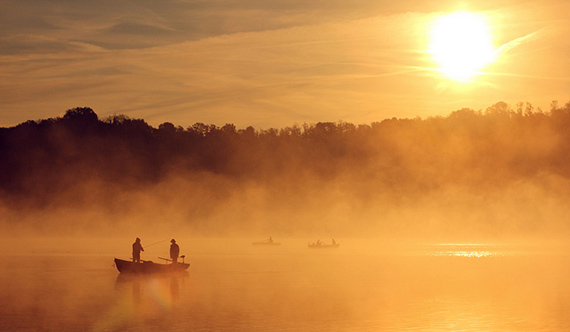
If you’re photographing near dusk, a setting sun can splash colored light. Splotches of red and yellow thrown through a light cloud cover can generate startlingly beautiful photos.

foggy sunset photography

photo by Paolo Terraneo

Photographing landscapes is an opportunity to present the environment in a manner that draws your audience into your arrangement. Many photographers—both beginners and pros—squander the occasion.

Employ the tips above to introduce elements into your photos that show nature at its most exciting and stunning.

About the Author
PosterBrain’s only passion is printing posters (and, for some reason, hair). They have searched the world for the finest paper, printers, and inks to give you an incredible artwork experience.

For Further Training:

Photographer Dieter Appelt said, “A snapshot steals life that it cannot return. A long exposure creates a form that never existed.” If you’ve ever been mystified by other photographers’ tack sharp extended exposures and mind-blowing daytime long shutter speeds, then you may want to take a look at this popular in-depth eBook while it is marked down 71% off.

The Long Exposure Photography Guide (peek inside)

This guide was designed to walk you through every step of long exposure photography with a complete description and a visual reference. Each lesson is broken down into easy-to-follow steps, recommended resources, and self-check quizzes to make sure you understand each and every technique.

Deal ending soon: The Long Exposure Photography Guide at 71% Off


from PictureCorrect https://ift.tt/0zBGyLs
via IFTTT

perjantai 22. elokuuta 2025

PictureCorrect.com: How Much Photo Editing is Too Much?

Photography is an ever-evolving blend of art and technology. As the craft has progressed, photo editing has become an intrinsic part of the process. Tools like Adobe Photoshop, Lightroom, and a slew of mobile apps have brought sophisticated editing capabilities to the fingertips of photographers worldwide. However, with this power comes a question: how much photo editing is too much?

Related reminder: only 1 day left for the Lightroom Mastery Guide at 50% Off

photo editing

Photo captured by Tianyi Ma

1. The Intent of the Photograph

Before diving into the mechanics of editing, let’s consider why we’re editing in the first place. Is the intent to depict a realistic, journalistic representation of an event? Or is it an abstract piece intended to evoke emotion, regardless of its adherence to reality?

For instance, a photojournalist might make minor adjustments to exposure, contrast, or color balance to ensure the photo accurately represents the scene. Conversely, a fine-art photographer might lean heavily into editing to manifest a particular vision or mood.

2. The Power of Subtlety

Over-editing is a common pitfall, especially with the multitude of sliders and filters available. Often, less is more. A slight tweak in brightness, a small nudge in saturation, or a touch of sharpening can make your photo stand out without making it scream “overprocessed!”

3. The Tell-Tale Signs of Over-Editing

Here are some signals that you might have gone a bit too far:

  • Over-saturated Colors: If your colors look neon-bright or unnatural, it’s a sign you might have pushed your saturation sliders too far.
  • Haloing: Pushing the clarity or sharpness sliders too much can result in halos around objects, particularly against high-contrast backgrounds.
  • Over-smoothing: While removing blemishes or imperfections is standard in portrait photography, making a subject’s skin too smooth can render them plastic-like and unreal.
  • Loss of Detail: Overexposing highlights or underexposing shadows can result in a loss of detail in those areas.

4. Be True to Your Vision

It’s essential to recognize that every photographer’s vision is unique. What might be “too much” editing for one person could be “just right” for another. The crucial part is to be consistent with your style. If heavy edits and surreal colors are your trademarks, embrace them! If you lean more towards natural and minimalistic edits, that’s perfect too.

5. Seek Feedback

Often, another set of eyes can provide a fresh perspective. Share your edited photos with peers or photography groups. Listen to their feedback but remember to prioritize your creative vision.

6. Educate Yourself

Editing, just like shooting, requires practice and education. Understand the tools at your disposal, and you’re less likely to misuse or overuse them. There are countless tutorials, courses, and workshops out there to help hone your editing skills.

Balance:

Photo editing is a powerful extension of the photography process. When done with care and intent, it can elevate a good shot into a masterpiece. The key lies in finding a balance between portraying your vision and maintaining the essence of the photograph. Remember, the best edits often enhance the story the photograph tells, not overshadow it.

For Further Training:

Are you tired of spending hours on end fiddling around in Lightroom Classic and not getting the results you expect? This in-depth eBook is designed to help photographers master Lightroom Classic to its full potential. We were able to arrange an additional 50% discount for our blog readers which ends soon.

lightroom mastery

Lightroom Mastery (Click to Learn More)

Not by droning repetitions of someone else’s editing style, but through teaching you the basic premises of the software using easy to understand, real-world language that will unlock your potential for learning.

Only 1 day left: The Lightroom Mastery eBook at 50% Off


from PictureCorrect https://ift.tt/NkJtOA0
via IFTTT

torstai 21. elokuuta 2025

PictureCorrect.com: Pro Tips for Accelerating Lightroom Performance

Creating an efficient workflow in Adobe Lightroom can significantly enhance a photographer’s productivity and creative output. Here are several tips aimed at helping photographers speed up their Adobe Lightroom performance on their computers.

Relevant note: only a little while left for the Lightroom Mastery Guide at 50% Off

lightroom performance

1. Optimize Catalog Settings

  • Create Smaller Catalogs: Working with smaller catalogs can boost Lightroom’s performance. Consider archiving older projects and only keeping active ones in your current catalog.
  • Optimize Catalog Regularly: Use the “Optimize Catalog” feature under the File menu periodically to improve efficiency, especially after large editing sessions or before starting a new project.

2. Leverage Smart Previews

  • Use Smart Previews: Smart Previews allow you to edit images without accessing the original files, which can be particularly useful for editing large RAW files. You can build Smart Previews upon import or later, and choose to edit from these previews to speed up the process.

3. Adjust Preferences and Performance Settings

  • Increase Camera Raw Cache: In the Performance tab of Lightroom’s Preferences, increase the Camera Raw cache to at least 20 GB if your hard drive allows. This stores recently accessed images for quicker loading.
  • Use GPU Acceleration: Ensure that Lightroom is set to use your computer’s GPU (Graphics Processing Unit) for image processing and display. This can be adjusted in the Performance tab.

4. Manage Your Storage Wisely

  • Store Catalogs on an SSD: Solid State Drives (SSDs) have faster read/write speeds than traditional hard drives. Keeping your Lightroom catalog and previews on an SSD can significantly improve performance.
  • Archive Images on External Drives: Keep your working drive clear by archiving older projects to external or network-attached storage. Just make sure Smart Previews are available for any files you might need to access.

5. Simplify Your Workflow

  • Cull Before Import: Review and cull your images using a faster, lightweight tool before importing everything into Lightroom. This reduces the catalog size and the amount of data Lightroom needs to manage.
  • Use Presets and Templates: Develop presets for repetitive tasks and adjustments. This not only speeds up the editing process but also ensures consistency across your work.

6. Keep Lightroom Up to Date

  • Regular Updates: Adobe frequently releases updates for Lightroom that can include performance improvements, bug fixes, and new features. Keeping your software up to date can ensure you’re getting the best performance possible.

7. Optimize Hardware Configuration

  • Expand RAM: Lightroom is memory-intensive. Having 16GB of RAM or more can significantly improve performance, especially with large catalogs or high-resolution images.
  • Consider a Dedicated Graphics Card: For desktop users, investing in a dedicated graphics card can enhance Lightroom’s performance, particularly for tasks like rendering previews and applying complex adjustments.

Summary:

Improving Adobe Lightroom’s performance on your computer involves a combination of optimizing software settings, managing files and catalogs efficiently, and ensuring your hardware is up to the task. By implementing these tips, photographers can enjoy a smoother, faster workflow that lets them focus more on the creative aspects of their work rather than waiting on their software to catch up.

For Further Training:

Are you tired of spending hours on end fiddling around in Lightroom Classic and not getting the results you expect? This in-depth eBook is designed to help photographers master Lightroom Classic to its full potential. We were able to arrange an additional 50% discount for our blog readers which ends soon.

lightroom mastery

Lightroom Mastery (Click to Learn More)

Not by droning repetitions of someone else’s editing style, but through teaching you the basic premises of the software using easy to understand, real-world language that will unlock your potential for learning.

Deal ending soon: The Lightroom Mastery eBook at 50% Off


from PictureCorrect https://ift.tt/v5TbLIu
via IFTTT

keskiviikko 20. elokuuta 2025

PictureCorrect.com: How to Use the Masking Tool in Lightroom

The Masking tool in Adobe Lightroom is a powerful feature that allows you to selectively apply adjustments to specific areas of your photos. It’s useful for making targeted edits, enhancing specific details, or balancing the exposure and color in certain areas of an image.

Relevant reminder: only a little while left for the Lightroom Mastery Guide at 50% Off

masking tool lightroom

You may want to use the Masking tool in various situations, such as:

  • Selective adjustments: When you want to apply adjustments to a specific part of the image without affecting the rest, such as brightening a subject’s face or enhancing the colors of a certain object.
  • Balancing exposure: If you have an image with a wide dynamic range, like a landscape with a bright sky and a dark foreground, you can use the Masking tool to selectively adjust the exposure in each area, bringing out more detail and creating a balanced final image.
  • Color correction: If you want to adjust the colors in a specific area of your photo, such as removing a color cast or enhancing the saturation of a particular object, the Masking tool allows you to make these targeted adjustments without affecting the entire image.
  • Sharpening and noise reduction: You may want to apply sharpening to certain areas of an image, like the subject’s eyes, or apply noise reduction to a noisy background without affecting the entire image.

To use the Masking tool in Lightroom, follow these steps:

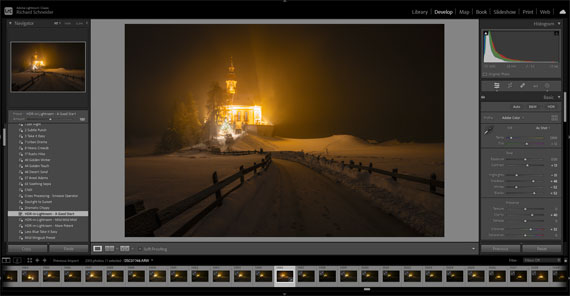
  1. Open your image in Lightroom’s Develop module.
  2. Choose the adjustment you want to apply (e.g., exposure, contrast, saturation) from the right-hand panel.
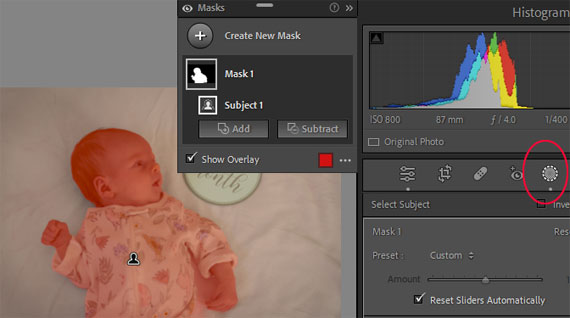
  3. Click on the “Masking” icon (the circle with a dashed outline) located above the panel, which opens a dropdown menu with different masking options.
  4. Select the desired masking option, and then click and drag on your image to create the mask. You can adjust the size, feather, and opacity of the mask using the sliders in the Masking panel.
  5. Once you’ve created the mask, apply your desired adjustments using the sliders in the right-hand panel. The adjustments will only affect the masked area.
  6. You can create multiple masks and adjust each one independently to refine your edits further.

Remember to experiment and practice with the Masking tool to become more proficient in using it for various editing scenarios.

For Further Training:

Are you tired of spending hours on end fiddling around in Lightroom Classic and not getting the results you expect? This in-depth eBook is designed to help photographers master Lightroom Classic to its full potential. We were able to arrange an additional 50% discount for our blog readers which ends soon.

lightroom mastery

Lightroom Mastery (Click to Learn More)

Not by droning repetitions of someone else’s editing style, but through teaching you the basic premises of the software using easy to understand, real-world language that will unlock your potential for learning.

Deal ending soon: The Lightroom Mastery eBook at 50% Off


from PictureCorrect https://ift.tt/1g0iUwf
via IFTTT

tiistai 19. elokuuta 2025

PictureCorrect.com: Mastering Photo Editing in Lightroom

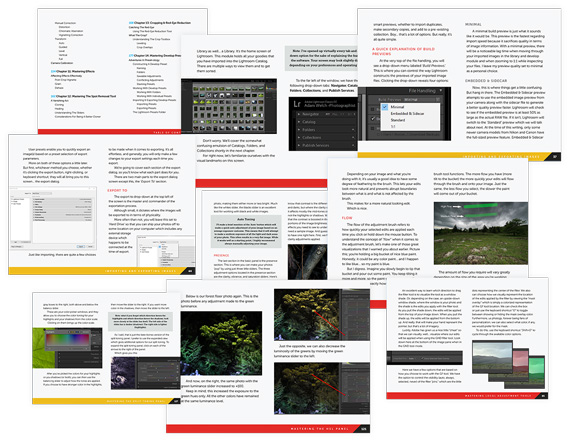
Are you tired of spending hours on end fiddling around in Lightroom Classic and not getting the results you expect? This in-depth eBook is designed to help photographers master Lightroom Classic to its full potential.

Not by droning repetitions of someone else’s editing style, but through teaching you the basic premises of the software using easy to understand, real-world language that will unlock your potential for learning. We were able to arrange an additional 50% discount for our blog readers which ends soon. Found here: The Lightroom Mastery Guide at 50% Off

lightroom mastery

Lightroom Mastery (Click to Learn More)

Post-processing your digital photos is an integral part of the photographic experience. Your photographic experience. The digital photo which is left unprocessed is akin to a roll of film left in its canister, undeveloped and unseen. Every photograph you have ever seen has either been developed in a darkroom or processed digitally, or both.

Some of the Many Topics Covered:

  • Make sense of all the icons and sliders that are found in Lightroom Classic.
  • Get a deeper understanding of how (and why!) to work with certain sections.
  • Develop your own style and your very own presets; kick your photo editing into gear.
  • Discover how saturation, vibrance, clarity, sharpness & other settings work in Lightroom.
  • Take your photo editing to new heights by mastering local adjustment tools.
  • Effectively apply split toning and other effects to your images.
  • Master the HSL panel to give your photos that color boost you’ve always wanted.
  • Learn how to master the adjustment brush, graduated filter, radial filter, and range mask.
  • Find out how to crop responsibly and effectively in Lightroom Classic.
  • Master every type of effect that is possible within the software.
  • You’ll even learn to use the Map, Book, Slideshow, Print, and Web modules!
  • Become a master of keyboard shortcuts and speed up your photo editing workflow.
pages lightroom mastery

Pages from Lightroom Mastery (See More Within)

This eBook is broken down into 18 chapters that contain over 310 pages packed to the brim with knowledge, advices, tips & tricks, and training material to help you become a master of Lightroom Classic. Start making sense of all those sliders; learn to use Lightroom Classic like a pro.

How to Get a Discounted Copy Today:

They designed this ebook to look great on many devices and offer a comfortable reading experience. The PDF is perfect for reading on your desktop computer or tablet. We were able to arrange an additional 50% discount for our blog readers for a limited time.

Deal ending soon: The Lightroom Mastery eBook at 50% Off


from PictureCorrect https://ift.tt/tzKkod6
via IFTTT

maanantai 18. elokuuta 2025

PictureCorrect.com: 7 Mistakes to Avoid When Photographing Meteor Showers

Relevant note: The Perseid meteor shower remains active until August 23, 2025, with its peak occurring around August 12–13, though visibility was subdued by a bright waning gibbous Moon (around 84%–85% illuminated) that night. As the Moon continues to wane toward a thinner phase, viewing conditions are improving during the later nights of the shower.

Meteor showers are some of the most breathtaking events a photographer can capture. But despite the beauty, they’re also some of the trickiest subjects. Long exposures, changing conditions, and the unpredictability of meteors make it easy to walk away with disappointing shots.

If you’re preparing for the next big shower, make sure you’re not falling into these common traps.

This article is based on concepts from The Photo Adventure Cheat Sheets which are currently 80% off for a Summer Sale if you want to dig deeper.
meteor shower

Photo captured by Clay Banks

1. Shooting in Light-Polluted Areas

One of the biggest mistakes is underestimating how much city lights ruin your shots. Even faint skyglow from a distant town can wash out meteors.
Tip: Scout out a dark sky location well ahead of time. National parks, rural areas, or anywhere far from urban centers give you the best chance at a clear, star-filled background.

2. Using the Wrong Lens

Meteor showers cover a wide swath of the sky, so a narrow telephoto lens won’t capture much action.
Tip: A wide-angle lens (14–24mm on full-frame) gives you the best coverage, increasing your odds of catching multiple meteors in one frame.

3. Short Exposures or Too Long Exposures

Too short: You’ll miss faint meteors.

Too long: Stars turn into trails, and meteors blur.
Tip: Aim for 15–25 seconds at ISO 1600–3200, depending on your lens and sky conditions. Use the “500 Rule” to avoid unwanted star trails.

4. Forgetting to Focus Manually

Autofocus won’t work on the night sky. Many beginners end up with blurry shots because they leave it on.
Tip: Switch to manual focus, then focus on a bright star or distant light until it’s tack sharp. Tape down your focus ring to prevent slips.

5. Not Shooting Continuously

Meteors are unpredictable—you can’t time them. If you’re only clicking when you “see something,” you’ll miss most of the action.
Tip: Use an intervalometer (or your camera’s built-in interval shooting) to take back-to-back exposures all night long.

6. Ignoring Foreground Interest

A sky full of meteors looks good, but without a foreground it can feel flat and generic.
Tip: Include mountains, trees, lakes, or even old barns to anchor your shot. A strong composition transforms a meteor photo from “snapshot” to “art.”

7. Giving Up Too Early

Meteor showers are best after midnight, when the radiant is higher in the sky. Many photographers pack it in too soon.
Tip: Bring warm clothes, a reclining chair, and patience. Some of the best meteors happen in the hours before dawn.

Final Thoughts

Meteor shower photography takes planning, persistence, and a bit of luck. By avoiding these mistakes, you’ll maximize your chances of capturing a truly stunning image.

Instead of coming home with blurry, empty frames, you’ll have photos that reflect the awe of watching the universe put on a show.

For Further Training:

For help remembering the camera settings for difficult situations like this, a set of Photography Adventure Cheat Sheets are designed to help. They are currently 80% off for a Summer Sale which ends soon if you want to check them out.

adventure cheat sheets

New! Cheat Sheets for Your Photography Adventures (see how they work)

The perfect companion for any photographer. Print one out whenever you need it. Whether you’re going on vacation or seeking out a specific photography adventure, these cheat sheets can provide you with the knowledge and inspiration you need to create your best work yet.

Offer ending soon: The Photography Adventure Cheat Sheets Summer Sale


from PictureCorrect https://ift.tt/H25OlJ9
via IFTTT

sunnuntai 17. elokuuta 2025

PictureCorrect.com: Top Mistakes by Photography Business Owners

As something of an interesting experiment, I asked my Twitter followers to answer this question:

“What are the top business errors by ‘rookie’ photographers?”

Within just a few minutes I had several great responses, and thought they would make a great article.

photo business mistakes

It’s one thing to be a great photographer, but very much another to be the owner of a successful photography business. In fact, I’ve seen far too many technically talented photographers suffer through difficult times, while observing others who seem less qualified sail right on by.

The main difference in these two outcomes lies in the photographer’s understanding of the importance of business knowledge.

You’re a photography business owner—not a photographer.

As I’ve said on plenty of previous occasions, it’s not the most talented photographer who wins, but the best marketer and business-minded photographer.

What, then, are the six most common mistakes, at least according to my Twitter followers?

Here they are, in no particular order:

1. Undercharging For Their Time And Talent

This is a huge mistake that many newbies make, usually because they join the industry as a serious amateur who’s found the potential for earning money practicing what they already like to do. Not that there is anything wrong with amateurs turning professional—far from it.

The trouble is, most of them fail to realize that the moment they charge for their work, they’ve moved from amateur to professional. That shift also requires a change in thinking, especially when it comes to how they view the value of their photography.

If photographers would just stop at this point to examine the situation, and fully understand the implications of being a professional, I think the industry would have a lot fewer problems.

All it needs is a simple change in perspective—from amateur photographer to serious studio owner.

As a business owner, one of the first responsibilities is to fully realize the cost of keeping the business open and what it costs just to pick up the camera for a job.

With these factors in mind, together with a realistic valuation of the photographer’s time, added to the actual cost of sales of products sold, the photographer can calculate healthy prices that correctly value their work and time.

2. Mistakes With Paid Advertising

I made the very same mistake when I started in business, much to my disappointment (and an empty bank account)! The advertising in question was the “Yellow Pages”, and I believe I watched almost $3,600 disappear into thin air as a result. At the time, I didn’t know any better, and thought I needed to be in the Yellow Pages just because that’s what was expected. Besides, there were lots of other photographers in there, so it must be the proper thing to do, right?

Nope.

Other mistakes I made with paid advertising included certain Internet directories and paid listings, none of which provided any leads—let alone clients.

If you’re a recently new photographer, and you’re considering paid advertising, then it pays to really take into account the target market of the advertising, how effective the reach is, the experiences of other photographers who have taken part in it, etc. If you’re in any doubt, don’t do it!

3. Setting Prices Without Knowing Their COGS

This was alluded to in #1, but it’s worth mentioning again here. Knowing your COGS (cost of goods sold) is absolutely critical to producing a price list that will sustain a healthy business. COGS includes all the direct costs necessary for making a sale, but not fixed costs such as internet, telephone, rent, etc.

The one thing a lot of photographers omit from their COGS is their time, which is a huge mistake. Your time is your second most valuable asset (your attitude being number one), and you need to charge for it, even if it’s only a small hourly rate.

Having determined the COGS for any given service, it’s good practice to mark that up at least three times to produce a final retail price.

This is the point at which so many photographers get scared and descend into the vicious cycle of constantly tinkering with their price list—especially if they’re having a hard time with sales.

4. Not Following a Business Plan

To begin with, rookie photographers don’t often spend much time to create a business plan and then work the plan.

Do YOU have a business plan? An actual written plan that provides a frame of reference for your studio, defines your goals, and acts as a roadmap for success?

I’m willing to wager that the vast majority of photographers don’t possess such a document. Often, this is because they don’t like the job, don’t know how to write one, are too busy, or lack clearly defined ideas about their goals.

Whatever the reason, if your business was an airplane, it would not have much chance of reaching its destination without a flight plan, would it?

A business plan need not be complicated! It’s only for you—to keep you on track—so it doesn’t have to be produced as though you’re a major corporation.

Simplicity means clarity—and the greater the chance you’ll adhere to it!

5. Working For Free

This is an interesting one, and encompasses a subject I see quite often in the many online photography groups: the idea of photographing for free (or almost free) in the hopes of gaining exposure.

You can’t be in the photography business for very long without someone asking you to photograph something (often an event of some kind) for a very low rate on the promise it will give you great exposure or the prospect of more, higher-paid work down the line.

This is an insult to the photographer, and it does a lot of damage to the photography industry. The promised “exposure” more often than not turns out to be non-existent, and further work usually entails poor compensation at best.

Consider the concepts presented in items #1 and #3 when making your decision about these types of jobs, and you can’t go too far wrong.

My advice to new photographers is to not fall into the trap of imagining that just because you’re not experienced in the business that you can’t ask for what you and your photography are worth.

6. Imagining That It’s Easy

I expect that most photographers working today will probably admit that they thought it would be easier than it turned out to be! Myself included!

The truth is, running a professional photography studio is not easy. Running any business is difficult—I don’t care what it is. There certainly are no “get rich fast” business plans for photographers!

Perhaps the “easy” idea comes more from the photography side of things. After all, that part is a lot of fun, and we can be technically very good at it; it’s what we’re here to do, right?

Unfortunately, the clicking of the shutter only takes up 20 percent of our business efforts, and that’s being generous! The other 80 percent is taken up by marketing, selling, social media, accounting, planning, studying, marketing (so exciting it’s worth mentioning twice!), etc.

Those business-related jobs are probably those we became photographers in order to avoid, but get out of them we can’t! They are all essential and vital to our success, so we may as well get used to them.

What Would Be Your #7 Top Mistake?

Thank you to the Twitter followers who contributed to this research, and I do plan to try this experiment again sometime.

These are only six of the errors that many of us fall into, and I’m quite sure there are many more!

What other blunders would you add to the list? What would be your #7 mistake to warn rookie professional photographers about?

About the Author:
Nigel Merrick is a professional photographer, blogger and business coach for other working photographers. Nigel’s helps professional photographers find peace in their business, love from their clients, and happiness in their personal lives by clarifying their focus on business and marketing.

For Further Help:

Did you know that personal finance is the #1 topic students wish they had learned more about in school? Whether you’re just trying to get your finances in order or navigating retirement, these new Personal Finance Cheat Sheets are here to guide you every step of the way.

personal finances

Created by our friends at finance-tips.ai, they are designed for quick reference, so you can easily access the information you’re looking for in seconds. Plus, their printable format means you can have a physical copy at your fingertips anytime.

Found here: Personal Finance Cheat Sheets Sale


from PictureCorrect https://ift.tt/z2pC4oH
via IFTTT

lauantai 16. elokuuta 2025

PictureCorrect.com: How to Highlight Texture in Photos: Best Lighting and Times

As a photographer, one of your most compelling tools is the ability to harness light to reveal the intricate textures within your subjects. Whether you’re capturing the delicate veins of a leaf, the worn grains of a wooden table, or the rugged roughness of a rocky landscape, the right lighting can make these textures pop, adding depth and dimension to your photos.

This blog post will delve into the best times and lighting conditions to accentuate textures in photography. Also remember the Summer Sale is wrapping up soon on the popular Photo Composition Cheat Sheets.

texture photographer

1. The Golden Hour

The golden hour, known as the first hour after sunrise or the last hour before sunset, is arguably one of the best times to photograph textures. The sun’s angle during this period produces a soft, warm light that glazes the subject, highlighting the textures with a blend of light and shadow. The longer shadows cast during the golden hour can bring out the depth and details of the textures you’re trying to capture.

2. Overcast Days

Although seemingly counterintuitive, overcast and cloudy days can provide excellent lighting conditions for texture photography. The cloud cover acts like a giant softbox, evenly dispersing the light and reducing harsh shadows. This diffused light can bring out subtle textures that might otherwise be lost under the stark contrasts of a bright sun.

3. The Blue Hour

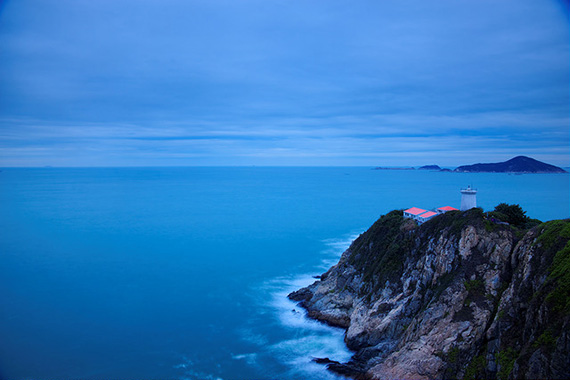
The blue hour, which occurs just before sunrise and just after sunset, offers another window for capturing remarkable textures. During this time, the light is cool and soft, creating a serene atmosphere that can emphasize the textures of your subjects, especially if they have a cold color palette. Although the light during the blue hour can be quite dim, you can use this to your advantage to capture softer, more nuanced textures.

texture lighting

4. Side Lighting

Regardless of the time of day, the direction of your light source plays a crucial role in accentuating textures. Side lighting, in particular, is ideal for texture photography. When light strikes your subject from the side, it creates shadows that define and enhance the texture, making it appear more pronounced. You can create side lighting artificially with a single light source, or naturally with the sun during early morning or late afternoon.

5. Artificial Light

When natural light isn’t an option, artificial light can help to accentuate texture. Directional artificial light, such as that from a flashlight or a single studio light, can be used to create side lighting and shadow effects. Try adjusting the angle and intensity of the light source to see how it affects the appearance of the texture.

6. Utilizing Backlighting

Backlighting involves having the light source behind the subject, which can create a rim of light that outlines the subject and emphasizes texture. This technique works best with translucent or semi-translucent subjects, like leaves or slices of fruit, where the backlight can shine through to reveal intricate internal textures.

The Role of Texture in Photographic Composition

Texture plays a pivotal role in the overall composition of a photograph, and understanding how to incorporate it effectively can take your images to the next level. Just like line, shape, and color, texture is one of the essential elements of composition. It can be used to create contrast, providing a counterpoint to smooth areas within a shot or highlighting the similarities or differences between subjects.

Texture can also be used to guide the viewer’s eye, with coarse textures attracting more attention than smooth ones. In addition, texture can impart a sense of depth, making a two-dimensional image appear three-dimensional. This sense of depth can make your photos more immersive, inviting the viewer to ‘touch’ the surfaces with their eyes. Ultimately, texture adds richness and detail to photographs, creating a tangible quality that engages the viewer on a deeper level.

Remember, photography is a creative pursuit, and these guidelines are not set in stone. Experiment with different lighting conditions, times, and techniques to discover what works best for your unique style and the particular textures you’re capturing.

For Further Training on Composition:

Are you ever tired of your photos looking dull or boring? These popular Composition Cheat Sheets have you covered. With clear, concise information on all the essential elements of composition, you’ll never be unprepared again. They are currently 81% off for a Summer Sale ☀ which ends soon if you want to check them out.

composition cheat sheets

Composition Cheat Sheets (see all the elements covered)

The perfect companion for any photographer. Print one out whenever you need it. These cheat sheets consolidate crucial composition-related information, allowing you to concentrate on what truly matters – composing striking photographs.

Summer sale ending soon: The Composition Cheat Sheets at 81% Off


from PictureCorrect https://ift.tt/qY1wvQu
via IFTTT

perjantai 15. elokuuta 2025

PictureCorrect.com: How to Photograph Motion

Relevant note: only a little while left for the Long Exposure Photo Guide at 71% Off

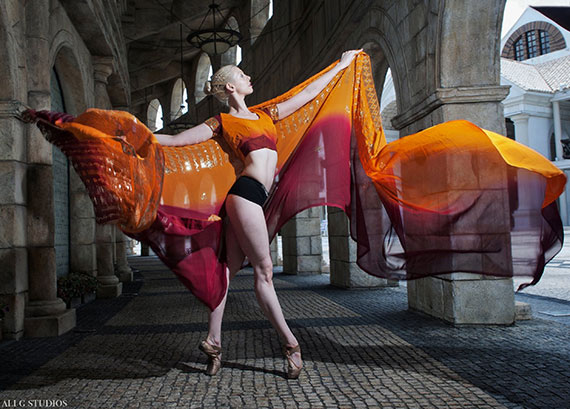
Photographs by their very nature capture a split second in time. But often a photographer will want to suggest what comes just before or after the shot by portraying movement. There are some very obvious circumstances when you’ll need to capture motion, for example sports photography, but the same techniques can also be used in other situations to convey a feeling or a mood.

tips for capturing motion

There are several different tricks for shooting moving objects, each of which will result in a slightly different final image. Remember though, no matter how many hot tips you read, photographing motion will always be part technique, part art. Be sure to practice and independently experiment to get the look and feel you’re after.

That said, in my many years working as a professional photographer for both events and creative projects, I’ve learned some tried and tested techniques for capturing motion in photography. Here are the basics:

Freezing (All Crisp)

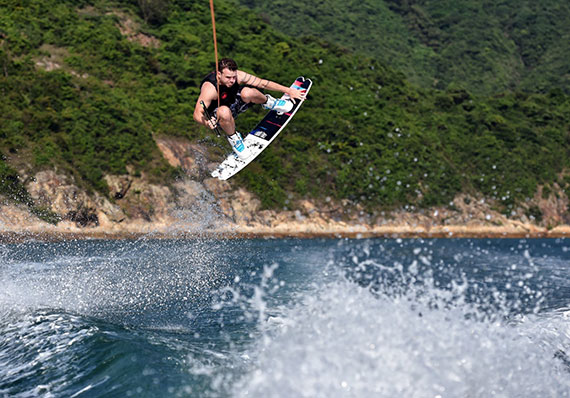
Motion photography, wake boarding, Hong Kong

One way to capture movement is to freeze the entire field of vision, just as we all imagine a photo does anyway. This works particularly well in images where both the foreground and background are moving, such as a bird flying through a rain storm. For this technique you’ll need to use a very fast shutter speed, at least 1/1000 of a second, I would say.

Nowadays most cameras allow you to capture a scene at 1/8000 of a second or faster, but the exact shutter speed you want will depend on a variety of factors, such as how fast your subject is moving, how much movement you want to convey, and how crisply you want to define your subject. Getting this balance right can result in some really awesome motion shots.

Long exposure (All Blurred)

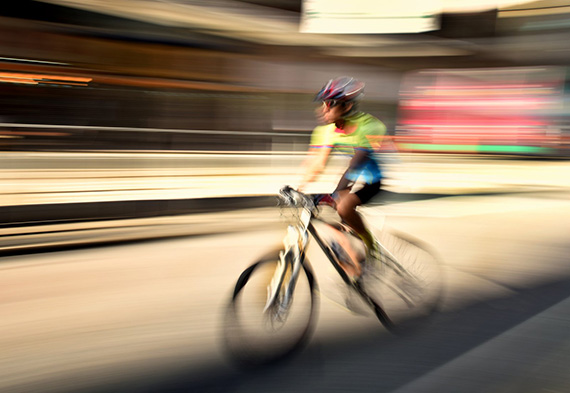
Motion photography, cyclist

On the contrary, if you want to blur everything in your scene, you’ll need to use a slow shutter speed, otherwise known as long exposure. Blurring everything is risky, but the best scenes will be those that offer bright or highly contrasting colors. Most fully blurred photos are created for artistic, rather than practical, reasons. Remember, however, that when using long exposure times, you run the risk of excess light bleaching out your photos. You can remedy this by reducing your aperture and lowering your ISO setting.

Long Exposure (Moving Subject Blurred)

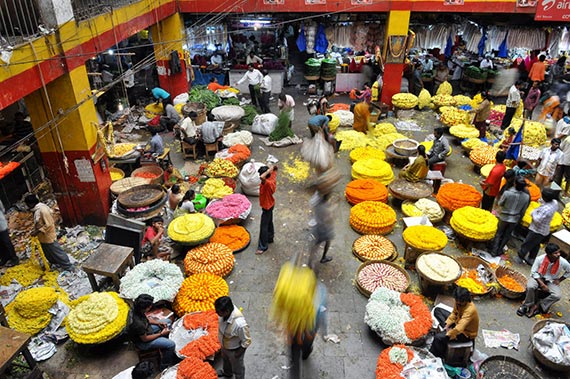
blurred subject busy market

A lot of photographers use long exposure to blur just the moving subject of the photograph, thereby conveying movement and/or speed. This is often seen with star trails, car headlights and other forms of night photography, as well as busy daytime street scenes and moving water. It’s important to use a tripod for this technique so your camera remains steady. You’ll also need plenty of time to wait for the longer exposures and adjust and correct your settings during the shoot. Obviously the advent of digital photography makes this a whole lot easier!

Panning (Background Blurred)

panning tuk tuk

If you want your subject to remain in focus while your background is blurred, you’ll need to employ the panning technique. Rather than using a tripod to keep your shot steady as in the above method, here you’ll want to follow your subject with the camera during the exposure time. You’ll need to match both the speed of your subject and the direction in which it’s traveling to get the clearest image.

For best results, set up with a clear view of the object approaching and plenty of room to swivel on a parallel axis as it passes by. Follow the subject as it moves through your field of vision and keep tracing their line of motion even after the shot. It takes practice, but this method can result in really cool motion images, especially if you have an unattractive or distracting background.

Zooming

zooming motion casablanca

For more abstract photos of movement, try the zooming technique, whereby you manually change your focal length during a long exposure. Physically rotating the zoom lens creates some really cool effects that work particularly well with night scenes, moving neon signs, and fireworks. The same technique employed during the day can render your subject unrecognizable, but if you’re going for something more abstract, that can be a good thing.

Personally, I think a good photographer should at least be familiar with all these techniques even if they don’t use them all the time, because at the end of the day, it’s good to mix it up sometimes!

About the Author:
Ali Ghorbani (otherwise known as, Ali G) is a luxury wedding, events, corporate, and celebrity photographer based in Hong Kong. You can follow him on Facebook and Instagram.

For Further Training:

Photographer Dieter Appelt said, “A snapshot steals life that it cannot return. A long exposure creates a form that never existed.” If you’ve ever been mystified by other photographers’ tack sharp extended exposures and mind-blowing daytime long shutter speeds, then you may want to take a look at this popular in-depth eBook while it is marked down 71% off.

The Long Exposure Photography Guide (peek inside)

This guide was designed to walk you through every step of long exposure photography with a complete description and a visual reference. Each lesson is broken down into easy-to-follow steps, recommended resources, and self-check quizzes to make sure you understand each and every technique.

Deal ending soon: The Long Exposure Photography Guide at 71% Off


from PictureCorrect https://ift.tt/e6W5Jlc
via IFTTT