maanantai 30. kesäkuuta 2025

PictureCorrect.com: Fireworks Photos: Preparation and Planning

Related reminder: only a little while left for the Fireworks Photography eBook at 55% Off

Everyone loves a great fireworks show and it seems that lots of people take pictures while they are at the show. Here is a question for you. How many great pictures of fireworks have you seen taken by any of your friends or relatives?

I’ll bet your answer is not many. Now, have you ever wondered why everyone doesn’t have at least a couple of really good shots of fireworks? After all, the shows are free and the people there seem to be snapping pictures like crazy.
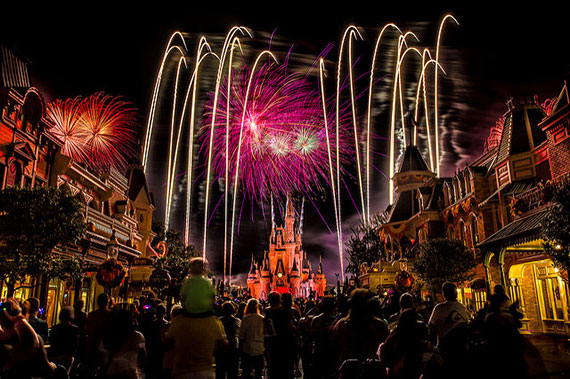
photographing fireworks

Photo by Brett Kiger; ISO 100, f/11.0, 15-second exposure.

I’ll answer the question for you. It is because a little preparation and planning is needed to increase your chances of getting some really nice shots at a fireworks display.

The following are a few tips that might help when you are photographing fireworks.

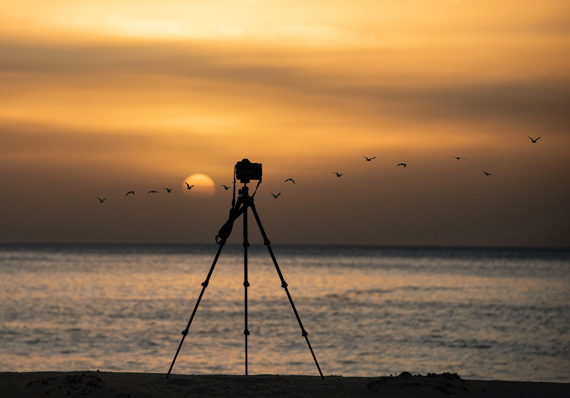
Use a Tripod: This fireworks photography tip applies no matter what kind of digital camera you are using. The reason you will need a tripod is because it is best to photograph fireworks at slow shutter speeds.

Slower shutter speeds allow the camera to gather more light from the fireworks scene against the dark sky. When a camera is hand held and a slow shutter speed is used, the result will be a blurred picture.

If you don’t have a tripod, try placing the camera on a steady surface when taking the pictures. Sometimes, even the roof of your car might help.

Arrive early, claim a good spot: If you have time before the show, this fireworks photography tip can be very useful. As you probably know, fireworks shows are usually pretty crowded and you don’t want to have to reach over someone’s head to take a shot.

Some people might like to be close to the fireworks, but from a photography standpoint, it is better to be a little distance away from the actual scene. It is better to be able to shoot towards the fireworks rather than shooting straight up at them.

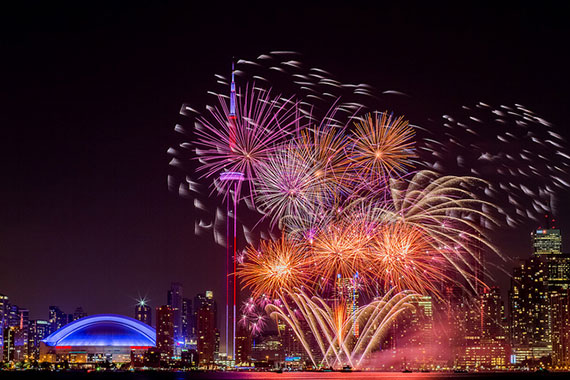
Also, if you are not right upon the fireworks, you might be able to include a little more than the fireworks burst in your picture. A building, a monument, or a skyline along with the fireworks bursts might make the images a little more interesting.
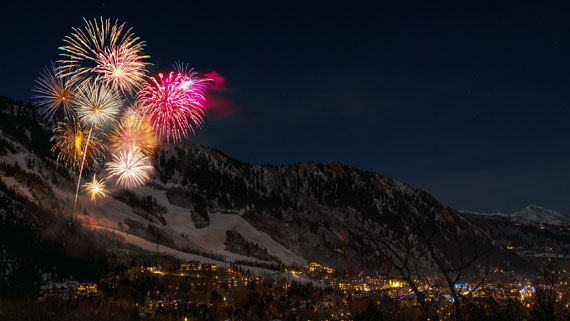
fireworks surroundings

Photo captured by Jamie Fenn

It is up to you to decide if you want anything but fireworks in your pictures. However, no matter what you decide, make sure you have a clear line of vision before you begin to photograph the fireworks.

Horizontal or Vertical? It doesn’t make a whole lot of difference if you hold the camera in the vertical or horizontal position when photographing the fireworks. However, since fireworks are shot upward in a vertical plane, it might not be a bad idea to shoot single bursts with the camera in the vertical position. On the other hand if there are several bursts going on at one time, the horizontal position will give you more room to frame the whole scene.

Exposure settings for photographing fireworks: If you are using a compact digital camera, you cannot manually change exposure settings. Try using the fireworks scene mode of your camera. The fireworks mode will automatically set a slow shutter speed to photograph fireworks. (once again that is why you need a tripod or a steady surface for the camera).

If you are a Digital SLR user, use your cameras’ manual mode. It would be great if you use the bulb “B” shutter setting. The “B” setting allows you to keep the shutter as long as you like. That way can open the shutter just before the burst, and close it right after if you choose to do so.

If you don’t use the “B” setting, experiment with shutter speeds from 2-8 seconds. Also, try using a remote shutter release to avoid camera shake from pressing the shutter button.

As for the camera lens aperture settings, use smaller aperture openings between F8 and F16 if possible. Although the sky is dark, the fireworks are bright and overexposure is possible when using large aperture and slow shutter speed.
firework photo tips

Photo by Duncan Rawlinson – Dunca; ISO 100, f/18.0, 17-second exposure.

Use low ISO settings like ISO 100 if possible: Higher ISO setting like ISO 800 or ISO 1600 might produce grainy looking images. (depending on what camera you use.) So try to use an ISO setting of ISO 200 or less.

Timing is everything: Fireworks bursts will appear quickly and disappear just as fast. Pre focus your digital compact camera on an area where the fireworks are being generated from. Hold that focus until you are ready to take your next shot. You will save time by not having to focus once the firework is in the air.

If you are using a Digital SLR camera use your manual focus feature prior to or during the first burst. You won’t have to refocus if you stay in the same location and use the same focal length.

Listen for a thump like sound or a whistling sound in the air. Those sounds indicate that fireworks have just been shot into the air. For best results do not wait until you see the bright explosion. Press the shutter as soon as you know something has been fired into the air. That way your camera will get the full effect of the burst from the beginning.(that is if your camera is already pointed right at the area of the fireworks and set at a slow shutter speed).

Photographing fireworks might be a little tricky at first. However, with a little practice you should come out with some pleasing results.

I hope these tips on photographing fireworks will be useful to you.

About the Author:
Keith Jones writes for https://www.easybasicphotography.com/, a site geared towards beginners through serious amateurs who want to learn a little more about basic digital photography.

For Further Training on Fireworks Photography:

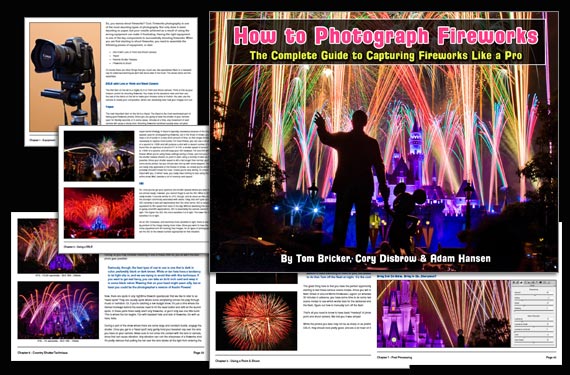
With 4th of July Independence Day celebrations quickly approaching, we have been receiving requests for more training on how to photograph fireworks. Fireworks photography is indeed one of the most daunting types of photography. This in-depth tutorial eBook explains the process from start to finish, everything from gear and camera settings to composition and post-processing to achieve great results with fireworks of any kind. Currently 55% off to help photographers prepare for the July 4th!
fireworks photography

The How to Photograph Fireworks eBook

A common result of photographers new to fireworks photography is capturing nothing but bright white spots instead of colorful bursts. But with the guidance of this eBook in hand, you should be fully prepared to photograph brilliant fireworks displays.

Deal ending soon: How to Photograph Fireworks Guide at 55% Off


from PictureCorrect https://ift.tt/ErPteCi
via IFTTT
lauantai 28. kesäkuuta 2025

PictureCorrect.com: Good Ways to Ruin a Fine Photo: #1 Don’t Use a Tripod

Hand holding a camera limits the shutter speed you can use without getting a blurred image. It depends on who’s holding it as some have steadier hands than others, but most people find the lowest shutter speed at which they can keep everything steady is by matching the shutter speed to the focal length of the lens setting.

So if you have a 100mm length lens you should use a shutter not slower than 1/100 of a second, 200mm setting, 1/200 of a second, and similar. OK, but what happens if you need a slow shutter speed?

Relevant reminder: Kickstarter going on now for the new Peak Design Pro Tripod

using tripod

photo by Trevor McKinnon

Try a tripod – one of the most important accessories

Before you go on about extra weight to carry, nuisance value, and more, consider this. A tripod is a light extender. Do you like to get beautiful sunset shots, great color, and sharp landscapes? It won’t happen effectively without a steady tripod support. Shoot at night with a long exposure? No go without a tripod.

How about shooting breaking waves over rocks on the shore, long after sunset, with a 30 second exposure creating a misty water effect You need a tripod. Any time you can use one, do it. The results give you clarity that’s missing otherwise.

Using long lenses

The longer the lens you use, in other words, the greater the focal length, the more likely you are to get camera shake. You might not get movement with a 50mm lens hand held, but put on 200mm, 300mm or more, and the blur is magnified.

If you use binoculars you know how hard it can be to get a steady image at big magnification. The same applies here. Good clarity always calls for a tripod. And while image stabilizers have their place in allowing you to use slower shutter speeds, they run out of effect after two or three stops down.

Shooting portraits

Portraits are often shot with a lens longer than the standard 50mm, compression of distance and out of focus backgrounds being two reasons. However while it’s good to have a blurry background that doesn’t compete with the subject, the person you’re photographing needs to have a sharp appearance, especially around the eyes. Tripods, or plenty of light and a fast shutter speed, will help. Often however, the amount of light available is not enough for a fast speed, so the tripod will have to be used to get the best effect.

Shooting landscapes

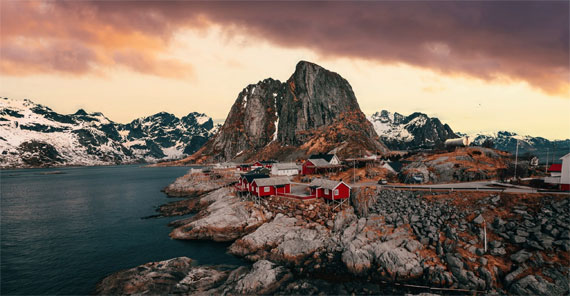
Holding a camera on uneven ground or on a windy day can be tricky. Landscapes usually call for great clarity through the whole scene, and even a slight movement can spoil the effect. Not visible in the camera preview screen perhaps, but very obvious on the computer editing screen. And if you want to try landscapes using high dynamic range techniques (using three or more shots with different exposures and exactly the same framing), a tripod is a must.

hdr tripod landscape

photo by Diana Parkhouse

So what makes a good tripod?

Consider these points:

  1. The tripod should be strong and rigid enough to take your camera and lens firmly, with a margin for heavier equipment later if required. Put your camera on one and try before you buy.
  2. Those long handles on pan and tilt heads dig you in the throat. Get a ball head for easy maneuverability.
  3. Make sure the head has a quick release for the camera, so you’re not screwing things in and out. That wastes time and adds to frustration.
  4. Check that the tripod is steady at full extension, and the legs are independently adjustable for setting up on uneven ground.
  5. If the center post is removable you can use it mounted horizontally or upside down, which is useful for closeups and avoiding the tripod legs in vertically down shots.

You get what you pay for

The more you pay, the more you get. Expect at least to fork out $200 for a good one and more for one that will last many years. Carbon fiber tripods are strong, rigid, and light, and they don’t transmit vibrations as metal ones do. But they’re relatively expensive. If you’re a landscape photographer these have ideal qualities. But don’t waste your money on a cheap, shaky one. They only make matters worse.

carbon fiber tripod

photo by Kameron Kincade

After a camera, a tripod should be the next consideration to improve your work’s quality. It opens up many ways of extending your vision. You also gain time to think about what you’re shooting and to check such things as framing and what is really in the viewfinder. Cut down the number and step up the quality of your images. Here’s a great way to do it. Go shoot a scene with a tripod and then without. Carefully note the differences. Happy shooting!

About the Author
John Rundle is a professional photographer and recently retired head of photography at the Australian International College of Art. He teaches workshops on photographic topics in Australia and New Zealand. He is also active as a musician and musical director.

New Pro Tripod Just Announced:

With the launch of their new Pro Tripod (now live on Kickstarter), Peak Design has doubled down on the shape-shifting innovation that started it all—this time with a professional audience in mind.

pro tripod

If you’ve ever struggled with tripods that are either too clunky or too flimsy, this new shape-shifted Pro Tripod may be exactly what your kit has been missing.

Kickstarter ending soon: Peak Design Pro Tripod


from PictureCorrect https://ift.tt/xAbnX9B
via IFTTT

perjantai 27. kesäkuuta 2025

PictureCorrect.com: Hidden Tricks for Mobile Photo Editing Like a Pro

Most of us wield the power of a camera every day, tucked away inside our pockets or purses. Whether we’re snapping a quick selfie, capturing a beautiful sunset, or documenting a family gathering, our smartphones are our go-to devices for photography.

But have you ever wondered why your photos don’t quite compare to the stunning shots you see in magazines, viral social media posts, or even in films? The answer lies not in the camera but the editing process.

While the technology in our smartphones, particularly iPhones, has come a long way, it’s not capable of discerning our intentions or artistic vision for a photo. This means that your iPhone, impressive as it might be, tends to take generic photos that look fine but rarely ever exceptional. The key to taking your photography to the next level lies in editing.

Overcoming the Challenge of Editing

Yet, the realm of photo editing can seem daunting. From countless apps with their unique features to a myriad of settings and sliders to navigate, photo editing can quickly become overwhelming. Without guidance, the process can seem like an insurmountable trial and error journey, leading many to abandon the idea entirely.

Enter the iPhone Editing Academy

This is where the new iPhone Editing Academy – currently 86% off for a Hot Summer Sale, a course designed by professional photographer and photo editor, Clifford Pickett, steps in to bridge the gap. Pickett, who has edited over 10,000 photos using nothing but his iPhone and sold many to major corporate clients, has crafted this platform as an accessible way to master photo editing.

iphone editing academy

New: iPhone Photo Editing Academy (see preview videos)

What sets the iPhone Editing Academy apart is Pickett’s approach, honed over 20 years of experience. By combining his deep understanding of photography with a straightforward method of teaching, Pickett guides users through editing techniques that can transform average photos into spectacular ones.

What Does the Academy Offer?

The Academy’s offerings go beyond basic tutorials. You’ll discover how to enhance the feel of your photos, not just their look, and how to make the most out of every image by emphasizing its best qualities. Plus, you can breathe new life into your old photos, reimagining cherished memories into vibrant, stunning visuals.

Another crucial aspect of the Academy’s teachings focuses on effective usage of apps, particularly Adobe Lightroom, the editing tool preferred by professionals worldwide. As a part of the course, you’ll learn how to harness the full power of this application.

The iPhone Editing Academy doesn’t just offer knowledge, it provides a supportive community. As a part of the Academy, you’ll gain lifetime access to its resources, allowing you to learn at your own pace and revisit lessons as needed. Plus, you can reach out for help anytime you get stuck or have questions, making the journey less solitary and more collaborative.

How to Get a Discount & Bonuses Today:

During the Hot Sale, the course is marked down at a deeply discounted price. It also includes a full happiness guarantee, if you are not satisfied with the course for any reason simply let them know for a full refund – so there is no risk in trying it.

Deal ending soon: iPhone Photo Editing Academy at 86% Off


from PictureCorrect https://ift.tt/K3vwZak
via IFTTT
torstai 26. kesäkuuta 2025

PictureCorrect.com: How to Photograph Fireworks for the 4th of July

With 4th of July celebrations quickly approaching, we have been receiving requests for more training on how to photograph fireworks. Fireworks photography is indeed one of the most daunting types of photography. This in-depth tutorial eBook explains the process from start to finish, everything from gear and camera settings to composition and post-processing to achieve great results with fireworks of any kind. Currently 55% off to help photographers prepare for the 4th of July! Deal ending soon: How to Photograph Fireworks Guide at 55% Off

fireworks photography

The How to Photograph Fireworks eBook

A common result of photographers new to fireworks photography is capturing nothing but bright white spots instead of colorful bursts. But with the guidance of this eBook in hand, you should be fully prepared to photograph brilliant fireworks displays. While the exposure fundamentals of aperture, shutter speed, and ISO are essential to great fireworks, it’s important to also be aware of the right accessories and set up for your shots correctly.

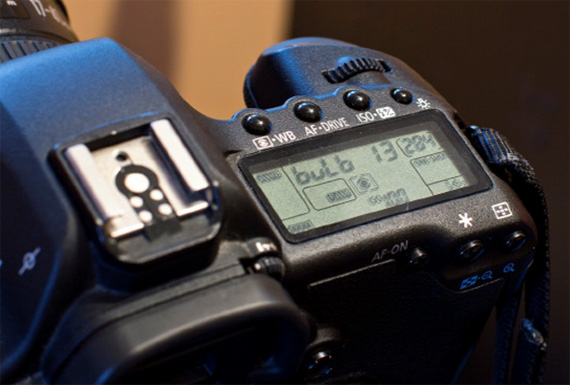
using bulb mode

How to use bulb mode for long shutter speeds

Some of the Many Topics Covered (50 Pages):

  • Equipment & Accessories Needed
  • Using a DSLR for Fireworks
  • Using a Point & Shoot for Fireworks
  • Composition
  • Using a Neutral Density Filter
  • Country Shutter Technique
  • Post Processing
  • Conclusion
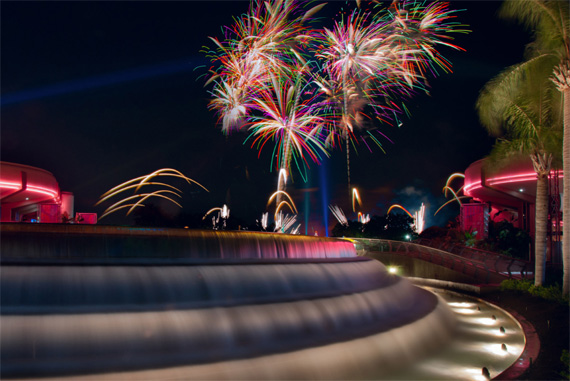
fireworks fountain photo

In-depth tutorials on how to photograph fireworks in challenging conditions

Like post processing in general, there are a myriad of ways to approach the post processing of fireworks shots. To start, they describe general tips and explain how they are universally applicable, and then they apply the techniques to example photos, explaining how they change the overall result.

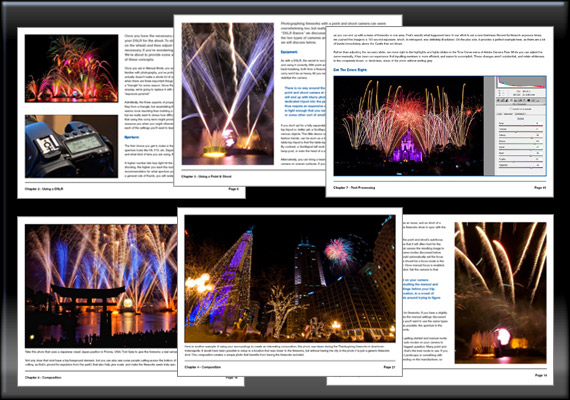
fireworks photography

Pages from How to Photograph Fireworks

How to Photograph Fireworks is a downloadable eBook PDF file, which can be viewed on a number of devices – laptop and desktop computers, iPhone or Android devices, iPads, and other tablets.

How to Get a Discounted Copy Before 4th of July:

It is currently 55% off until the 4th of July to help photographers prepare for fireworks shows! It also carries a 90 day guarantee, if you do not find the eBook useful just let us know to receive a full refund. So there is nothing to lose in trying it.

Deal found here: The How to Photograph Fireworks eBook at 55% Off


from PictureCorrect https://ift.tt/IZMauRU
via IFTTT
keskiviikko 25. kesäkuuta 2025

PictureCorrect.com: The Shape That Changed Tripods — Now Reinforced for Pros

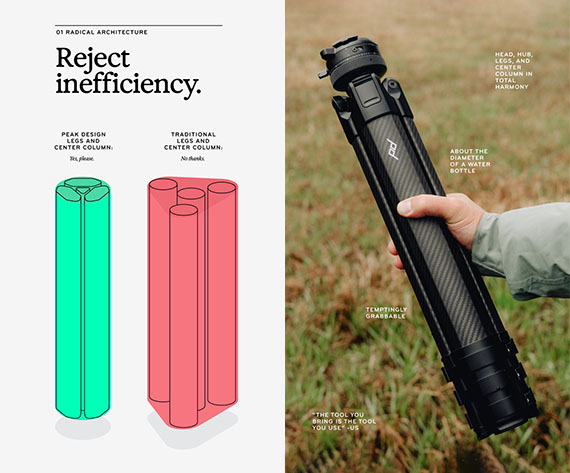
When Peak Design first unveiled their radically reimagined Travel Tripod, they didn’t just build a smaller tripod—they rethought its shape entirely. By eliminating wasted space between the legs and the center column, they created something photographers hadn’t seen before: a truly compact, full-featured tripod that fit in a water bottle pocket.

Now, they’ve taken that concept to the next level.

With the launch of their new Pro Tripod (now live on Kickstarter), Peak Design has doubled down on the shape-shifting innovation that started it all—this time with a professional audience in mind.

pro tripod

Same Revolutionary Shape, Upgraded for the Field

The defining feature of the original was its nested architecture—the way the legs hugged the center column in a tightly packed triangle rather than surrounding empty space. That innovation is back, but this time reinforced with more durable materials, refined ergonomics, and a seriously beefed-up weight capacity.

While traditional tripods remain bulky by design, the Pro Tripod stays true to Peak’s original form factor—retaining the same slim, bottle-sized silhouette—but now with performance that satisfies full-frame shooters, videographers, and hybrid creators alike.

Built for Real-World Demands

The Pro Tripod’s engineering speaks directly to those who use their gear daily:

  • Stronger carbon or aluminum construction
  • Much more load capacity
  • More stable under long lenses and video heads
  • Improved weather sealing and hardware
  • Smoother, more precise movement controls

All of it still folds down into that iconic low-profile shape.

Back to the Future

Peak Design didn’t just refine a tripod—they refined their own reinvention. And the result is something that feels just as groundbreaking as the original. If you’ve ever struggled with tripods that are either too clunky or too flimsy, this new shape-shifted Pro Tripod may be exactly what your kit has been missing.

Kickstarter ending soon: Peak Design Pro Tripod


from PictureCorrect https://ift.tt/OuzxyE0
via IFTTT
tiistai 24. kesäkuuta 2025

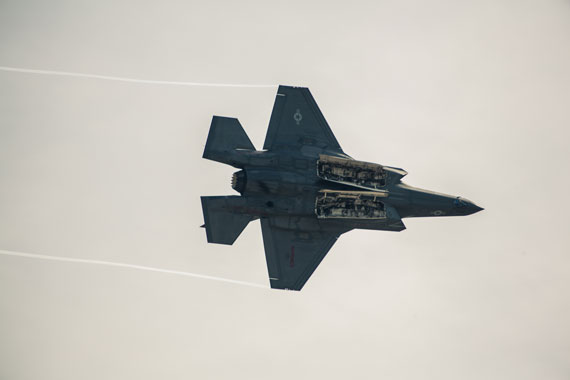
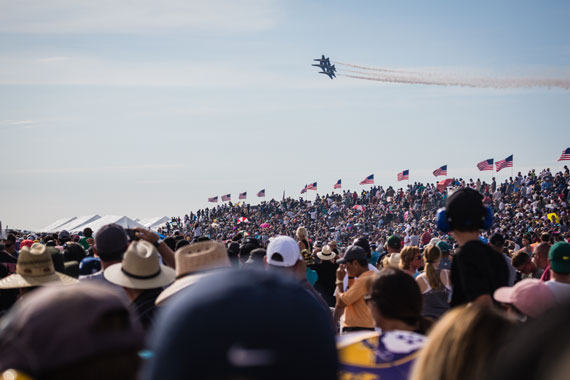
PictureCorrect.com: Airshow Photography Tips

Visiting airshows is an exciting experience. No matter what age group you fall in, the thrill and the excitement really gets you. And as photographers, it is a great opportunity to take some action-packed shots.

Some actions happen in the blink of an eye during airshows. So, preparedness is key when photographing those jets flying at 500 miles an hour. However, there’s often some static displays that happen on the ground as well. So, keep your eyes out. While gear is important, there are other factors too that you should consider to take the best images possible.

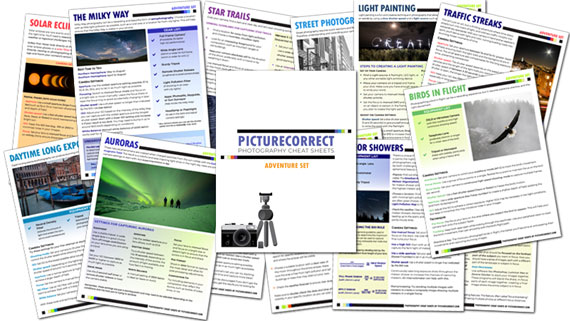
Also just a quick reminder, for a “Airshow Camera Settings” cheat sheet and more, you may want to check out today’s sale on the Photography Adventure Cheat Sheets (80% Off)

airshow photography tips

Preparation

Before we jump on to the photography tips, it is important to dwell on some important points to prepare yourself when visiting airshows.

  • Airshows need good weather. This usually means it can get sunny and hot. Get yourself a hat or an umbrella, sunglasses, and water to keep yourself hydrated. And don’t forget your sunscreen. You don’t want to go back home with sunburns.
  • Carry a pair of earplugs in case you come to decide that the sound of the jets screaming is not for you.
  • Try to arrive at the airshow at least an hour earlier. While this will help you in getting a space to park easily, you’ll also get a sense of the location you’ll be shooting in. As always, the closer you can get to the action the better, so try getting a spot towards the front. Show centers are the best.

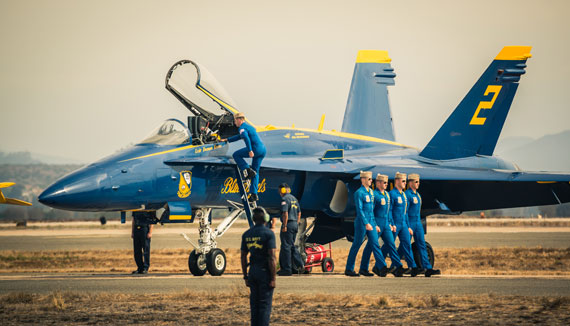
jet at airshow

Gear for Airshow Photography

Well yes, you can take good photos with a point and shoot camera, and a smartphone too but they have their own limitations. Let’s see what gears you can use to take some pro-grade airshow photos.

  • Camera: A camera with a good auto-focus system can help a lot here. Cameras with auto-focus points spread across the frame, and with good subject tracking ability are great to have. Some photographers even try to carry two camera bodies to avoid swapping lenses.
  • Lens: A good telephoto lens is the most useful here. For a full frame camera, something in the range of 400mm works great. And for crop-sensor cameras, 300mm is a good focal length to have. But, you will be able to witness some interesting stuff in the ground not too far away as well. So, it can be helpful to have a lens that covers the shorter end too. If carrying two bodies is not an option, get a versatile lens like a 70-300mm or something similar. And avoid manual lenses for air shows. They’ll frustrate you more than you can imagine.
  • Tripods and monopods: I find that using tripods or monopods restricts your movement in a fast working environment like an airshow. The crafts and the jets have an erratic movement and you need to be as free as possible to get them in your frame. Avoid using a tripod or a monopod if you can. But if you must, use a system that is smooth to maneuver around, and something that you are comfortable using.
  • Memory cards and batteries: Believe me, you’ll be taking a lot of photos, and most of them in continuous bursts. This can drain your battery and fill up your memory card pretty quickly. And since you’ll be in the field for a good part of the day, make sure to carry sufficient spare batteries and memory cards.

airshow crowd

Shooting Tips for Airshow Photography

Focus mode: For stationary ground activities with not much of movement, you’ll be fine using the single servo mode (AF-S). But, in order to track the airplanes when they’re flying use the continuous mode (AF-C). This will ensure that the subject is in focus even when it’s moving around.

Drive mode: There will be moments when the airplanes demonstrate some brilliant stunts. Be sure to capture the moment from the beginning till the end. You can do so by setting your camera to high speed burst mode. This allows your camera to record a series of photos while you keep the shutter release button pressed.

Shutter speed: If any doubt, start on the faster end of the shutter speed spectrum. What shutter speed you want to use depends on what subject you’re photographing. If it is the jets, use a minimum of 1/1000s to freeze it and get a sharp image. If you notice some motion blur, go even faster, and bump up that ISO if you need to. But, if it is the choppers or the rotorcraft and propeller-driven aircrafts that you’re shooting, go for 1/125s or slower. This ensures that you capture the motion of the rotors and adds a dynamic feel to the image.

Aperture: When working with a fast shutter speed, you need to allow a good amount of light to enter the camera. So, set your aperture to the lens’ widest setting. Depending on what lens you’re using, it could be f/2.8, f/4 or something similar. When shooting the subjects at a great distance, you don’t need to worry about the depth of field anyways.

Metering: Since you will be shooting against a bright sky/clouds as your backdrop, chances that your camera will get confused are high. In this case, center-weighted metering mode will ensure that you get a proper exposure on the airplanes. But, if you notice that exposing the subject blows the background out, better go with a slightly underexposed subject and recover the shadows in post.

Be sure that you take a moment to enjoy the show with your eyes directly, and not only through the viewfinder. Airshows are truly amazing.

For a Cheat Sheet on this Subject and More:

Have you ever wanted to photograph an amazing once-in-a-lifetime moment but missed the shot? This new set of Photography Adventure Cheat Sheets have you covered. With camera settings and critical information on the most challenging photography situations, you’ll never be unprepared again. They are currently 80% off which ends soon if you want to check them out.

adventure cheat sheets

New! Cheat Sheets for Your Photography Adventures (see how they work)

The perfect companion for any photographer. Print one out whenever you need it. Whether you’re going on vacation or seeking out a specific photography adventure, these cheat sheets can provide you with the knowledge and inspiration you need to create your best work yet.

Deal ending soon: The Photography Adventure Cheat Sheets at 80% Off


from PictureCorrect https://ift.tt/oxHLf8q
via IFTTT
maanantai 23. kesäkuuta 2025

PictureCorrect.com: Window Photography Tips

There are many famous quotes that reference windows. This is probably one of the most widely recognized,

“The eyes are a window to the soul.”

Whether we’re peeking in or peeking out, a window creates a mystery and story and often provides excitement through visual design.

These are several of the numerous reasons why photographers love taking pictures of windows.

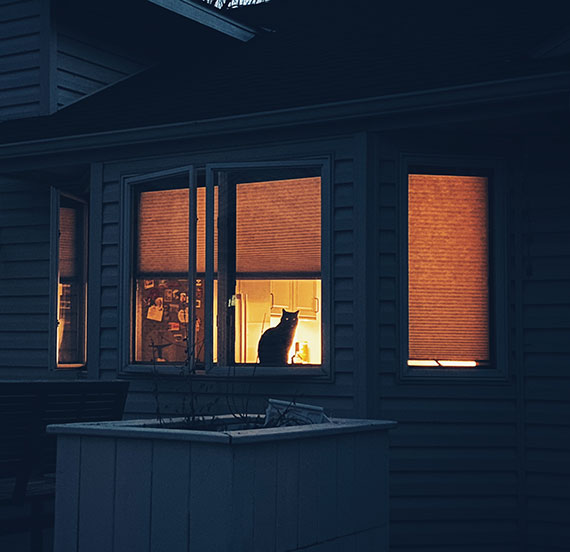
cat in a window

Photo by Kent DuFault

In this article, we’ll discuss some ways that you can place composition emphasis within your window photography.

Critical Thought: A photograph created with a sense of intent will generally receive a better audience than a photo that was simply a snapshot. Developing your intent within your photography is a core skill as you grow. This is true even when taking pictures of a simple inanimate object – like a window.

These are some composition Intent Elements for window photography or even a group of windows that we’ll discuss in this blog post.

  • Architectural Design
  • Framing a Subject
  • Repetition of pattern within an Architectural Design
  • Used as a Focal Point to a Subject
  • Minimalism
  • Creating a Mood or a Story Element
  • The Concept of “Looking In” or “Looking Out”
  • Semi-abstract Impressionism

Architectural Design

Merely recognizing the beauty of a particular architectural design of a window is one of the most common ways to photograph windows.

architectural design window photo

Photo by Mohammed lak

The above photograph demonstrates this type of intent for a window photo.

While there’s nothing wrong with this image, it doesn’t provide much for a viewer beyond a quick satisfied glance. We don’t learn much beyond the beauty of the design.

IDEA: This style of window photography (above) works well when you’re creating a body of work. That body of work could simply be different design styles of windows, or perhaps, it’s an in-depth photo essay on a particular building or style of architecture.

window photo with design elements

Photo by Paula Borowska

This photo goes a step further than the previous example by including some of the design elements surrounding the window.

Key Point: Including some of the surrounding areas of your subject window can provide a more extensive audience reception. Just make sure that your window remains the true subject of the photo.

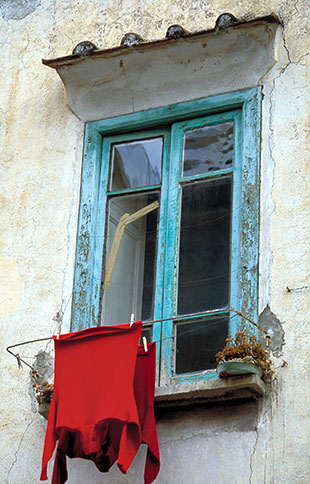
ambivalent photo of window and red shirts

What is the subject?

Is the window the subject in this photo with the red shirt? Or, has the red shirt visually overpowered the window to become the subject?

It’s a tough call on this shot.

Red is a power color. However, the composition tends to favor the window and push the shirt back to becoming a focal point. What are your thoughts?

Framing a Subject

Outside of simple architectural design, this is the second most common and likely use of window photography.

Windows create a natural frame.

Remember This: When using a window as a frame, make crucial composition choices that push the window into submission to the subject. The example photo above is a good representation of that thought. There are many windows in this photo, but we definitely know that the woman is the subject.

window could be frame or subject

Photo by Kent DuFault

This example photo is a bit murkier when contemplating the subject. Is the window a frame? Or, is it actually the subject?

Images like this are fun because they are open to interpretation. Each person may see something or feel something different when viewing a window photograph such as this.

Presented in this manner, I think the window is the subject and not a frame.

If a person stood outside and peered in, or if there were something or someone at the table, that would change the visual weight and relegate the window back to be a frame for the subject.

Challenge!

Go out and create some window pictures. Vary your compositions so that in some cases, the window is a frame, and in other cases, the window is the subject. Try to get creative with your point of view!

Repetition or Pattern

Windows lend themselves very well to the composition tools of repetition and pattern. If you aren’t going after an architectural design element, this is likely the second option that will catch your eye in window photography.

Remember this: A pattern creates the most robust interest when there is a break in the pattern. This may not always be possible in your window photography, but you should be on the lookout for opportunity.

The above example photo depicts a repeating pattern without a break.

What might have generated a visual break?

Perhaps, someone in one of the windows looking out? Or, on the outside of the building, a bird in flight is captured in one of the window reflections. A pattern break doesn’t need to be overwhelming. The human mind is programmed to look for patterns, and even more importantly, a break in a pattern. It’s a survival instinct.

example of irregular repetition of windows

Photo by Kent DuFault

Critical Thought: Window repetition doesn’t have to be in a pattern to be visually exciting. Irregular repetition has the advantage of not requiring a break.

It’s Time for a Photo Walk!

Go out and photograph some repetitive windows. Try to find breaks in the pattern. Keep a keen eye out for interesting irregular repetition! Try different lighting scenarios and use window reflections to add visual interest whenever you can.

Focal Point

Using a window as a focal point is quite similar to using a window for a frame. The difference is in your choice of camera angle and the subject environment.

window as a focal point

Photo by Hannah Tims

In the example photo above, the window serves as a focal point versus a frame.

It does this because the window is open.

The open window segments the space, and the handle creates a strong shape that draws a viewer’s eyes toward it and then beyond it to the subject, which is the landscape.

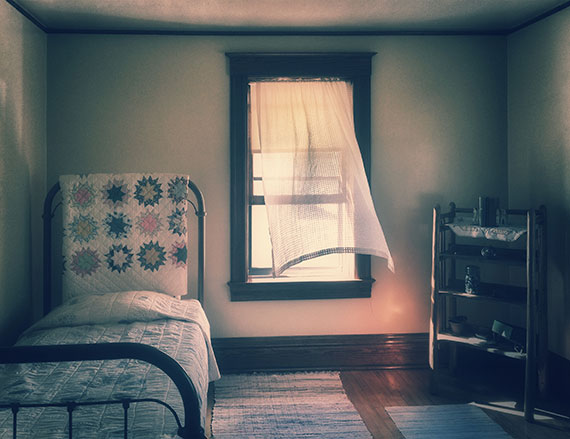
window is focal point in bedroom

In this shot, the window serves as a focal point to the subject, which is the bedroom.

What if the window curtain weren’t blowing in the breeze? Would it still be a focal point?

Critical Thought: Motion is a very potent visual element in any photograph. People will tend to look at motion first before exploring the rest of the image. Movement adds significant visual weight.

If the window curtain weren’t in motion, the window would lose its status as a focal point for the room.

The bed, window, and shelving would become equal in visual energy.

Windows and Minimalism

Windows are often surrounded by exciting colors and shapes. With some practice and your use of pre-visualization, you can create some stunning minimalistic photography with windows.

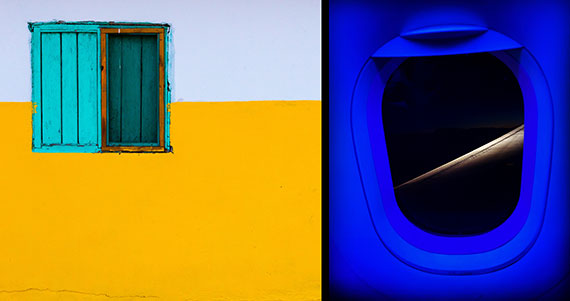
examples of window minimalism

Left photo by Gareth Harper

Critical Thought: If your desire is to use Minimalism within your window photography, first hone in on what you’re seeing and how you want to highlight it. Anything that doesn’t fit into that idea should be eliminated from the frame of your picture.

For the left example photo (above), the Minimalism concept was color contrast and shape.

For the right example photo (above), the Minimalism concept was tonal contrast and shape.

Challenge!

Go out and photograph windows while using the art concept of Minimalism. Trim your picture opportunities down to the least number of elements possible.

Storytelling & Mood Window Photos

Telling a story with a window can be quite literal, or you can flex your imaginative muscles with your storytelling, perhaps creating a moodier vibe. There are no rules!

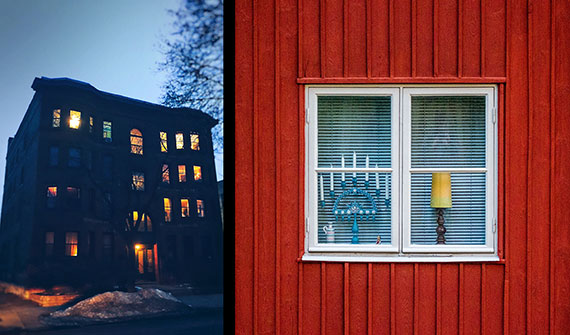
storytelling and mood window photos

Left photo by Kent DuFault, right photo by Nikola Johnny Mirkovic

The right example in the photo above is quite literal in its description of that home. We learn a lot about the occupants from a few simple items displayed within the window.

The photo on the left was created by me, the author. I came out of a hardware store one evening and saw this apartment building across the street. It struck me as being visually exciting, but I also pre-visualized a moody and ethereal idea of “many windows – many stories.” That thought became my intent.

Your turn!

Go out with your camera and see what stories you can capture while using windows. Go for the literal approach, but also stretch your imagination for some moody and provocative photos. Share your shots with friends and family. Ask them what they see as the story or the mood. You’ll be delighted if they caught your meaning. If they didn’t, consider what you may do differently to get your point across.

Looking In or Looking Out

Windows create a robust subliminal message within people. When planning your window photograph, consider what point-of-view best tells your story.

photos of pets looking out windows

Both photos by Kent DuFault

Should you be looking in, or should you capture the scene looking out?

Consider the possibilities, especially the emotions touched by a simple change in POV.

In the above example images, one conveys a sense of longing, and the other denotes a trapped feeling.

Semi-Abstract Impressionism

The design and function of a window lead to a lot of symbolism. You can really play on that by taking your window pictures a step further toward semi-abstract impressionism.

Remember This: The definition of semi-abstract photography is when you depict an object that is clearly identifiable in an unusual manner that requires thought and consideration.

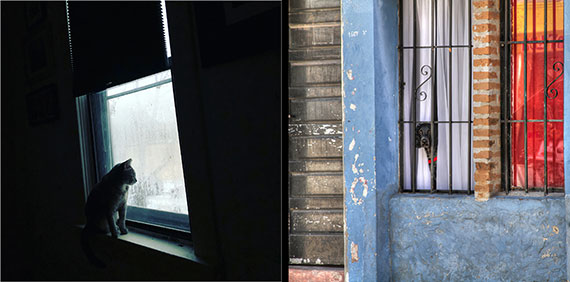
examples of semi abstract window photography

Both photos by Kent DuFault

These two example photos by the author are semi-abstract window photography.

You know what is depicted, but it takes a moment of thought to sort it out.

The upper shot is from the outside looking in, and the other is from the inside looking out.

Your Challenge: Spend a day out taking window pictures. Use creativity and pre-visualization to depict a window in a semi-abstract manner. The window can be the subject of your photographs, or you can use the window in any other of the intent elements discussed within this article. Try and make use of window symbolism right up to the edge of it becoming a complete abstract photo.

window photography and symbolism

Photo by Eduard Militaru

Using all the little ideas presented in this article, what can you tell me about the picture? Do you like it? Do you sense a mood or a story? If it were your picture, what would you have done differently?

Let’s Re-cap!

  • Windows create mystery, story, and visual design.
  • Window photography benefits by having photographer intent.
  • When concentrating on window design, as a subject, consider creating a body of work to increase viewer interest.
  • When including architectural details around a window, compose and post-process your image in a manner that places subject emphasis onto the window.
  • When using a window as a frame, make sure that it doesn’t overpower the subject.
  • A pattern creates the keenest visual interest when there’s a break in the pattern.
  • Irregular repetition doesn’t require a break to be visually exciting.
  • Motion is a very potent visual element. Using movement around your window can generate subconscious excitement. It can also turn a window into a focal point.
  • For window Minimalist photography, eliminate any element that doesn’t support your creative idea. The fewer details included, the better.
  • Telling a story with a window can be literal or ethereal. Setting a mood is crucial in telling photo stories.
  • Give consideration to whether your window image should be looking in or looking out.
  • Semi-abstract impressionist photography lends itself to the symbolism associated with windows.

About the Author:
Kent DuFault is an author and photographer with over 35 years of experience. He’s currently the director of content at the online photography school, Photzy.com

For Further Training, Deal Ending Soon:

There is currently a substantial markdown on the popular Photo Action Cards. Expand your photography skills with 65 printable project sheets that will give you over 200 photography assignments, covering everything you can imagine. They are currently 88% off today if you want to try them out.

photo action cards

New: The Photography Action Cards (Click to See How They Work)

These Action Cards discuss a photographic topic, provide you with suggested considerations, and give you specific photographic assignments. They’ll kick you out of the “nest” to go have a personal discovery experience all on your own.

Deal found here: The Photography Action Cards at 88% Off


from PictureCorrect https://ift.tt/v726mtG
via IFTTT
lauantai 21. kesäkuuta 2025

PictureCorrect.com: Drone Photo Editing Tools in Luminar Neo

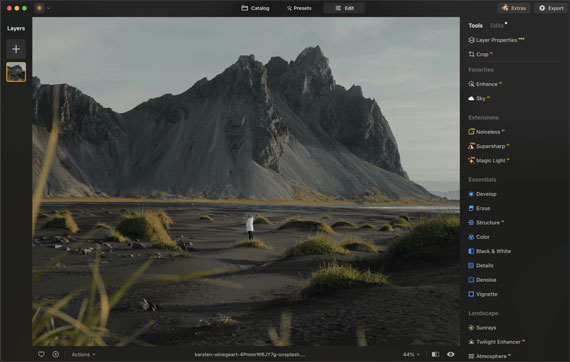
For those interested in improving their aerial images, selecting the right editing software is crucial. Luminar Neo is currently marked down for a Summer Sale (which ends tonight!) and offers advanced features tailored for drone photography.

drone photo editing

Transform Your Aerial Photos

Luminar Neo provides a variety of tools to enhance aerial images:

  • Panoramic Photo Creation: Transform video footage into vibrant, dynamic HDR panoramas.
  • Photo Stitching: Seamlessly stitch multiple photos together to create expansive scenes.
  • Action Photos: Combine moving objects across multiple frames into a single, dynamic action photo.

Enhance AI: One-Slider Magic

Enhance AI simplifies the editing process with a single slider that adjusts up to a dozen fundamental controls, including shadows, highlights, contrast, tone, saturation, exposure, and details. This feature produces realistic and visually appealing photos.

Versatility in Different Conditions

Luminar Neo is designed to handle varying lighting conditions, whether capturing a bright blue sky, a sunset, or a starry night. It provides tools to enhance drone photos taken in diverse environments.

Extensive Toolset for Perfecting Drone Shots

Luminar Neo includes numerous features for drone photography:

  • Standalone or Plugin: Available as a standalone app for macOS and Windows, and as a plugin for Adobe Photoshop, Adobe Lightroom Classic, and Photos for macOS.
  • High-Quality Tips: Improve panoramas by applying basic photography principles, finding balance and focal points, and waiting for optimal lighting conditions.

photo editing tools

Tips for High-Quality Drone Photos

  1. Apply Basic Photo Concepts: Treat panoramas as large photos and apply fundamental photography principles.
  2. Balance and Composition: Look for balance in images with wide aspect ratios. Identify focal points such as a person, building, or the setting sun.
  3. Perspective and Height: Use panoramas to achieve a wider perspective when flying high is not an option.
  4. Crops for Composition: Consider cropping within captured photos for better composition rather than creating huge panoramas.
  5. Lighting: Wait for good lighting conditions. Speckled cloud cover can add depth to images when sunrise and sunset are not options.

Summary

Luminar Neo offers a comprehensive suite of editing tools and AI-driven enhancements, making it a valuable tool for drone photographers. With a 30-day money-back guarantee, users can explore its features risk-free.

Luminar Neo is a versatile and effective solution for enhancing aerial photos.

Summer sale ending tonight: Drone Photo Editing Tools in Luminar Neo


from PictureCorrect https://ift.tt/a4zmgJj
via IFTTT
torstai 19. kesäkuuta 2025

PictureCorrect.com: Slow Shutter Speed Photography

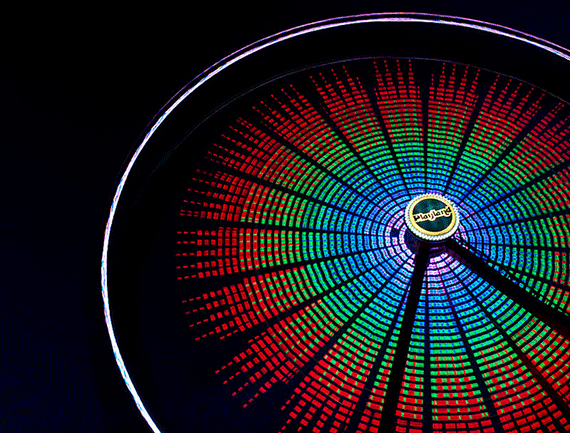
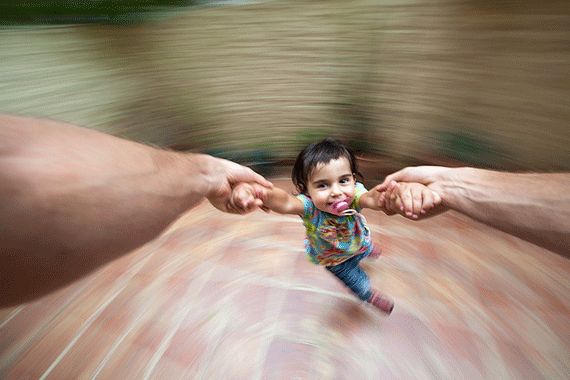
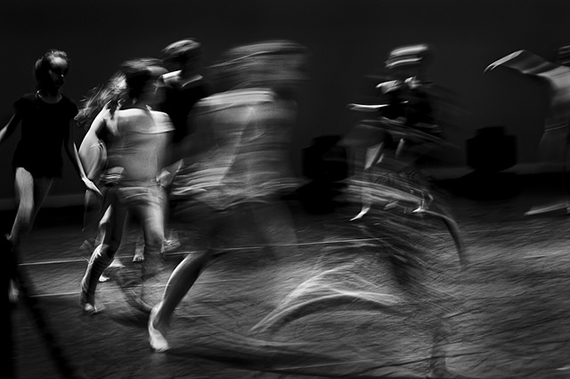
Shutter speed works two ways on your camera: it can be used to freeze motion so everything in the frame is nice and sharp; or it can be used to blur motion so some things in the frame are blurred, giving the picture a unique look. You may be shaking your head at this; but sometimes I want to actually slow down my shutter speed to create blur in my image, giving it somewhat of an artistic expression. These are images that probably don’t exist in the real world, as viewed through a pair of normal eyes; but with a slower shutter speed we can create beautiful, artistic expressions that otherwise might have never been seen.

Related note: only 1 day left for the Infinite Exposures Course at 67% Off

how to take photos with slow shutter speed

Photo by June Marie; ISO 100, f/22.0, 6-second exposure.

Camera Settings for Blurring Motion

When taking slow shutter speed shots, I sometimes use shutter priority mode on my camera, which is the Tv (time value) setting on my Canon camera and the S setting on Nikon cameras. And now with my camera in shutter priority mode, I’m going to slow my shutter speed down to 1/15 of a second to start. Depending if you’re shooting in daylight or dark, you might have to tweak your f-stop a bit to get the desired effect. In lower light situations, you want to keep the ISO as low as possible—like around 100—because the camera is actually letting more light in with the slower shutter speed. For different effects, you might try using a zoom lens and zoom in and out while you take the shot.

slow shutter speed for beginning photographers

Photo by Sitoo; ISO 160, 1/20-second exposure.

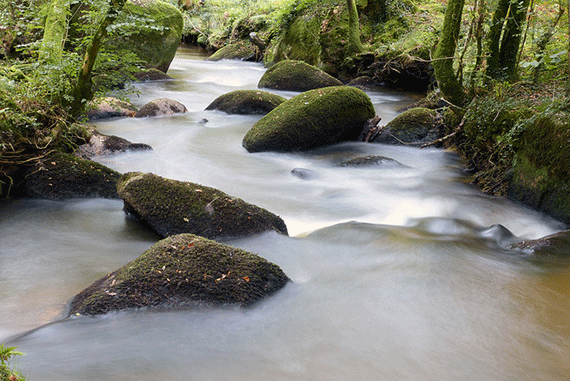
What I like about slow shutter speed photography is getting the contrast between the things that are in motion and the things that are absolutely still in the same shot. This gives you some really neat images—like a river’s water flowing over the rocks.

photography with slow shutter speed method

Photo by Christophe Surman; ISO 640, f/5.0, 1/8-second exposure.

A slow shutter speed might give the water a harsh blur, but at the same time, the landscape around the river water will be in focus. You can make the moving water in a fountain look like glass by using a shutter speed of about 2 seconds or slower with a tripod attached to your camera. This will give your image a unique look of motion being blurred in the water and the fountain and scenery in sharp focus.

photography techniques slow shutter speed

Photo by axbecerra; ISO 200, f/22.0, 13-second exposure.

Preventing Camera Shake

When I use the slower shutter speeds I often set the timer on the camera or use my shutter release cable to eliminate any camera shake when pressing the shutter button. But using the shutter release cable, you may want to go to a manual focus to prevent the camera from refocusing and causing your image to be out of focus.

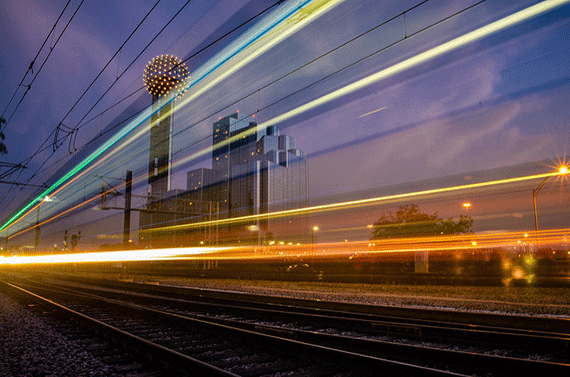
When it comes to night time shooting, I always make sure I have my tripod: this eliminates camera shake from slower shutter speeds, but it also helps achieve shots that include the blurring light motion of passing cars. You can really get some neat shots at a 4 second shutter speed.

use slow shutter speed like a pro

Photo by Chris Dart; ISO 100, f/8.0, 5-second exposure.

Getting More Creative

You’ll notice that when you’re in shutter priority mode, the camera calculates the approximate f-stop when you set you set the camera at a desired shutter speed. If you want to get more creative, you can take those settings and switch your camera to manual mode and put those setting in manually; that will give you a starting point. You can also get some cool shots at night without the tripod by using manual mode and shooting at just under a second while moving the camera around.

slow exposure camera trick

Photo by Andrew Stawarz; ISO 800, f/4.0, 30-second exposure.

Slow shutter speed photography is just another way to be creative with your camera while having a little fun with intentional blur. Keeping an open mind with photographic creativity is what separates photographic art from a plain snapshot.

About the Author:
This article was written by Alan Slagle from FrolickingPhotos. “I’ve been doing photography all my life and it’s a great way to get away from life in general. I believe digital photography has no rules so I do a lot of experimenting and that gives me a chance to write an article about my experiences.”

For Further Training on Long Exposures:

If there was an easy way to capture long exposure photos that amaze viewers would that interest you? What if all you need is a selection of go-to settings and some low-cost accessories? So that you could capture perfectly timed long exposures every time you shoot? This in-depth course is currently 67% off until tomorrow if you want to check it out.

infinite exposures

Infinite Exposure Tutorials

This 5-hour course walks you through the entire process of taking stunning long exposure photos. Including camera settings, gear and setup, daytime shooting, and night-time shooting. With and without filters.

Only 1 day left: Infinite Exposures at 67% Off


from PictureCorrect https://ift.tt/3QCwmeI
via IFTTT
keskiviikko 18. kesäkuuta 2025

PictureCorrect.com: How to Use GenErase to Remove & Replace Photo Parts

Representing the next generation of image editing, GenErase is an advanced tool that elevates the standard for erasing and refining visual elements in photographs. It not only removes undesirable visual distractions from your images but also applies content-aware AI techniques to replace these elements intelligently. This process results in a composition that is both focused and devoid of distractions.

Reminder: only a few days left for the Luminar Neo Photo Editor Summer Sale

GenErase’s unique capability is to uphold the integrity of your photos by automatically filling in the erased areas with textures and elements that seamlessly match the surrounding context, all thanks to the power of AI. GenErase excels at effortlessly eliminating objects like litter, street signs, utility poles, vehicles, graffiti, crowds, and more, preserving the inherent beauty of your composition.

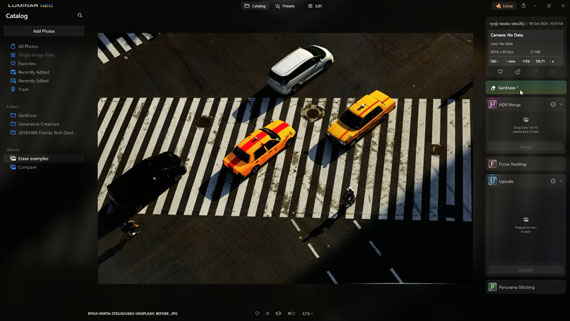
Preview Icon: To observe the outcomes before and after, click the preview icon, represented by an eye symbol.

Zoom Feature: Adjust your view using the zoom slider or the left and right bracket keys to magnify or shrink the view of the image.

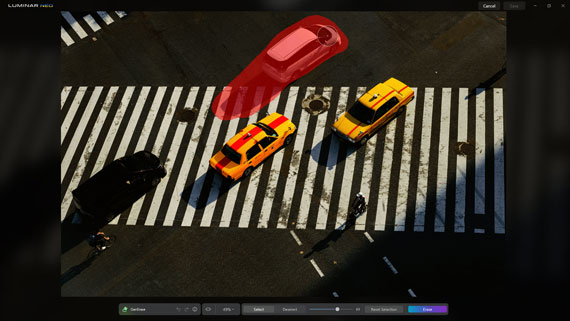
Select: When you need to replace an object, activate the “select” option, fine-tune the brush size, and paint over the region you wish to substitute. It’s advisable to be generous with your selection, providing the tool with more intricate details to enhance accuracy.

Deselect: Once an object is selected, enable the “deselect” option, refine the brush size, and paint over the area you want to exclude from the selection.

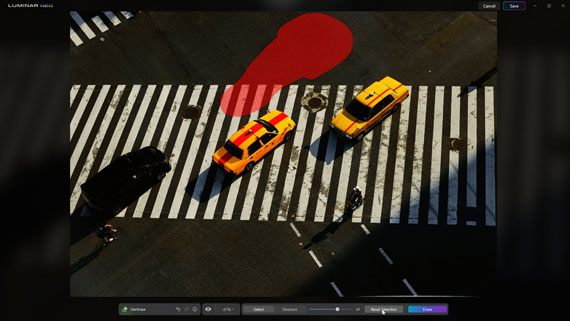
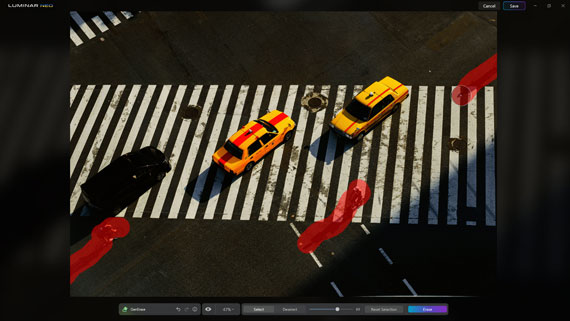
Reset Selection: Following the application of GenErase, the object remains selected. If the desired outcome isn’t achieved, you can reapply the erase tool by selecting it again. If you wish to erase a different object, reset the current selection and create a new one.

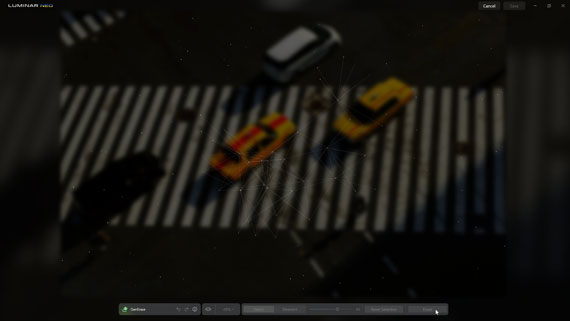
Erase button: To utilize GenErase and eliminate the selected object while also intelligently replacing unwanted visual distractions in your images, simply click the erase button. This innovative tool goes beyond essential removal, harnessing content-aware AI techniques for a refined result. You can continue to select the erase button to cycle through different outcomes, fine-tuning your edits until you achieve the desired result.

Cancel Button: If you opt not to implement the alterations, simply click the cancel button.

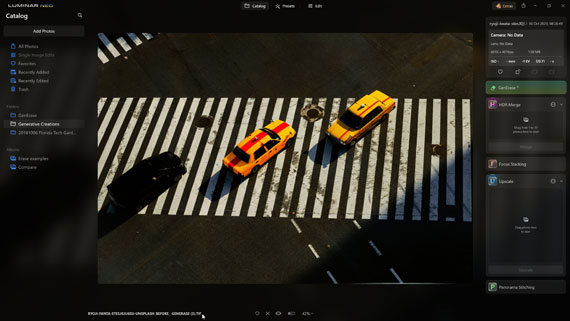
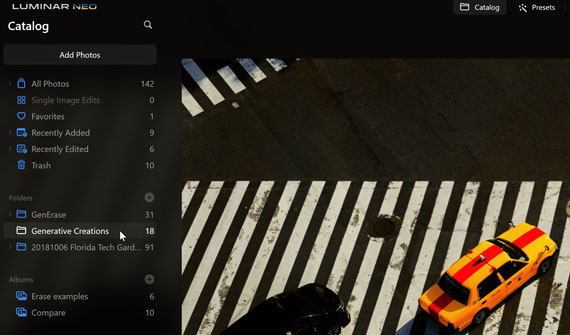
Save Button: When content with the GenErase outcomes, click the save button to confirm the changes. This will generate a new image saved in TIF format, renamed with the GENERASE extension, and added to the Genitive Creations folder.

Applying GenErase

Below is a detailed, step-by-step guide for replacing undesired objects in an image with GenErase.

1. Begin in the Catalog view and choose an image with objects you want to replace.

choose an object

2. Adjust the brush size and select the unwanted object generously. Precision is not required. You can deselect a selection by clicking the Deselect button.

brush

3. Click the Erase Button to initiate the object replacement. You can repeatedly select the erase button to explore different outcomes, fine-tuning your edits until you achieve the desired result.

erase and object replacement

4. To switch to a different object, select the Reset Button and pick the desired object. For optimal results, handle individual objects separately.

reset button

5. Confirm your changes by clicking the save button.

confirm changes

6. The new image will be saved in the Genitive Creations folder.

creations folder

generative creations

Before and After

In essence, GenErase revolutionizes the way photographers curate their images, offering an AI-powered tool that seamlessly excises distractions and reinstates the intended focus of their work. Its user-friendly interface and intelligent replacement technology ensure that your images retain their natural essence, uninterrupted by visual noise. Embrace the art of clean, focused photography with GenErase—where your vision meets the pristine reality of image editing.

Summer sale ending soon: GenErase in Luminar Neo Photo Editor


from PictureCorrect https://ift.tt/MFucZSw
via IFTTT