keskiviikko 24. joulukuuta 2025

PictureCorrect.com: How to Capture Really Sharp Photos

Relevant reminder: only a little while left for this Serious Photo Sharpener Holiday Sale

One of the most frustrating experiences for a photographer is to get home from a photo trip with some great images only to find that some of the images are not sharp. To help solve this problem, this article covers seven things that a photographer can do to create really sharp images.

taking sharp photos

Photo by Matus Kalisky

Tripod

When it comes to getting sharp images, the first place to start is with a tripod. A tripod provides a stable platform that holds the camera rigid — dramatically increasing the sharpness of the image.

Weighting the tripod

A tripod is a good start. However, a tripod can be made even more stable by using some object to weigh down the tripod. This produces even sharper images. This is so important that many tripods have some type of mechanism at the bottom of the center post that was designed for hanging objects to add weight to the tripod.

A simple way to take advantage of this feature is to carry a small net bag with your photo equipment. The bag can be filled with rocks, or other materials, and attached to the tripod. Even if a tripod doesn’t have such a mechanism, other methods can be used such as hanging a camera bag from the center column of the tripod.

Shutter release

Just because a camera is on a tripod doesn’t mean that the camera will be steady. The simple act of pressing the shutter can cause vibrations that will cause a loss of sharpness. The solution is simple. A remote switch can be used to release the shutter. A remote switch is a device that attaches to the camera through a cable, or wirelessly, and allows the photographer to release the shutter without touching the camera.

Mirror lock up

This applies if you have a DSLR camera. Even if the camera is set up on a tripod, the tripod is weighted down, and a remote switch is used, image quality can still be degraded due to vibration from the movement of the camera’s mirror when the shutter is released. This vibration is primarily a problem with shutter speeds between about 1/30s and 1s.

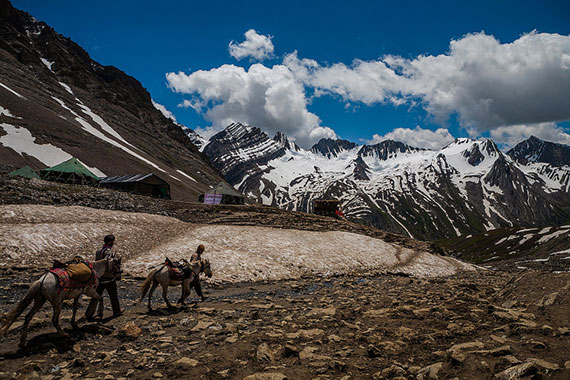
how to take sharp photo

Photo by sandeepachetan.com travel; ISO 100, f/7.1, 1/1250-second exposure.

This is easily solved by enabling the mirror lockup function on the camera. Once enabled, pressing the shutter button once swings the mirror out of the way. Pressing the shutter button a second time releases the shutter. This way, the mirror vibration dies out before the shutter is released.

Lens Quality:

Generally speaking, prime lenses can produce sharper results than zoom lenses. Quality of glass and manufacturing can also be a factor.

Aperture

The middle apertures (around f/8 for most lenses) produce the sharpest images. The larger apertures produce softer images due to various aberrations while the smaller apertures produce softer images due to diffraction.

Shutter Speed

While a tripod eliminates camera movement, the subject that is being photographed may be moving. Thus, a shutter speed that is high enough to freeze the subject movement should be used. This may require that a larger aperture be used in order to get the proper exposure

ISO

Increasing the ISO will allow a higher shutter speed to be used in order to stop the movement of the subject. However the higher the ISO, the more noise will appear in the image.

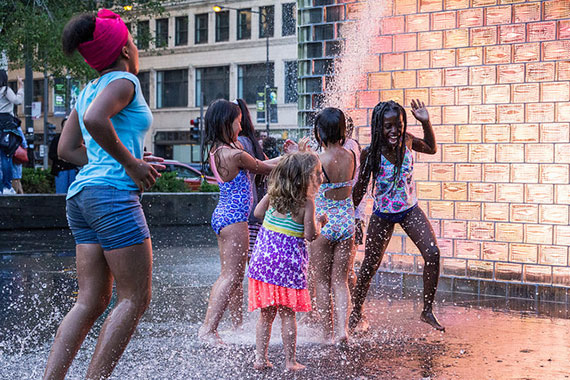
tips for taking sharp photography

Photo by Don Harder; ISO 3200, f/5.0, 1/1250-second exposure.

Following these techniques will put you on your way to creating some really sharp photos.

About the Author:
Ron Bigelow (www.ronbigelow.com) has created an extensive resource of articles to help develop photography skills.

For Serious Help Sharpening Your Photos:

If you’re a photographer who cares about getting the cleanest noise reduction, sharpest details, and highest quality enlargements from your images, the Topaz Labs Holiday Sale is one of the best opportunities all year to invest in powerful AI-driven image quality tools at a discount.

Whether you shoot landscapes, wildlife, portraits, or anything in-between, this sale can help you elevate your final edits with tools that have become a staple in many pro workflows.

Deal ending soon: Topaz Labs Holiday Sale


from PictureCorrect https://ift.tt/GVsf0Aj
via IFTTT

tiistai 23. joulukuuta 2025

PictureCorrect.com: Holiday Celebration Photography Tips

Related: Want to level up your photography fast? PictureCorrect Premium is designed to be an accelerator with lessons, exercises, and more — it’s only $1 to start for the Holidays🎁

The holiday season is upon us! For any of you photography enthusiasts out there, this is the perfect time to put those cameras to good use. Use photos to show and tell people about your holiday traditions, whatever you celebrate this time of year. It’s the perfect time to take advantage of the free on-camera talent that you have: your family and friends!

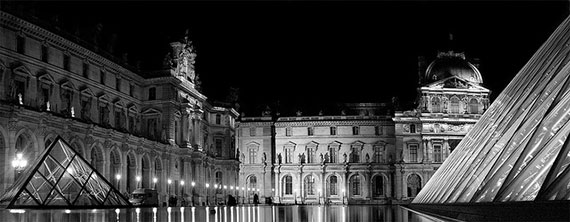
christmas cocktail

photo by John Morgan

Here are some tips on how to capture your next holiday celebration.

Photographs Tell Stories

The whole point of documenting an event in a powerful way is to tell a story in pictures. Like all stories, picture stories have a beginning, a middle, and an end to take people through the experience. If they weren’t there, you want them to feel as if they were. If they were there, it reminds them of the experience in intimate, loving detail.

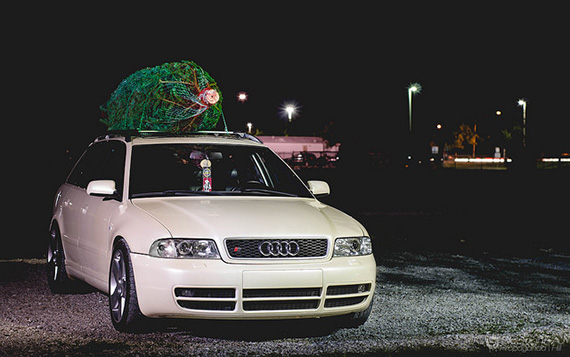
christmas tree on car

Photo by AJ Hill.

Many people celebrate many holidays during this time of year, but let’s use Christmas as one example of a popular holiday gathering, because most people know the general events surrounding the holiday.

1. Check your gear. Make sure you have enough batteries and space on your memory card. Bringing a tripod may be cumbersome, but if you don’t mind the extra weight, it’s good to have.

2. Let people know what you’re doing. “I’m going to be taking photos for a slideshow for later,” or “I’m creating a Christmas storybook we can all enjoy.” This helps people relax and enjoy the spirit of the event when they know what you’re doing with the photos.

The Beginning, Middle, and End

All good stories have an introduction, a main event, and an ending or conclusion. For the photographer, this means shooting photos that show each of these phases.

The Beginning

When photographing your event, there are several types of photos or shots that will anchor your storytelling. These are called establishing shots and consist of portraits, detail photos, and pre-event or preparation photos. The various kinds of establishing shots tell the beginning of your story. They not only introduce the viewer to your story, they set the mood for the story.

To document an event most effectively, you have to get there early, at least an hour before it begins. Begin putting your story/day together by taking establishing shots. These will set the time and location for your photo documentation. Establishing shots put the rest of the photos that you’ll be taking in the right context for what you do with the photos later, such as creating a photo album, photo book, or slideshow.

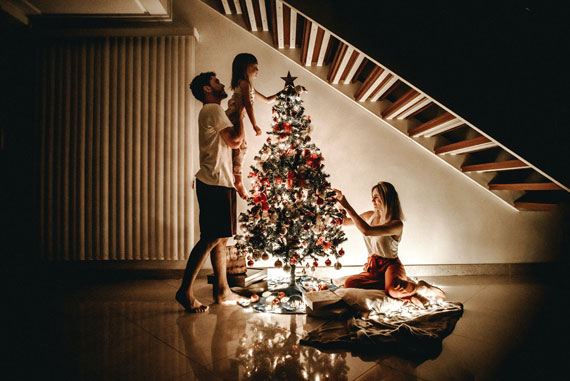
christmas beginning

Photo by Jonathan Borba; ISO 2500, f/3.5, 1/25s, 20mm.

Examples:

  • Decorating the Christmas tree
  • Wide shot of your mom’s house
  • A highway sign that says, “Welcome to Townsville”
  • A shot of your parents opening the door

Preparation Shots

When there’s a big event, there’s always preparation in the background. This is a good time to take some candid shots of people getting ready before the big event so your viewer feels the excitement and anticipation begin to build.

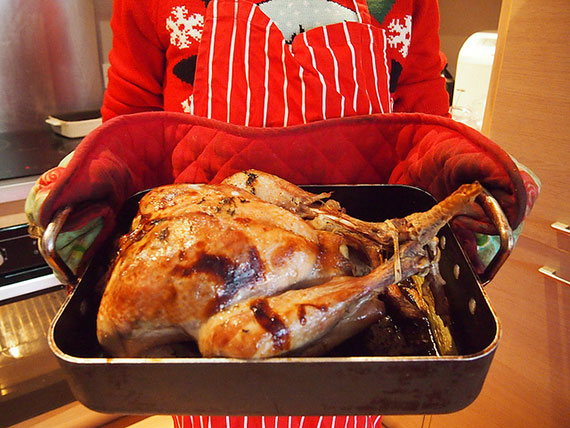
christmas turkey

Photo by Mike Fleming.

Examples:

  • Mom taking the turkey out of the oven
  • Kids sneaking under the Christmas tree
  • People getting dressed or ready for the big day, especially if they rarely get dressed up (teenagers, children, etc). Think fun and silly.

Detail Shots

Your photos don’t have to have people in them all the time, and it’s better if they don’t. Detail shots enhance the flow of your photos and give viewers a chance to appreciate the details of the day. Detail shots can help evoke a mood or emotion as well. You’ll shoot these throughout the day, not just in the beginning.

christmas photos

Photo by Ami Becker.

Examples:

  • Shots of decor in the house, like twinkling Christmas lights
  • Close-up of hands breaking an egg and other food shots
  • Shot of window looking out
  • A family pet sniffing presents
  • Shots establishing the weather—snow or frost on a window or ledge, leaves changing color in a tree in the yard
  • Flowers or candles
  • The centerpiece on the table or the table set and waiting for guests to arrive

Portraits

Portraits help remind everyone of who was at the event. A group shot or poised portraits are great, but candid shots are more fun and interesting for the viewer. Think natural light and candid shots as well as posed portraits. Use light coming in through windows, firelight, and lights from sources in the room more than you use flash. You’ll tend to capture some of your best portraits when people are unaware you’re there. Hard to do, but so worth it! You’ll also shoot these throughout the day as well. They can be hard to get if you wait, so shoot them as you see them.

christmas portrait

Photo by Oleg Sergeichik; ISO 1000, f/1.8, 1/100s, 50mm.

Examples:

  • Close-up of someone unwrapping a present
  • Staring thoughtfully into the fireplace or out a window/or admiring the tree
  • Portraits involving parent and child
  • Children playing or sleeping
  • Someone carving the turkey or ham

The Main Event

This is the moment of truth. As a storyteller, it is best to be an observer at this point, watching reactions and grabbing photos of the emotions you see—surprise, laughter, joy, tears, and smiles. Don’t be afraid to walk around and document what you see, but don’t be in your subject’s face. Being too obvious with your camera will take away the spontaneity, and probably their enjoyment of the event. There’s not much to photograph when people are eating, so sit down and be a part of the event.

christmas celebration

Photo by krakenimages

Examples:

  • Unwrapping or handing out of gifts
  • Family pets playing with wrappings
  • Goings on of people during event
  • The interaction of babies, toddlers, children and animals
  • Food being served or eaten
  • People playing video games, watching television, having snowball fights or playing sports in the yard
  • People interacting, cooking, cleaning up in the kitchen

The End

The end is really the event’s conclusion, winding down, or aftermath. The main event may fade into the end slowly or quickly, but keep shooting. Documenting the aftermath will be a good indication of how successful the event was. It is also a great time for photo opportunities. People are happy, engaged, and even sleepy as events wind down. The stressful part of the day—the main event, be it dinner or unwrapping presents, or decorating the Christmas tree—is over and people relax.

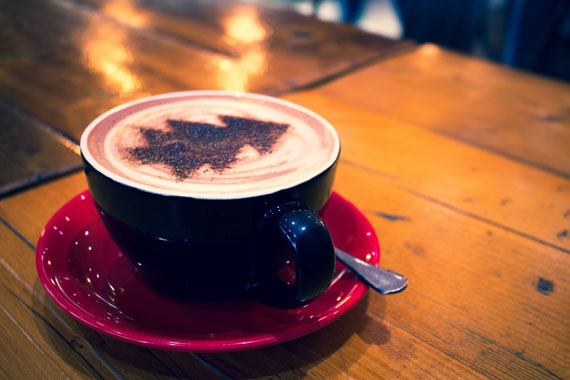
christmas coffee

Photo by Hello Lightbulb; ISO 400, f/4.0, 1/20s, 26mm.

Examples:

  • Photos of people leaning back at the table talking, laughing, or enjoying a cup of coffee, hot chocolate, or a hot toddy
  • Youngsters, exhausted by the day taking time to nap in unexpected places

You’ve worked hard on documenting this event and if it stays in your camera all your hard work is just put to waste. Your great story goes untold until you tell it in a book, slideshow, or album. While the moments are still fresh in your mind, take time to put them together where people can see, enjoy and share them:

  • Build a photo gallery and share them with everyone.
  • Print them as a coffee table book.
  • Make a calendar out of the best photos and give it to your relatives after the event to help them remember the fun all year long.
  • If you really want to have fun, make badges, buttons, bumper stickers or greeting cards out of your photos.

Photos tell the story of our lives and relationships better than words ever can. Photos not only help us connect our customers to our brands, but they help us connect our friends and families to our hearts and memories. May your holiday season be filled with love, memories, and photos to last a lifetime.

About the Author:
Donna Santos has been a professional photographer for over 10 years and is based in Toronto.

Early Subscribers Are Already Ahead:

Every week, more photographers are joining PictureCorrect Premium to level up their craft — and you could be next. Inside, you’ll find expert-led tutorials, creative challenges, and printable exercises that make each lesson stick.

photography subscribers

Whether you’re working to improve composition, lighting, or manual control, Premium gives you the structure to make steady progress. The special $1 intro offer is ending soon, and once it’s gone, so is your chance to lock in early access.

🎁 Try it during the Holiday Enrollment for only $1 to Start


from PictureCorrect https://ift.tt/IkaQ4Yi
via IFTTT

maanantai 22. joulukuuta 2025

PictureCorrect.com: Family Gathering Photography Tips

It’s that time of year again – time for the annual family gathering! Whether you’re gathering around the table for Thanksgiving dinner or celebrating the holidays with loved ones, these occasions are always filled with laughter, love, and of course, lots of photo opportunities. Whether you’re a seasoned photographer or just starting out, here are some tips to help you capture those special moments and create lasting memories.

Related reminder: only a little while left for this Photo Editor Holiday Sale

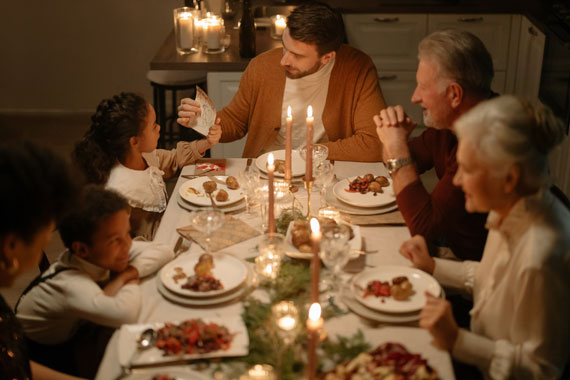
family dinner photo

Photo captured by cottonbro studio; ISO 2000, f/1.4, 1/1250s, 50mm.

Here are some example camera settings assuming an indoor setting with minimal lighting:

  • Aperture: Aperture controls the amount of light that enters the camera through the lens. In low light situations, you might want to use a lens with a wide aperture (e.g. f/2.8 to f/5.6) to let in more light. This can also create a shallow depth of field, which can be a nice effect for portraits.
  • Shutter speed: Shutter speed controls the amount of time that the camera’s sensor is exposed to light. In low light situations, you might want to use a slower shutter speed to allow more light to reach the sensor. Just be aware that using a slow shutter speed can cause motion blur if your subjects are moving.
  • ISO: ISO controls the sensitivity of the camera’s sensor to light. In low light situations, you might need to increase the ISO to allow the camera to capture more light. However, increasing the ISO can also introduce noise (grain) into your photos, so try to keep it as low as possible while still getting a well-exposed photo.
  • White balance: White balance helps to ensure that colors in your photos look natural. Indoor lighting can sometimes cause colors to look yellow or orange, so you might need to adjust the white balance to compensate.
  • Focus mode: In low light situations, it can be more challenging for the camera to focus accurately. You might want to consider using a focus mode that allows you to manually select the focus point, such as “single point” or “flexible spot.”
indoor lighting conditions

Photo captured by Nicole Michalou; ISO 800, f/2.8, 1/160s, 50mm.

Here are some more general tips for capturing the gathering:

  • Get everyone involved: Encourage family members of all ages to take photos, whether it’s with a traditional camera or their smartphones. This will help capture a variety of perspectives and candid moments.
  • Use natural light: Take advantage of natural light by shooting near windows or doors. This will help create soft, flattering light for your photos.
  • Experiment with different angles: Try shooting from different angles to add visual interest to your photos. This might include shooting from above, below, or at eye level.
  • Get close to your subjects: Don’t be afraid to get close to your subjects and fill the frame with their faces. This will help create intimate, emotional photos.
  • Capture candid moments: In addition to posed photos, make sure to capture candid moments as they happen. These types of photos often capture the true spirit of a family gathering.
  • Tell a story: Use your photos to tell a story of the gathering. This might include capturing the details of the decorations, the food, and the activities that took place.
  • Have fun: Above all, remember to have fun! Photography should be enjoyable, so don’t stress too much about getting the perfect shot.
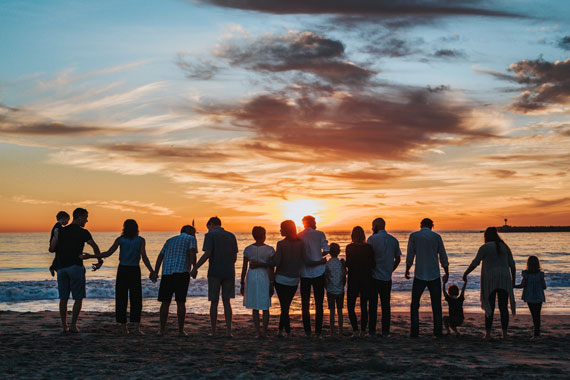
family gathering

Photo captured by Tyler Nix; ISO 250, f/3.5, 1/1250s, 50mm.

With these tips in mind, you’ll be well on your way to capturing beautiful and meaningful photos at your next family gathering. So don’t be afraid to get creative, have fun, and above all, embrace the chaos! These are the moments that make life worth living and the memories that we’ll look back on and cherish for years to come.

For Help with Photo Editing:

If you’re a photographer who cares about getting the cleanest noise reduction, sharpest details, and highest quality enlargements from your images, the Topaz Labs Holiday Sale is one of the best opportunities all year to invest in powerful AI-driven image quality tools at a discount.

Whether you shoot landscapes, wildlife, portraits, or anything in-between, this sale can help you elevate your final edits with tools that have become a staple in many pro workflows.

Deal ending soon: Topaz Labs Holiday Sale


from PictureCorrect https://ift.tt/s6K0pQh
via IFTTT

lauantai 20. joulukuuta 2025

PictureCorrect.com: Christmas Lights Photography Exercise

Amazing lights are everywhere this time of year, which makes them easy to overlook. Most people photograph them as decoration — wide shots of trees, houses, and streets that feel familiar but rarely memorable. This challenge is about doing the opposite. Instead of documenting the season, you’re using Christmas lights as a creative tool to shape mood, depth, and story.

Relevant note: only a little while left for the Photography Exercises 🎁 Holiday Sale

christmas lights exercise

Photo captured by Annie Spratt

Create a mini photo series (3–5 images) that tells a holiday story using Christmas lights as the main light source—not just decoration.

This pushes you to treat lights as subjects, foregrounds, backgrounds, and mood-setters, not just pretty bokeh.

🎯 The Rules

  • Every image must include Christmas or holiday lights
  • Lights must influence the composition or mood, not just appear in the frame
  • No flash
  • Shoot over multiple days if needed

📸 The 5 Shots to Capture

1. Lights as the Subject

  • The lights are the photo
  • Focus on shape, color, pattern, or repetition
  • Avoid cliché “tree wide shots”—get closer than feels comfortable

2. Lights as Foreground

  • Shoot through lights
  • Let them frame the scene or partially obscure the subject
  • Use wide apertures or phone portrait effects sparingly

3. Lights as Background Mood

  • Subject first, lights second
  • Use distance to control bokeh size
  • Think cozy, cinematic, intimate—not busy

4. Motion + Lights

Add movement:

  • People walking
  • Cars passing
  • Camera movement (intentional blur)

One sharp anchor + moving light = magic

5. Quiet Holiday Moment

  • No obvious celebration
  • Empty street, glowing window, single ornament, late-night calm
  • This is often the strongest image

🔧 Optional “Hard Mode” Constraints

Pick one:

  • One image must be black & white
  • One image must use manual exposure or exposure lock
  • One image must be shot handheld under 1/10s
  • One image must avoid any recognizable Christmas symbols except lights

Christmas lights are easy to photograph — but difficult to photograph well. The difference is intention. When you stop treating them as decoration and start treating them as light, they become a storytelling tool rather than a seasonal cliché.

If one image from this exercise makes someone pause and think, “How did you get that?” — you succeeded. Not because of the lights themselves, but because you learned to see what they were capable of.

For Further Training:

A Holiday Sale is happening now on the PictureCorrect Photography Exercises, a practical way to build confidence in manual mode and tackle challenging shooting situations that often trip photographers up. Each exercise focuses on real-world scenarios—difficult light, motion, exposure decisions, and creative problem-solving—so you learn how to take control instead of relying on auto settings.

photographer exercises

If you want clearer direction and stronger results when conditions get tough, these exercises provide a simple, structured way to improve. Don’t miss the Holiday Sale, and use it as an opportunity to strengthen your skills and shoot with more control and confidence.

Deal ending soon: PictureCorrect Photography Exercises Holiday Sale


from PictureCorrect https://ift.tt/E9Yg2rO
via IFTTT

perjantai 19. joulukuuta 2025

PictureCorrect.com: Ideal Weather Conditions for Perfect Snowflake Photography

Embarking on the quest to photograph snowflakes is not just a photographic challenge but a journey into the heart of nature’s delicate artistry. Each snowflake is a unique masterpiece, a fleeting glimpse into the intricate wonders of the natural world. Understanding the conditions that lead to the perfect formation of these ice crystals is key to capturing their ethereal beauty. In this post, we’ll explore the ideal weather conditions for photographing well-defined snowflakes and delve into the fascinating process of how these winter wonders are formed.

Related reminder: launch sale ending soon for the Winter Photography Snap Cards

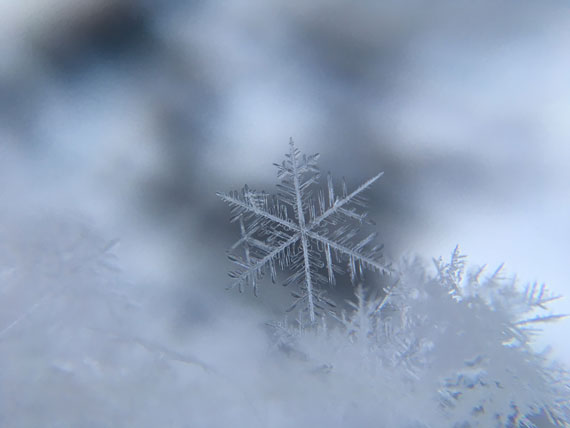
snowflake image

Photo captured by Damian McCoig

Ideal Weather Conditions for Photographing Snowflakes:

  • Temperature: Ideally, temperatures should be just below freezing, around -2°C to -5°C (28°F to 23°F). This range is perfect for preserving the snowflakes’ structure without causing them to become too brittle.
  • Humidity: Moderate to high humidity is crucial, as snowflakes form from water vapor. Too much humidity can cause them to clump together, while too little might not support their formation at all.
  • Snow Type: The best snowflakes for photography are found in light, fluffy snow, which is more likely to contain the classic, intricate shapes.
  • Wind Conditions: Calm conditions are preferable, as wind can damage the delicate structure of the snowflakes.

How Snowflakes Form:

Snowflakes begin as tiny ice crystals in the clouds, forming when water vapor condenses directly onto a particle like dust or pollen. As they fall through the cloud, they encounter more water vapor, which freezes onto the crystal, causing it to grow. The shape and complexity of a snowflake are influenced by the temperature and humidity it encounters during its descent. Temperatures just below freezing typically produce flat, six-sided shapes, while colder conditions result in more columnar forms. The sixfold symmetry of snowflakes, a result of the molecular structure of water, creates the iconic hexagonal pattern we associate with snowflakes. The journey through different atmospheric layers imparts each snowflake with its unique pattern, ensuring no two are exactly alike.

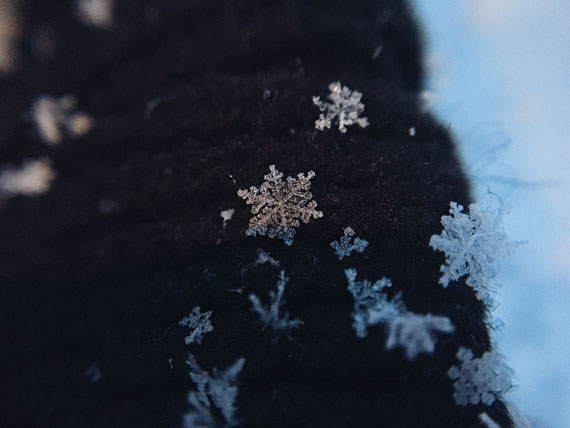
snowflake weather

Photo captured by Darius Cotoi

Photographing snowflakes is a delicate balance of science and art. By understanding the conditions under which these natural wonders form and thrive, you can capture their fleeting beauty, immortalizing a moment that nature crafts with exquisite precision but rarely preserves. Each photograph of a snowflake is a testament to the unique and transient beauty of nature.

For Further Training:

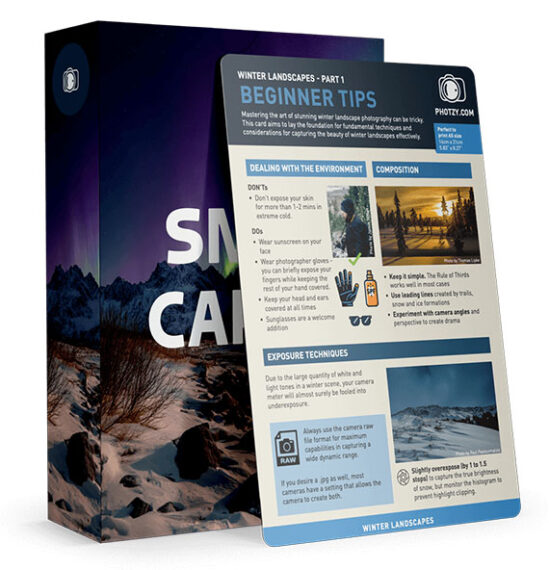
If you want help capturing better photos in snowy or low-light winter conditions, the new Winter Photography Snap Cards (currently 80% off) are worth checking out—especially while they’re still heavily discounted. These pocket-sized guides give you quick, practical tips for exposure, color, composition, and handling tricky winter light.

winter snap cards

They also walk you through common challenges like blown-out snow, blue color casts, foggy lenses, and fast-changing skies, so you can adjust your settings with confidence. Whether you’re shooting frosty landscapes, falling snow, or cozy evening scenes, these cards make it easier to get great winter shots without guesswork.

Launch sale ending soon: Winter Photography Snap Cards at 80% Off


from PictureCorrect https://ift.tt/hcFEsLZ
via IFTTT

keskiviikko 17. joulukuuta 2025

PictureCorrect.com: The Rule of Odds in Photography Composition

In the world of photography, where the quest for perfect composition is endless, there exists a simple yet profound guideline known as the “Rule of Odds”. This rule, often overlooked but incredibly impactful, can transform an ordinary snapshot into a captivating visual story. Today, let’s dive into what the Rule of Odds is and how it can enhance your photographic compositions.

Related: offer ending soon for the Composition Cheat Sheets 🎁 Holiday Sale

rule of odds

Photo captured by Giorgio Trovato

1. What is the Rule of Odds?

The Rule of Odds suggests that images are more visually appealing when they contain an odd number of elements, typically three or five. This rule is rooted in the way our brains process information. Odd numbers create a sense of harmony and balance, yet they add a touch of intrigue and complexity.

2. Why Does It Work?

Odd numbers, especially the number three, have a unique charm. They provide a central focal point and encourage the viewer’s eyes to move around the frame, creating a more dynamic and engaging experience. This happens because with even numbers, our eyes tend to pair up elements, which can lead to a static and less interesting composition.

3. Implementing the Rule of Odds in Your Photography

Implementing this rule is about more than just counting objects. It’s about understanding balance and interest in a scene. Here are some tips:

  • Seek Natural Oddities: Nature is full of odd numbers. Three flowers, five stones in a riverbed, or a single tree standing apart from others can all be effective subjects.
  • Create Your Own Composition: Arrange still life or portrait subjects in odd numbers. This can be particularly effective in food photography or in creating compelling group portraits.
  • Use Negative Space: The space around your subject counts too. A single bird in the sky with two clouds can form a trio of elements.
  • Focus on the Central Element: In a group of three, the central element often becomes the focal point, drawing the viewer’s eye and giving your image a sense of depth and interest.
still life subjects

Photo captured by Anya Chernik

4. Breaking the Rule

As with any rule in photography, the Rule of Odds is not absolute. It’s a guideline to enhance your compositions, but sometimes breaking it can lead to equally stunning results. Trust your creative instincts!

To Summarize:

The Rule of Odds is a simple yet powerful tool in the photographer’s arsenal. It nudges us towards compositions that are balanced yet intriguing, harmonious yet dynamic. Whether you’re a seasoned photographer or just starting out, experimenting with this rule can lead to surprising and delightful results. Remember, the ultimate goal of photography is to capture and convey your unique perspective of the world, and rules like these are just stepping stones along that creative journey.

For Further Training on Composition:

Are you ever tired of your photos looking dull or boring? These popular Composition Cheat Sheets have you covered. With clear, concise information on all the essential elements of composition, you’ll never be unprepared again. They are currently 81% off for a Holiday Season Sale 🎁 if you want to check them out.

composition cheat sheets

Composition Cheat Sheets (see all the elements covered)

The perfect companion for any photographer. Print one out whenever you need it. These cheat sheets consolidate crucial composition-related information, allowing you to concentrate on what truly matters – composing striking photographs.

Deal ending soon: The Composition Cheat Sheets at 81% Off


from PictureCorrect https://ift.tt/TjoY7CI
via IFTTT

tiistai 16. joulukuuta 2025

PictureCorrect.com: From Warmth to Winter: Pre-Cooling Tips for Your Camera

As photographers, we often find ourselves drawn to the stark beauty of cold weather environments. However, transitioning your camera from a warm indoor environment to the icy outdoors can be a challenge. The key to seamless cold weather photography lies in effectively pre-cooling your camera. Let’s dive into how you can prepare your gear for the chill and capture those winter wonderland shots flawlessly.

Relevant reminder: only a few days left for the Photo Adventure Cheat Sheets Winter Sale

cold camera

Photo captured by Jonas Allert

The Risks of Rushing the Pre-Cooling Process:

It’s tempting to skip the gradual pre-cooling process, especially when you’re eager to capture a fleeting winter moment. However, rushing it can occasionally lead to some issues. The most common problem is condensation – when warm, moist air from inside the camera condenses on the cold camera sensor and internal components. This can result in foggy images and, in worse cases, damage to the camera’s electronics.

Additionally, rapid temperature changes can cause lens elements to contract unevenly, potentially affecting focus and optical quality. In extreme cases, it can even lead to cracking of the lens elements. Therefore, patience is more than a virtue in cold weather photography; it’s a necessity for safeguarding your precious gear.

Understanding Condensation

Condensation occurs when warm, moist air meets a cold surface, a common challenge in cold weather photography. Inside a warm environment, your camera and its internal components, including the sensor and electronic circuitry, are at a much higher temperature compared to the frigid outdoor air. When you take your camera from a warm room to a cold outdoor setting, the moisture in the air inside and around the camera quickly cools down.

Since cold air holds less moisture than warm air, this rapid cooling causes the moisture to condense into water droplets. These droplets can form on both the external and internal parts of your camera, including the lens and sensor. This not only affects image clarity but also risks damaging the sensitive electronics inside your camera. Understanding this phenomenon underscores the importance of gradually acclimating your camera to colder temperatures to prevent condensation and ensure optimal performance. Here are some tips to prevent it:

1. Gradual Temperature Adjustment:

Start by gradually exposing your camera to colder temperatures. Moving your camera directly from a warm room to freezing temperatures can cause condensation, which might damage your camera’s internal components. An effective way to do this is by placing your camera in a cooler area of your house, like a garage or near a window, before taking it outside.

2. Use a Ziploc Bag:

Before stepping out, place your camera in a large Ziploc bag. This will trap the warmer air around the camera and prevent condensation when you move outdoors. Once outside, allow the camera to acclimate to the external temperature while still in the bag. This usually takes about 30 minutes.

3. Pre-Cool Your Lenses:

Lenses are just as susceptible to temperature shock as your camera body. Apply the same gradual temperature adjustment to your lenses. Remember, changing lenses in cold conditions can introduce moisture, so try to decide on a lens before heading out.

4. Keep Spare Batteries Warm:

Battery performance can drastically drop in cold conditions. Keep spare batteries in a warm pocket close to your body. This will ensure they retain their charge longer when you need to swap them out.

5. Avoid Breathing on Your Equipment:

It might be tempting to use your breath to clean the viewfinder or lens, but in cold weather, this can cause immediate frosting. Use a lens cloth or blower instead.

6. Use Silica Gel Packets:

Placing silica gel packets in your camera bag can help absorb any moisture that might accumulate, offering an extra layer of protection against condensation.

By pre-cooling your camera properly, you can make the transition to cold environments much smoother and protect your equipment from ruined images or potential damage. Remember, the beauty of winter photography is unmatched, and with these tips, you’re all set to capture it in all its glory.

For Further Training:

For help remembering the camera settings for difficult situations like this, a set of Photography Adventure Cheat Sheets are designed to help. They are currently 80% off for a winter sale which ends soon if you want to check them out.

photography adventure

New! Cheat Sheets for Your Photography Adventures (see how they work)

The perfect companion for any photographer. Print one out whenever you need it. Whether you’re going on vacation or seeking out a specific photography adventure, these cheat sheets can provide you with the knowledge and inspiration you need to create your best work yet.

Only a few days left: The Photography Adventure Cheat Sheets Winter Sale


from PictureCorrect https://ift.tt/9ndYg04
via IFTTT

maanantai 15. joulukuuta 2025

PictureCorrect.com: Photo Editing: 10 of the Most Common Issues to Fix

Photo editing is an essential part of the photography process, often used to correct or enhance images. Here are some of the most common problems that photographers usually fix in photo editing:.

Relevant note: only a little while left for the Photo Editing Guide 🎁 Holiday Sale

photo editing image

Photo captured by Onur Binay

Exposure Issues: Overexposed photos are too bright, with details lost in white areas, while underexposed photos are too dark, losing details in shadows. Editors adjust exposure levels to balance the image.

White Balance: Sometimes the colors in a photo may appear too blue (cool) or too orange (warm) based on the lighting when the photo was taken. Editors adjust the white balance to make the colors appear more natural.

Contrast: Photos can sometimes look flat without enough difference between light and dark areas. Adjusting the contrast can make the image pop more.

Color Saturation: This refers to the intensity of the colors. Sometimes colors can appear too vibrant or not vibrant enough. Adjusting the saturation can help to achieve a more balanced look.

Noise: High ISO settings, low light, or long exposures can cause noise, which appears as random specks of color. Noise reduction tools can be used to minimize this.

Sharpness: If a photo isn’t perfectly in focus, it might appear a little blurred. Editors can increase sharpness to a degree, but it’s better to get the focus right when taking the photo as there are limits to how much you can correct this.

Composition: While ideally, this should be fixed when taking the photo, sometimes it’s necessary to crop or straighten a photo during editing to improve its composition.

Blemish Removal: This is especially common in portrait photography. Photographers use editing software to remove blemishes, wrinkles, and spots from a subject’s skin or to remove unwanted elements from the image.

Distortion: There can be different types of distortions in photographs like barrel distortion, pincushion distortion, or perspective distortion which can make straight lines appear curved or objects appear closer or further than they are. This is particularly noticeable in architectural photography, where straight lines and symmetry are important. Using photo editing software, these distortions can be corrected.

Chromatic Aberration: This is a common optical problem that occurs when a lens is either unable to bring all wavelengths of color to the same focal plane, and/or when wavelengths of color are focused at different positions in the focal plane. It appears as a fringe of color along boundaries that separate dark and bright parts of the image. Photo editing software can be used to reduce or eliminate the appearance of chromatic aberration.

These are some of the most common problems that photographers fix in editing, but there are many other potential issues and creative choices that can be made during the editing process.

For Further Training:

The Holiday Sale on the Photo Editing Cheat Sheets is live, making this a great time to bring clarity to your editing workflow. If editing often feels scattered or uncertain, these cheat sheets provide a clear, repeatable process for tackling exposure, color, masking, retouching, and finishing touches in the right order.


Paired with time-saving keyboard shortcuts, they help you edit faster, stay consistent, and know when an image is truly finished.

Deal ending soon: The Photo Editing Cheat Sheets 🎁 Holiday Sale


from PictureCorrect https://ift.tt/kVsK8jl
via IFTTT

sunnuntai 14. joulukuuta 2025

PictureCorrect.com: Photography Tips for Mist, Fog, Condensation, and Hail

Related: only a little while left for the Winter Photography Snap Cards Launch Sale

Soon we will be considering photography tips on waves, waterscapes, waterfalls, reflections, abstracts, splash ‘n spray, foam, bubbles, and puddles as remedies for the photo doldrums. But, water can provide even more photo ops! Regularly check your local weather forecasts and keep a notebook of the special places you find in your neighborhood that provide good locations for shots that include the following:

mist fog rain condensation photography tips

Photo by Karsten Wentink; ISO 200, f/8.5, 1/8-second exposure.

1. Mist

In the early morning or late evening, mist or groundfog can generate “artist’s light” as masses of water vapor condense from coolness near ponds, rivers, etc. or down in ravines and valleys. It burns off quickly though, so you have to anticipate it and get there early. Look for things extending above the mist—or visible through openings in it—as it swirls about.

2. Fog

Fog can make all the difference between ordinary and exceptional images. In foggy scenes, include foreground objects for silhouettes and interesting contrasts. Just remember that you generally have to increase your exposure by 1/2 to 3/4 of a stop to avoid a picture that’s too dark.

3. Condensation

Perhaps more often associated with man-made things—cold objects amid warm, moist air—condensation is an often overlooked source of interesting pictures. Watch out for cold water pipes and surfaces in warm places. Or, open your fridge and check out the food containers with clear plastic lids. Are there any condensed water droplets on the underside of the lids? Remove the lid without disturbing the droplets, (Tip: Leave the lids just sitting on top instead of clicked down tight) and gently place it down on a flat surface suitable for a background. Set up your camera to shoot straight down on the lid for over-all sharpness.

4. Hail

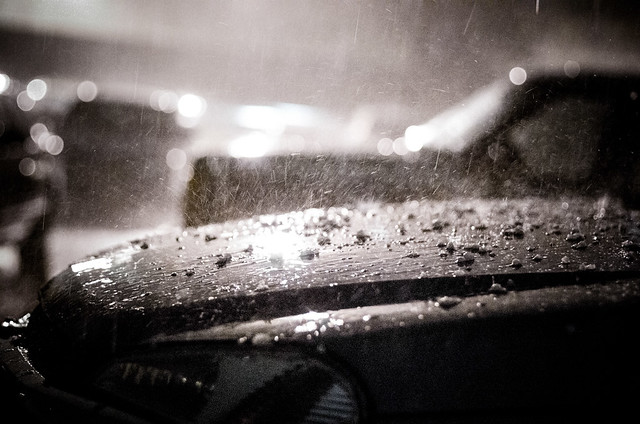
Hail is possible with most thunderstorms as it is usually produced at the leading edge of a severe storm system and usually falls within two miles of its parent storm, during the summer months, in the afternoon and evening hours. Hail-producing clouds are often identifiable by their green coloration and hailstorms normally last about 3-15 minutes. Hailstones can vary from less than pea-size to larger than four inches. Place a hailstone over a slightly smaller hole in black cardboard and shine a light up through the hole and the hailstone, and photograph the hailstone’s interior structure. Or picture assorted stones along with coins, etc. for size comparison on a dark background. Or photograph it after a heavy fall where ever it lays, amid the damage it may cause.

hail photography

“Hail & Rain” captured by Kurt Bauschardt

Self-Assignments

Choose the projects that interest you most. Follow the photography tips conscientiously. Re-shoot when you aren’t satisfied. Do it until you are satisfied. It’ll take all your patience and passion. Your skills and eye will improve with the practice. Shoot especially in early and late light. Use a tripod as much as possible. Edit your results relentlessly. Pin small samples on the wall for a few days to study before making final prints for wall art.

Mist: When the weather forecast predicts ground fog, have a rural scenic spot in mind to go to that has higher and lower sections within it and shoot it just as the sun comes up.

Fog: When the weather forecast predicts fog, have a scenic spot in mind to go to and shoot a portion of it that has things that recede from you into the fog, with some leaves hanging down into the top of the frame as silhouettes.

Condensation: If you have a container of yogurt with a clear plastic lid in your fridge, just sit the lid on top of the container and don’t click it down tight. When water drops from condensation form a pattern of circles on the underside of the lid, gently take the lid and place it down on a table or counter top, without disturbing the drops. Shoot straight down on it and make a close-up of a part of the pattern.

tips for taking photos of mist fog rain condensation

Photo by PhotoJeff; ISO 100, f/8.0, 1/125-second exposure.

Hail: When a thunderstorm is in the forecast, keep an eye out for hail. Find a safe place to shoot from and shoot the hail as it falls and bounces off of things, using both fast and slow shutter speeds.

In the next article of this set we’ll consider photography tips about water’s cold season photo ops to remedy the photo doldrums.

About the Author:
John Maxymuik from AmbienceImages authored this article which part of a series on Photography Tips for the Photo Doldrums providing tips to break the grip of the photo doldrums using the “ideal photo subject”.

For Further Training:

If you want help capturing better photos in snowy or low-light winter conditions, the new Winter Photography Snap Cards (currently 80% off) are worth checking out—especially while they’re still heavily discounted. These pocket-sized guides give you quick, practical tips for exposure, color, composition, and handling tricky winter light.

winter snap cards

They also walk you through common challenges like blown-out snow, blue color casts, foggy lenses, and fast-changing skies, so you can adjust your settings with confidence. Whether you’re shooting frosty landscapes, falling snow, or cozy evening scenes, these cards make it easier to get great winter shots without guesswork.

Launch sale ending soon: Winter Photography Snap Cards at 80% Off


from PictureCorrect https://ift.tt/PXC9zhr
via IFTTT

perjantai 12. joulukuuta 2025

PictureCorrect.com: Christmas Light Photography Tips

Related reminder: only a little while left for the Lighting Cheat Sheets 🎁 Holiday Sale

At this time of year, many of the world’s cultures and religions celebrate holidays that involve lights. While the use of lights and candles is often explained in terms of the rites of the particular culture, most scholars agree that the lights came first; the explanations followed. After all, since humans gained control of fire, light has been used to illuminate the darkness – especially, during the depths of winter – rather than curse it.
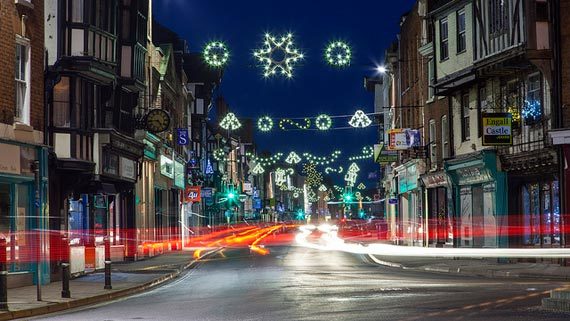
christmas photography

Photo by kennysarmy; ISO 100, f/16, 20-second exposure.

Christians explain the candles, tree lights, and Yule log in terms of the birth of Christ and the Star of Bethlehem. The impact of these lights – if not the explanation – is so powerful that even modern-day Buddhist and Shinto Japan is ablaze with lights and decorations at “Christmas time.” And, in the same dark days of the winter solstice, Hanukkah is the “Festival of Lights” celebrated by Jews around the world.

Years ago, taking great photographs of holiday lights was difficult because the films of yesteryear weren’t very sensitive. They had difficulty recording an image in the low-light of a candle, for example.

This is no longer the case as technology has solved these problems. Many DSLRs or Mirrorless cameras can be set to ISO 800, 1600 and even higher settings with little noise.

In addition, most photographers today rely on auto-exposure with their point-and-shoots or SLRs. Unlike the light meters of old, which were often “fooled” by low-light situations, today’s meters in auto-exposure cameras are able to give good readings even in low light.

This is an important point because holiday lights usually look their best when shot without added light. In fact, this is Rule One when it comes to getting good pictures of lights: Turn off your flash. Let’s repeat that: For most pictures of holiday lights, turn off your flash!

Note that we said “most.” There are a few occasions when you will want to add light, but usually you won’t. So this brings us to the question: When should you use your flash, and when should you avoid it?

christmas river

Photo by Roadsidepictures; ISO 100, f/13, 13-second exposure.

Now, let’s remember one important point if you’re taking a picture without flash: You’re probably going to need a slow shutter speed. This means you may need to mount your camera on a solid unmoving surface to avoid camera-shake. A tripod is best.

When else might you want to use your flash? Let’s say the subject of your picture is your kids under the tree. How are you going to light their faces? On the one hand, you may find that the Christmas-tree lights are sufficient and give a very soft glow to their cherubic expressions. Or maybe it is Christmas morning, and they are lighted by window-light that is streaming into the room. In these cases, you don’t need your flash. But, on the other hand, maybe you don’t have enough light to really see their faces. Then you may have to use your flash. How do you know which way to go?

One approach is to shoot both ways, then select the better image. We think a better way is to plan ahead and meter your subject. Remember that Guideline One of the Three NYI Guidelines for Great Pictures is to decide on your subject before you do anything else. You can learn this at the photography school. In this case, you’ve decided that the subject is the faces of the kids. Guideline Two is to draw attention to your subject. One method of drawing attention is to make sure your subject is well-exposed. So meter the light that falls on their faces from the lighted tree. Get in close and meter just the faces! If there’s enough available light for a well-exposed picture, shoot it. If not, use your flash.

Now let’s move outdoors. Outdoor photo subjects include elaborate lighting and decoration on houses, stores, and streets. Again, if you want to capture the lights themselves, don’t use your flash. One other tip for outdoor lights – you’ll get the best results when you shoot at twilight. That way, you’ll capture some color in the sky, rather than the pitch-black tone that will be recorded on film later at night. But what if you want to take a picture of your friend in front of a brightly lit display?

christmas photography

Photo by Patrick Emerson.

You want to capture both the bright lights and your friend. If you use flash, you get your friend, but you’re in danger of minimizing the bright lights behind. On the other hand, if you don’t use flash, you get better detail of the lights but your friend is reduced to a silhouette.

There’s an answer. Many of today’s point-and-shoot cameras both film and digital have a funny-looking setting that looks like a person with a star in the background.

This setting tells the camera that you want the flash to fire (which will light your friend in the foreground), but that you also want the lens to stay open long enough to record the lights in the background. In fact, the symbol for this setting on many cameras is sort of a hieroglyph that tries to indicate “person at night in front of lights.” Your solution to getting light on your friend’s face and capturing the light display is to use this setting. The flash exposes the face. The long exposure captures the lights.

But, again, watch out here. The long exposure – typically, one-quarter of a second long – requires that you steady your camera to avoid camera shake. Once again, we advise you to use a tripod.

So, to take great holiday photos in this season of lights, we offer you these four tips we explore in our photography classes:

  • Turn off your flash unless you have a very good reason to use it.
  • Use a fast ISO – we suggest ISO 800.
  • Avoid camera shake.
  • Use a tripod…or, at least, brace the camera. Trust your camera’s built-in meter.

Some Special Considerations

Digital ISO

Amplifying a digital signal is like turning the volume up on your radio as loud as it will go. At the maximum volume every hiss, pop, and scratch is heard and, depending on the quality of the equipment, quality is diminished. The same thing happens in a digital camera. When the ISO setting is increased, every image artifact and defect is magnified.

To achieve the best image quality, you might try working with a slower ISO setting to start. If you are having trouble getting a good exposure, increase the ISO as needed. You might even try using the Auto ISO setting and see how the camera chooses to handle exposure.

Digital Noise

Regardless of the ISO setting chosen, most inexpensive digital cameras produce “noise” during long exposures. Noise is caused by the small electrical disturbances that are present in every electrical system. In order to capture a weak light signal, such as a subject in low-light, longer exposures are usually needed. The longer a digital camera shutter is open, the more electrical noise is recorded as well.

christmas style

Photo by Hernan Pinera.

So, it seems we have a double-edged sword.

  • Increase the ISO to achieve faster shutter speeds and you will amplify noise and other image problems.
  • Reduce the ISO and shutter speeds are slower. As a result, you will record inherent noise that might not be seen in a “normal” exposure.

Limited Dynamic Range

To make things worse, digital cameras have a limited dynamic range. Image sensors are only sensitive to a specific range of brightness. Anything outside of that range is recorded as pure white or pure black. This can result in an image without shadow or highlight detail.

Solutions

Here are a few ways to solve these problems. Noise can be reduced with software. In fact some cameras offer in-camera noise reduction features. Proprietary software is used exclusively, yielding uneven results. Test your camera’s capabilities before committing to this feature. There are many noise reduction software products on the market today, some as stand-alone applications and others which are plug-ins that work in conjunction with your favorite image editor. This means you can select a camera with noise reduction or address any problems later in the digital “darkroom.”

Timing is Everything

As we noted earlier in this article, when shooting holiday lights outside, I find that the best exposures can be made at twilight. Twilight is after the sun has set but before the dark of night. This fleeting balance of light and shadow will yield the brilliance of the lights while maintaining details in the shadow. Don’t underestimate shadow detail to help establish your composition. Consult your camera’s manual for details on your white balance options and how to adjust them. In the finished photo the viewer will perceive the twilight photo to be taken at night.
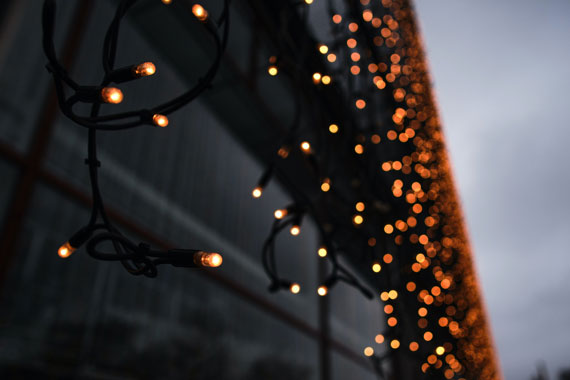
twilight christmas lights

Photo captured by Tim Schmidbauer

When shooting holiday lights inside, try turning on lights in the room to increase the ambient light, rather than using a flash. Flash can produce a harsh, high-contrast quality that obliterates the brilliance of the light. A carefully positioned incandescent light can increase the ambient light without overpowering your holiday lights.

Shoot Two Exposures

One way to extend the tonal range of a digital image is by making two exposures of a scene. Shooting in Manual mode, make one exposure configured to capture the best highlight detail. Make a second exposure to capture the best shadow detail. Then combine the two exposures in Photoshop as separate Layers. Using the Eraser tool remove poorly exposed areas to reveal detail and take advantage of the best parts of each Layer/exposure. Using this technique you could extend the tonal range well beyond the possibility of any single exposure made with the same camera. Of course this requires a strong tripod to ensure both compositions match perfectly. Consider using a remote control to reduce the possibility of camera movement.

Accomplished photographers may also create two separate images’- one favoring highlights, the other shadows’ – from a single RAW file.

Turn Off Automatic White Balance

In many photographic situations white balance is a godsend. By automatically neutralizing extreme color casts, believable digital color is rendered without breaking a sweat. It is important to remember, not all photos require white balance. Tone down the rich, saturated colors of a sunset and you’re left with nothing. Attempt to white balance a fireworks display and you end up with dull lifeless, de-saturated bursts and streaks of light. Holiday lights should be treated similarly. By turning off the auto white balance feature you are sure to capture the exaggerated colors the holidays have to offer.

You could try turning off white balance altogether or even experiment with any of the other manual settings to find a color balance that suits your visual needs. Either way is a better bet than giving the decision to the camera.

Test, Test, Test

The immediate feedback of digital photography begs you to test your exposures to determine what works best. Take advantage of the metadata that most digital cameras embed inside every digital picture you make. Metadata can include camera make and model, exposure, flash, white balance and other important information that can help you to determine what works and what doesn’t work. This means you don’t even have to take notes! To access your digital image metadata, open a file in Adobe Photoshop.

christmas light photos

Photo by Bob Jagendorf; ISO 1600, f/2, 1/125-second exposure.

Choose File > File Info. The File Info dialog box appears. Select the Camera Data option on the left side of the screen. The Camera Data screen reveals shutter speed, aperture, ISO settings, lens focal length, flash settings and even the metering modes. Holiday lights are usually around for more than a couple of days each year, take advantage of this by shooting early in the season and then re-shooting if you have too.

About the Author:
Chuck DeLaney has been a professional photographer for over 30 years. Since 1998 he has been the director of the NYIP, America’s oldest and largest photography school. DeLaney has taught photography classes in colleges, community programs and institutional settings. In addition to teaching, he has written two books about photography and written hundreds of magazine and Web articles also.

For Further Training:

Lighting is arguably the most important aspect of photography; but do you know how to use it? These Photography Lighting Cheat Sheets are designed to help. With critical information on ALL the types of natural light and artificial light you can use. They are currently 80% off today for a Holiday Sale 🎁
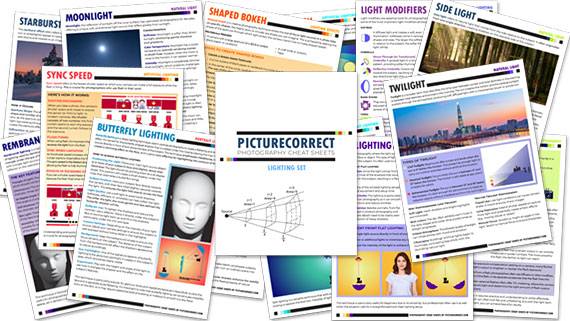
lighting cheat sheets

New! Cheat Sheets for Photography Lighting (see how they work)

Whether you’re a seasoned professional or just starting out, photography cheat sheets can be a valuable resource for improving your skills and taking your photography to the next level. By having all the key information you need in one place, you can focus on what’s important – capturing amazing photos.

Holiday sale ending soon: Photo Lighting Cheat Sheets at 80% Off


from PictureCorrect https://ift.tt/cpWZxbq
via IFTTT